
One For All WM2251
איין פאר אלע פול באוועגונג טעלעוויזיע קלאַמער WM2251 באַניצער מאַנואַל
Model: WM2251 | Brand: One For All
הקדמה
This manual provides comprehensive instructions for the installation, operation, and maintenance of your One For All Full Motion TV Bracket, model WM2251. This bracket is designed to securely mount televisions ranging from 13 to 40 inches, offering flexible viewing angles with its swivel and tilt capabilities.

Image: The One For All Full Motion TV Bracket, model WM2251, showcasinג זײַן ראָבוסטן דיזײַן און אַרטיקולירנדיקן אָרעם.
זיכערקייַט אינפֿאָרמאַציע
Please read all safety warnings and instructions carefully before installation and use. Failure to do so may result in property damage, serious injury, or death.
- Ensure the mounting surface can safely support the combined weight of the bracket and the television.
- ניצט פּאַסיקע מכשירים און פאָלגט אַלע דרילינג און מאָנטירונג אינסטרוקציעס פּינקטלעך.
- Do not exceed the maximum weight capacity of 30kgs (66 lbs).
- Verify VESA compatibility (75x75, 100x100, 200x100, 200x200) with your TV before installation.
- האַלטן קינדער און פּעץ אַוועק בעשאַס ינסטאַלירונג.
- אויב איר זענט נישט זיכער וועגן קיין טייל פון דער אינסטאַלאַציע, קאָנסולטירט זיך מיט אַ קוואַליפֿיצירטן פאַכמאַן.
פּעקל אינהאַלט
באַשטעטיקן אַז אַלע קאָמפּאָנענטן זענען פאַראַן איידער איר הייבט אָן די אינסטאַלאַציע.
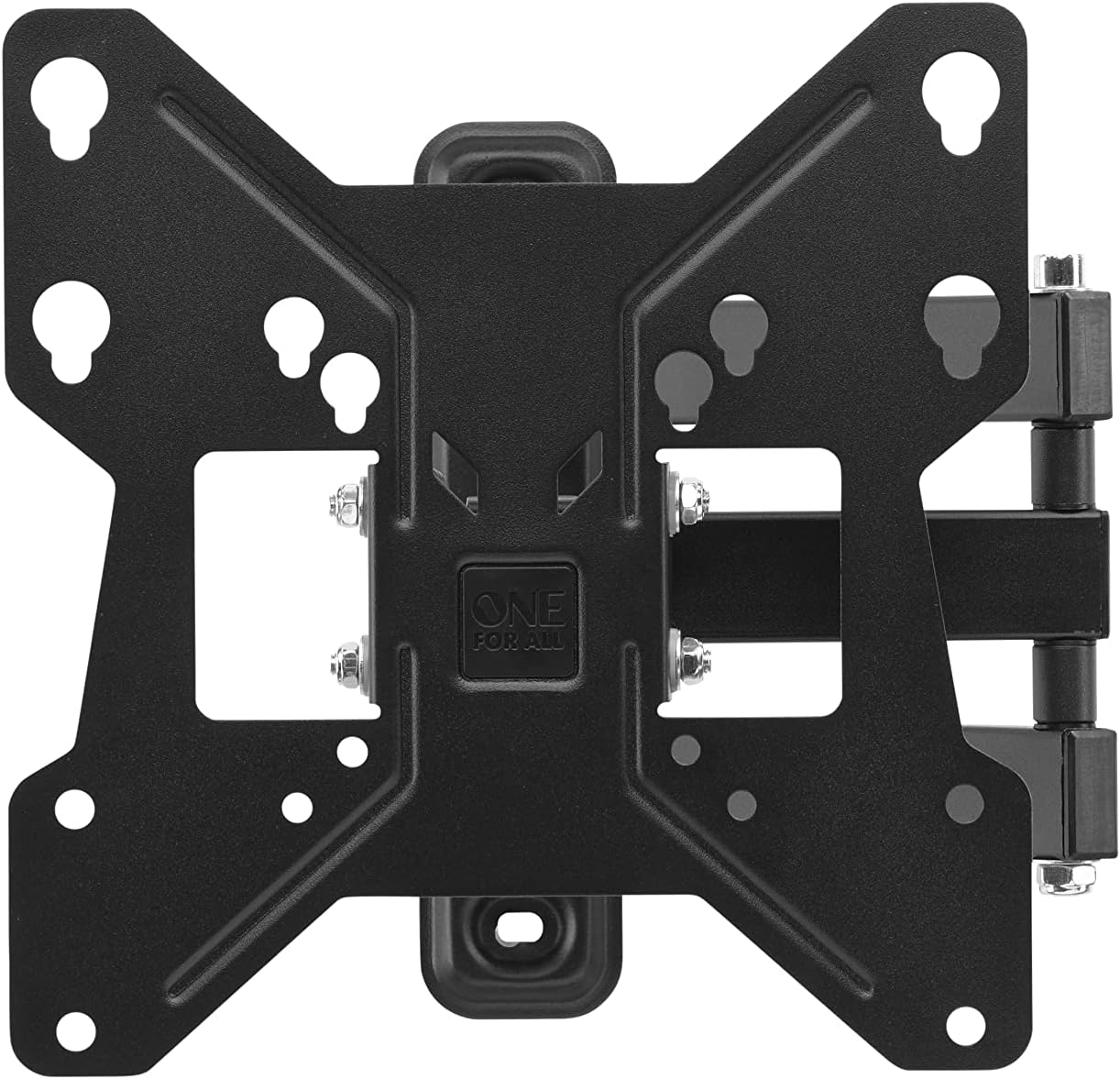
בילד: פון אויבן אַראָפּ view of the One For All TV Bracket, showing the main mounting plate and articulating arm.
- TV Wall Mount Bracket Assembly
- Mounting Hardware (screws, concrete anchors, spacers)
- ינסטראַקשאַנז מאַנואַל
סעטאַפּ און ינסטאַלירונג
פאַר-ינסטאַלירונג טשעקליסט
- Confirm your TV's screen size is between 13 and 40 inches.
- Check your TV's VESA mounting pattern: 75x75, 100x100, 200x100, or 200x200.
- Ensure your TV's weight does not exceed 30kgs.
- Identify the type of wall (wood stud, concrete, brick) and use appropriate anchors.
ינסטאַללאַטיאָן סטעפּס
- Attach Bracket to TV: Secure the TV-side bracket components to the back of your television using the provided screws that match your TV's VESA pattern. Ensure a snug fit.
- Mark Wall Position: Determine the desired height for your TV. Hold the wall plate against the wall and mark the drilling points. Use a spirit level to ensure it is perfectly horizontal.
- בויער האָלעס: Drill pilot holes at the marked locations. For wood studs, drill directly. For concrete or brick, insert the provided concrete anchors.
- בארג וואנט טעלער: Secure the wall plate to the wall using the appropriate screws. Ensure it is firmly attached and stable.
- הענגען טעלעוויזיע: Carefully lift the TV with the attached bracket and hook it onto the wall plate. Ensure it is securely seated.
- Secure TV to Mount: Tighten any safety screws or locking mechanisms to prevent accidental dislodging of the TV from the mount.

בילד: אַן עקסample of the TV bracket installed on a wall, demonstrating its discreet presence above a living space.
For additional assistance, you can download the One For All Toolbox app (available for iOS and Android), which includes tools like a spirit level and flashlight to aid installation.
Operating the TV Bracket
The One For All Full Motion TV Bracket allows for flexible adjustment of your television's viewינג ווינקל.
- Swivel (180°): Gently push or pull the TV to rotate it horizontally up to 180 degrees (90 degrees left or right from center). This is ideal for viewing from different areas of a room.
- Tilt (15°): Adjust the vertical angle of the TV up to 15 degrees (up or down). This feature helps reduce glare and optimize viewing from various heights.
- קאַבלע פאַרוואַלטונג: Utilize the integrated cable management system to route and conceal cables for a tidy appearance.
וישאַלט
To ensure the longevity and proper function of your TV bracket:
- Periodically check all screws and bolts to ensure they remain tight.
- Clean the bracket with a soft, dry cloth. Avoid abrasive cleaners or solvents.
- Do not hang objects from the bracket or apply excessive force when adjusting the TV.
טראָובלעשאָאָטינג
| פּראָבלעם | מעגלעך סיבה | לייזונג |
|---|---|---|
| טעלעוויזיע נישט גלייך | Wall plate not level during installation | Re-adjust wall plate using a spirit level. |
| Bracket feels loose | Screws are not tightened sufficiently or wall anchors are inadequate | Re-tighten all mounting screws. Ensure correct wall anchors were used for your wall type. |
| TV does not fit mount | Incorrect VESA size or TV size/weight | Verify your TV's VESA pattern and ensure it is within the 13-40 inch screen size and 30kg weight limit. |
ספּעסאַפאַקיישאַנז
- מאָדעל: וומקסנומקס
- סקרין גרייס קאַמפּאַטאַבילאַטי: 13-40 אינטשעס
- מאַקסימום וואָג קאַפּאַציטעט: 30 קג (66 לבס)
- VESA קאַמפּאַטאַבילאַטי: 75x75, 100x100, 200x100, 200x200
- סוויוואַל ווינקל: ביז 180°
- ווינקל ווינקל ביז 15°
- קאָליר: שוואַרץ
- מאַטעריאַל: פּלאַסטיק
- פּראָדוקט דימענשאַנז: 9.45 X 1.93 X 9.8 אינטשעס
וואָראַנטי און שטיצן
For warranty information and technical support, please refer to the official One For All webזייטל אדער קאנטאקט זייער קאסטומער סערוויס. האלט אייער קויף קוויטל אלס באווייז פון קויפן.
You can also visit the One For All Store on Amazon for more products and information: One For All Store.
Ask a question about this manual
Ask about setup, troubleshooting, compatibility, parts, safety, or missing instructions. Manuals+ will review the question and use this page’s manual context to help answer it.