
Amazon Basics L6LMF014-CS-R
Amazon Basics ניילאָן געפלאָכטענע בליץ צו USB-A קאַבל באַניצער מאַנואַל
מאָדעל: L6LMF014-CS-R | סאָרט: אַמאַזאָן באַסיקס
1. הקדמה
This user manual provides essential information for the proper use, setup, and maintenance of your Amazon Basics Nylon Braided Lightning to USB-A Cable. This MFi certified cable is designed to provide reliable charging and data synchronization for your Apple devices.
2. פּראָדוקט איבערview
The Amazon Basics Nylon Braided Lightning to USB-A Cable features a durable design for enhanced longevity and performance.
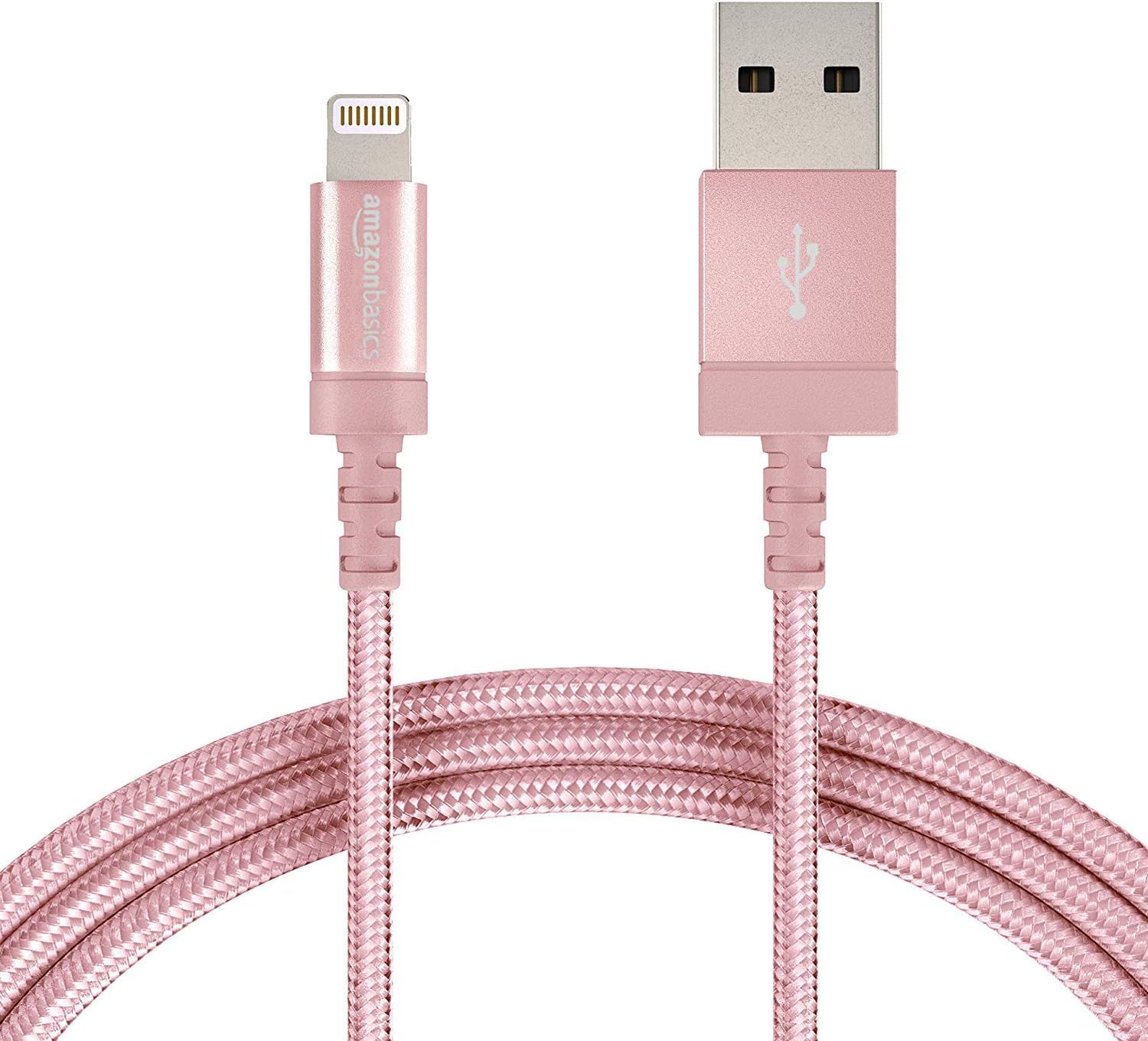
Figure 2.1: The Amazon Basics Nylon Braided Lightning to USB-A Cable, showcasing its rose gold color and braided exterior.

פיגורע 2.2: דעטאַילעד view of the Lightning connector (left) and USB-A connector (right) of the cable.

Figure 2.3: Cross-section diagram illustrating the cable's internal components, including copper wires for signal quality, high-resistance insulation, aluminum foil, Mylar shielding, and a durable nylon braided outer jacket.

Figure 2.4: A close-up of the MFi certified Lightning connector, designed for secure and reliable connection to Apple devices.
3. סעטאַפּ
To set up your Amazon Basics Lightning to USB-A Cable for charging or data transfer, follow these simple steps:
- פאַרבינדן צו מאַכט מקור: Insert the USB-A end of the cable into a compatible USB wall charger, car charger, or a USB port on your computer.
- פאַרבינדן צו מיטל: Insert the Lightning connector end of the cable into the Lightning port of your Apple iPhone, iPad, or iPod.
- באַשטעטיקן קשר: Ensure both ends are securely connected. Your device should indicate that it is charging or connected for data transfer.

Figure 3.1: The cable connected to a wall charger and an iPad, demonstrating a typical charging setup.
4. אָפּערייטינג
This cable is designed for both charging and data synchronization with MFi certified Apple devices. Its MFi certification ensures complete compatibility and safe operation.
- טשאַרדזשינג: When connected to a power source, the cable will charge your compatible Apple device. The charging speed depends on the power output of your charger.
- דאַטאַ סינק: When connected to a computer, the cable allows for data transfer, such as syncing music, photos, and other files between your device and computer.
5. וישאַלט
To ensure the longevity and optimal performance of your cable, please follow these maintenance guidelines:
- ויסמיידן עקסטרעם בענדינג: While the nylon braided design offers enhanced durability, avoid sharp or excessive bending, especially near the connectors, to prevent internal wire damage.
- סטאָר רעכט: When not in use, coil the cable loosely and secure it with the included Velcro strap to prevent tangling and kinking.
- האַלטן ריין: Keep the connectors free from dust, lint, and debris. Use a soft, dry cloth to gently wipe them if necessary.
- שעפּן מיט זאָרג: Always pull from the connector head, not the cable itself, when unplugging from a device or power source.
6. טראָובלעשאָאָטינג
If you encounter issues with your cable, refer to the following common problems and solutions:
| פּראָבלעם | מעגלעך סיבה | לייזונג |
|---|---|---|
| מיטל ניט טשאַרדזשינג. | Loose connection, faulty power source, dirty port. | Ensure cable is securely plugged into both device and power source. Try a different USB port or wall adapter. Clean the device's Lightning port gently. |
| Device not syncing data. | Loose connection, software issue, computer port issue. | Check all connections. Restart your computer and device. Try a different USB port on your computer. Ensure iTunes or Finder is updated. |
| "Accessory not supported" message. | Device software outdated, dirty port, rare cable defect. | Ensure your Apple device's iOS/iPadOS is up to date. Clean the device's Lightning port. As this cable is MFi certified, this message is unlikely unless there's a specific device or port issue. |
| דער קאַבל זעט אויס צעבראָכן. | פיזישער דרוק, אומרעכט האַנדלינג. | Discontinue use immediately to prevent potential damage to your device. Replace the cable. |
7. ספּעסאַפאַקיישאַנז
| שטריך | דעטאַל |
|---|---|
| סאָרט | אַמאַזאָן באַסיקס |
| מאָדעל נאָמען | MFi Certified Charger for Apple iPhone - Nylon obs |
| נומער מאָדעל נומער | L6LMF014-CS-R |
| קאַנעקטער טיפּ | בליץ, וסב-א |
| טיפּ קאַבלע | Lightning to USB |
| לענג | 6-Foot (1.8 meters) |
| קאָליר | רויז גאָלד |
| ויסווייניקסט מאַטעריאַל | ניילאָן |
| ספּעציעלע שטריך | געפלאָכטן, MFi סערטיפיצירט |
| קאַמפּאַטאַבאַל דעוויסעס | Tablet, Smartphone (iPhone X / 8 Plus / 8 / 7 Plus / 7 / 6s Plus / 6s / 6 Plus / 6 / 5s / 5c / 5 / iPad Pro / iPad Air / Air 2 / iPad mini / mini 2 / mini 4 / iPad 4th gen / iPod Touch 5th gen / iPod nano 7th gen and Beats Pill+) |
| פּונקט וואָג | 1.73 אונסעס |
| פּראָדוקט דימענשאַנז | 4.72 X 1.96 X 0.7 אינטשעס |
| UPC | 841710140323 |
| ערשטער דאַטע בנימצא | 1 אויגוסט 2016 |
8. וואָראַנטי & שטיצן
Specific warranty information for this product is not available in the provided data. For detailed warranty terms, technical support, or customer service, please refer to the official Amazon Basics website or contact Amazon customer support directly.
Ask a question about this manual
Ask about setup, troubleshooting, compatibility, parts, safety, or missing instructions. Manuals+ will review the question and use this page’s manual context to help answer it.