

הקדמה
Thank you for choosing the Taylor Digital Indoor/Outdoor Thermometer. This versatile device provides accurate temperature readings for both indoor and outdoor environments. Featuring a reversible suction cup for flexible mounting and an easy-to-read LCD display, it tracks temperatures in both Fahrenheit and Celsius, including daily minimum and maximum readings.
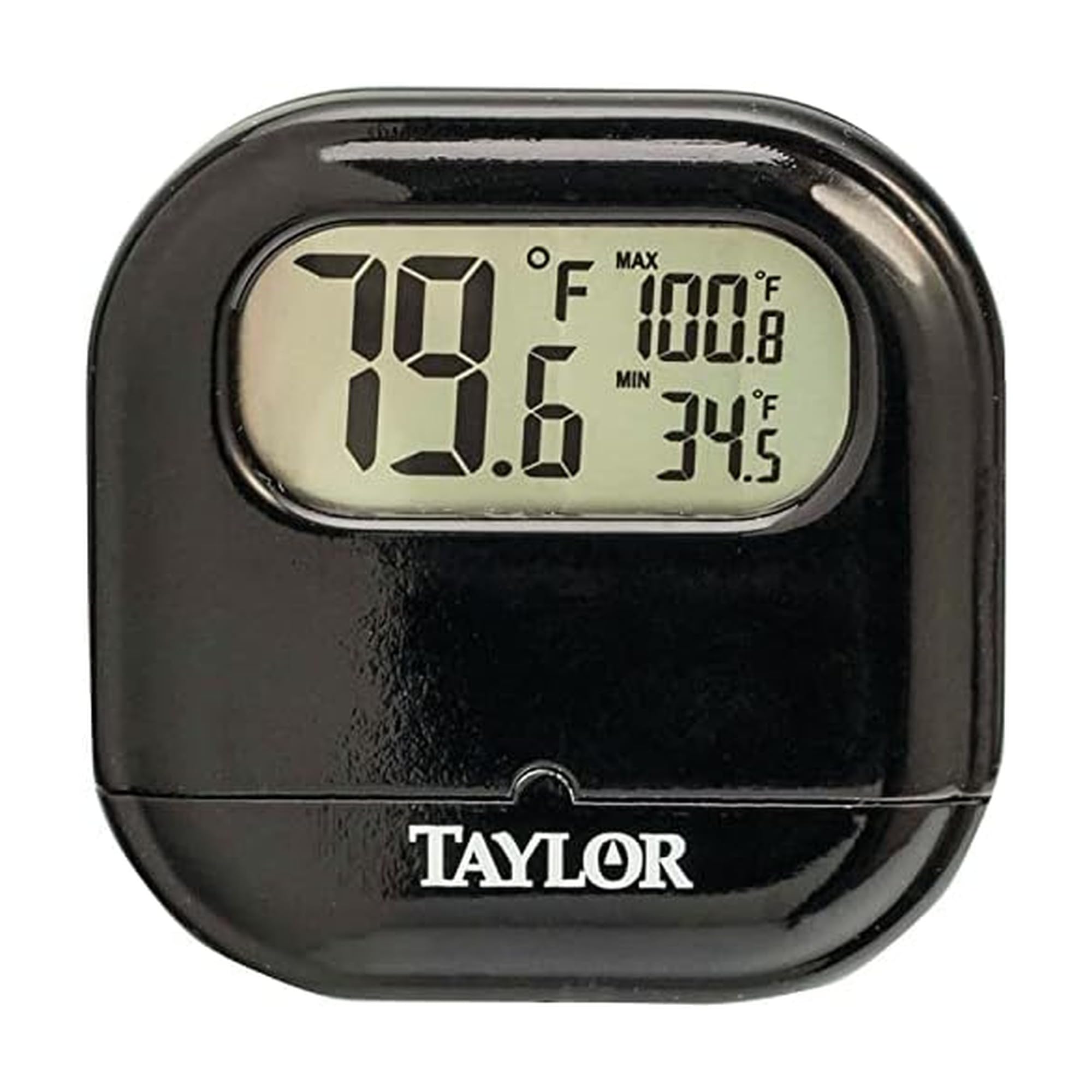
Image: The Taylor Digital Indoor/Outdoor Thermometer, a compact black device with a clear LCD screen, designed for versatile temperature monitoring.
זיכערקייַט אינפֿאָרמאַציע
- Do not expose the thermometer to extreme temperatures beyond its operating range (-4°F to 140°F / -20°C to 60°C).
- While weather-resistant, avoid direct exposure to heavy rain, snow, or prolonged direct sunlight to ensure longevity and accuracy.
- האַלטן באַטעריז אויס פון דערגרייכן פון קינדער. אויב סוואַלאָוד, זוכן באַלדיק מעדיציניש ופמערקזאַמקייַט.
- פּאָטער פון געוויינט באַטעריז לויט די היגע רעגיאַליישאַנז.
- פרובירט נישט צו צענעמען אדער פאררעכטן דעם איינהייט. קאנטאקטירט קאסטומער סופארט פאר הילף.
פּעקל אינהאַלט
- 1 x Taylor Digital Indoor/Outdoor Thermometer (Model 1700)
- 1 x LR44 Battery (pre-installed or included separately)
פּראָדוקט פֿעיִקייטן
- דרינענדיק און דרויסנדיק נוצן: Designed for versatile placement.
- ברייט טעמפּעראַטור קייט: מעסט פון -4°F ביז 140°F (-20°C ביז 60°C).
- Reversible Suction Cup: Allows for easy mounting on windows or smooth surfaces, facing either inward or outward.
- Min/Max Temperature Record: Automatically records the highest and lowest temperatures over a 24-hour period.
- קלאָר לקד ווייַז: Features oversized digits for enhanced readability.
- באַטערי אַפּערייטאַד: Requires 1 LR44 battery (included).
סעטאַפּ
1. באַטאַרייע ייַנמאָנטירונג
- געפינען די באַטאַרייע אָפּטייל אויף די צוריק פון די טערמאָמעטער.
- עפענען די באַטאַרייע אָפּטייל דעקן.
- Insert one LR44 battery, ensuring the correct polarity (+/-) as indicated inside the compartment.
- Close the battery compartment cover securely. The display should activate.
2. מאָנטירן דעם טערמאָמעטער
The thermometer features a reversible suction cup for flexible mounting.
- For Indoor Reading of Outdoor Temperature: Attach the suction cup to the outside of a clean window, with the display facing inward.
- For Outdoor Reading: Attach the suction cup to the inside of a clean window, with the display facing outward.
- Ensure the surface is clean and dry for optimal suction. Press firmly to secure.
- For best accuracy, place the thermometer in a shaded area, away from direct sunlight, which can cause elevated readings.
אַפּערייטינג ינסטראַקשאַנז
1. Reading the Temperature
Once the battery is installed, the current temperature will be displayed on the LCD screen. The large digits ensure easy readability.
2. וועקסלען טעמפּעראַטור איינהייטן (°F/°C)
Locate the small button on the back or side of the thermometer, usually labeled "°F/°C". Press this button to toggle between Fahrenheit and Celsius temperature displays.
3. Viewing and Resetting Min/Max Temperatures
The thermometer automatically records the minimum and maximum temperatures reached since the last reset.
- צו view the minimum temperature, press the "MIN" button (if available, or a multi-function button).
- צו view the maximum temperature, press the "MAX" button (if available, or a multi-function button).
- To reset the Min/Max readings, press and hold the "RESET" button (or the Min/Max button for a few seconds) until the display clears or resets. The 24-hour period for Min/Max tracking begins from the time of the last reset.
וישאַלט
- רייניקונג: ווישן די טערמאָמעטער מיט אַ ווייך, דamp טוך. ניצט נישט קיין שרײַבנדיקע רייניגער און טונקט נישט אײַן דעם אַפּאַראַט אין וואַסער.
- באַטערי פאַרבייַט: When the display becomes dim or stops functioning, replace the LR44 battery as described in the "Battery Installation" section.
- סטאָרידזש: If storing the thermometer for an extended period, remove the battery to prevent leakage.
טראָובלעשאָאָטינג
| פּראָבלעם | מעגלעך סיבה | לייזונג |
|---|---|---|
| דער עקראַן איז ליידיק אָדער טונקל. | נידעריגע אדער טויטע באַטעריע; אומרעכטע באַטעריע אינסטאַלאַציע. | Replace the LR44 battery, ensuring correct polarity. |
| ומפּינקטלעך טעמפּעראַטור רידינגז. | Direct sunlight exposure; proximity to heat/cold sources; unit not calibrated (unlikely for this model). | Relocate the thermometer to a shaded area. Ensure it is not near vents, windows with direct sun, or other appliances that emit heat/cold. Allow time for the unit to stabilize. |
| Suction cup not holding. | Surface is dirty, wet, or not smooth; suction cup is damaged. | Clean and dry the mounting surface thoroughly. Ensure the suction cup is clean. If damaged, it may need replacement. |
| Display goes blank in very cold weather. | Temperature is below the operating range of the LCD. | This is normal for some LCDs in extreme cold. The display should return when temperatures rise within the operating range. The internal sensor may still be functioning. |
ספּעסאַפאַקיישאַנז
| מאָדעל נומער | 1700 |
| טעמפּעראַטור ראַנגע | -4°F צו 140°F (-20°C צו 60°C) |
| מאַכט מקור | 1 x LR44 Battery (included) |
| ווייַז טיפּ | לקד |
| מאַטעריאַל | פּלאַסטיק |
| דימענסיעס (בעערעך) | 5 אינטשעס (לענג) |
| וואָג (בעערעך) | 1.41 אונסעס |
| דרינענדיק / דרויסנדיק באַניץ | יא |
וואָראַנטי און שטיצן
This Taylor Digital Indoor/Outdoor Thermometer (Model 1700) comes with a 1-יאָר לימיטעד וואָראַנטי from the date of purchase. This warranty covers defects in materials and workmanship under normal use. It does not cover damage resulting from misuse, accident, unauthorized service, or other causes not arising from defects in material or workmanship.
For warranty claims, technical support, or general inquiries, please visit the official Taylor webפּלאַץ אָדער קאָנטאַקט זייער קונה סערוויס אָפּטיילונג.
אָנליין שטיצן: Visit the Taylor Store on Amazon