
איקעאַ 40250855
Ikea LILLHULT USB Type C to USB Cable User Manual
מאָדעל: 40250855
הקדמה
This user manual provides essential information for the safe and efficient use of your Ikea LILLHULT USB Type C to USB cable. Please read this manual carefully before using the product and retain it for future reference.
סעטאַפּ אינסטרוקציעס
The Ikea LILLHULT cable is designed for connecting devices with a USB Type C port to a power source or another device with a standard USB-A port for charging and data transfer.
- ידענטיפיצירן קאַנעקטערז: Locate the USB Type C connector (smaller, reversible) and the standard USB-A connector (larger, rectangular).
- פאַרבינדן צו מיטל: Insert the USB Type C connector into the compatible port on your smartphone, tablet, or other USB-C enabled device. Ensure it is fully seated.
- פאַרבינדן צו מאַכט/דאַטן מקור: Insert the USB-A connector into a compatible USB wall adapter, power bank, computer USB port, or other USB-A enabled charging/data port.
- באַשטעטיקן קשר: Confirm that your device indicates it is charging or connected for data transfer.
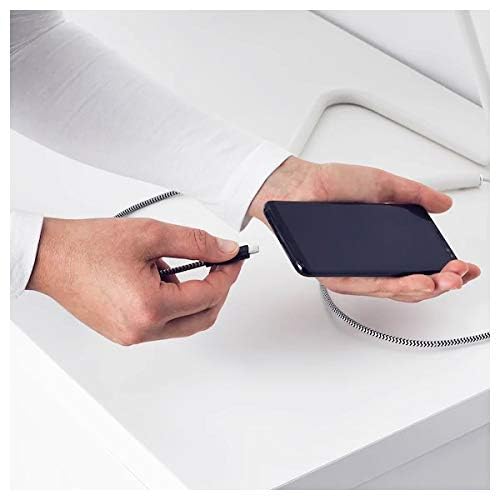
Image: A person connecting the USB Type C end of the cable to a smartphone. This illustrates the initial connection step.
אַפּערייטינג ינסטראַקשאַנז
טשאַרדזשינג דעוויסעס
Once properly connected to a power source, the cable will facilitate charging of your USB Type C device. Charging speed may vary depending on the power adapter and the device's charging capabilities.
דאַטאַ אַריבערפירן
This cable supports data transfer at speeds up to 0.48 Gigabits Per Second. To transfer data, connect the USB-A end to a computer's USB port and the USB Type C end to your device. Your device may prompt you to select a connection mode (e.g., "File Transfer" or "MTP").
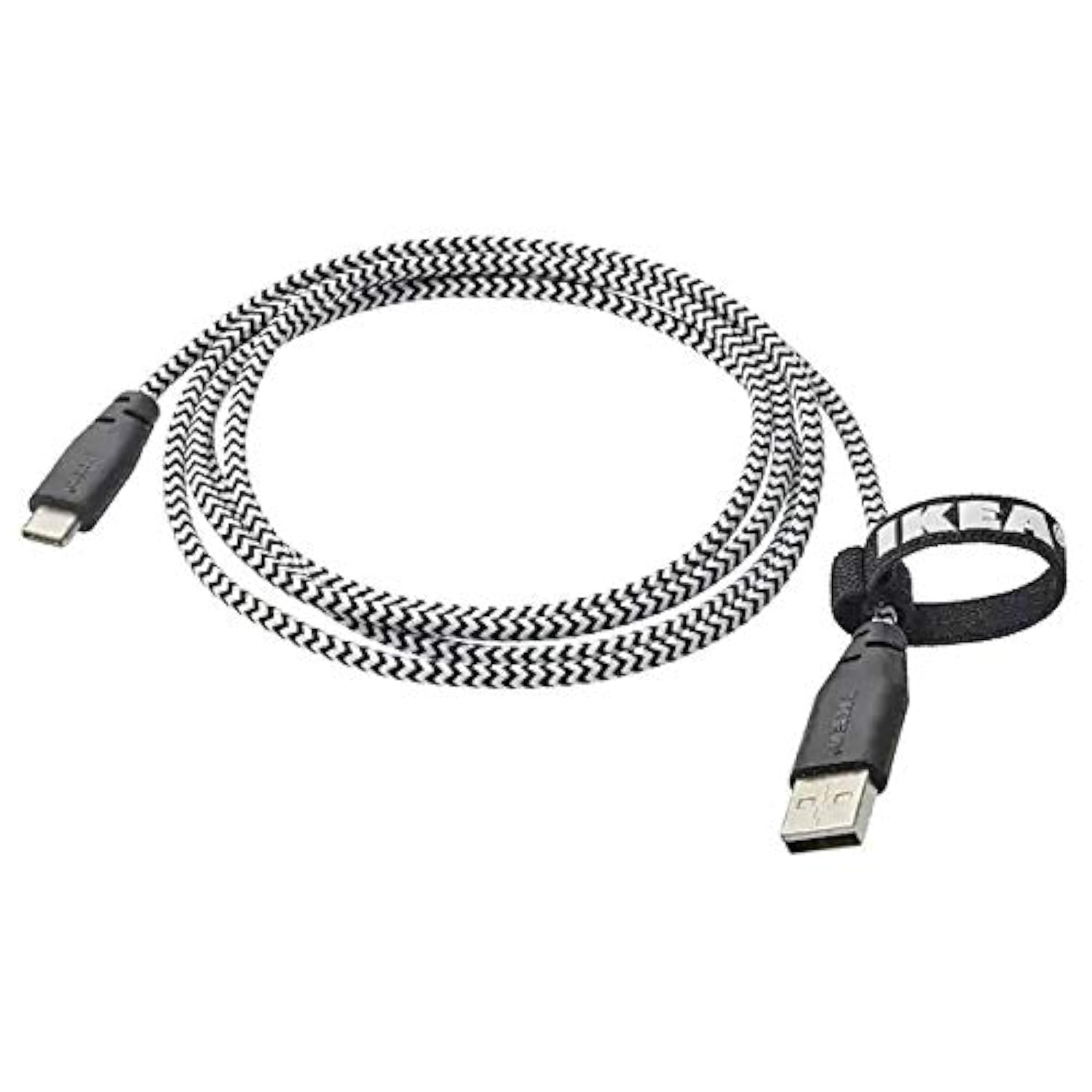
Image: The Ikea LILLHULT cable in use, connecting a smartphone to a charging base, with a laptop in the background. This demonstrates the cable's function in a typical setup.
וישאַלט און זאָרג
- רייניקונג: Wipe the cable with a dry, soft cloth. Avoid using harsh chemicals or abrasive cleaners.
- סטאָרידזש: When not in use, coil the cable loosely. Avoid sharp bends or kinks, especially near the connectors, to prevent internal wire damage. The integrated cable tie can be used for neat storage.
- האַנדלינג: Always grasp the connector housing when plugging or unplugging the cable, rather than pulling on the cable itself.
- סוויווע: האַלט דעם קאַבל אַוועק פון עקסטרעמע טעמפּעראַטורן, דירעקט זונשייַן און פייכטקייט.
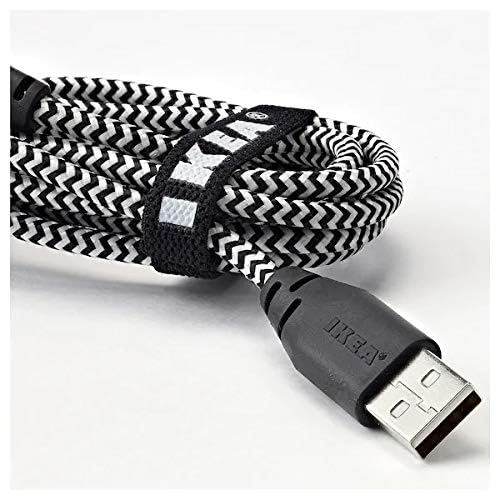
בילד: א נאָענטע בילד view of the coiled Ikea LILLHULT cable, secured with its integrated cable tie, showing the durable braided design and the USB-A connector with the Ikea logo. This highlights the cable's design for easy storage and durability.
טראָובלעשאָאָטינג
| פּראָבלעם | מעגלעך סיבה | לייזונג |
|---|---|---|
| מיטל ניט טשאַרדזשינג. | Loose connection, faulty power adapter, incompatible device. | Ensure both ends of the cable are securely connected. Try a different power adapter or USB port. Verify device compatibility. |
| פּאַמעלעך טשאַרדזשינג. | Low-power USB port, power adapter not sufficient, background apps on device. | ניצן אַ העכער-וואַטtage power adapter. Close unnecessary applications on your device. Ensure the USB port provides adequate power. |
| דאַטן טראַנספער אַרבעט נישט. | Incorrect device settings, driver issues on computer, loose connection. | Check your device's USB connection settings (e.g., select "File Transfer"). Ensure computer drivers are up to date. Reconnect the cable firmly. |
ספּעסאַפאַקיישאַנז
- סאָרט: ייקיאַ
- מאָדעל: 40250855
- קאַנעקטער טיפּ: USB Type C to USB-A
- קאַבלע טיפּ: וסב
- לענג: 1.5 meters (4 feet 11 inches)
- קאַמפּאַטאַבאַל דעוויסעס: Charging Adapter, USB Type C enabled devices
- ספּעציעלע שטריך: דוראַבאַל בריידיד פּלאַן
- דאַטאַ אַריבערפירן קורס: ביז 0.48 גיגאַביטן פּער סעקונדע
- קאָליר: שוואַרץ
- נומער פאָרעם: קייַלעכיק
- פאַבריקאַנט: ייקיאַ
וואָראַנטי און שטיצן
For information regarding warranty, returns, or customer support, please refer to the purchase documentation or visit the official Ikea webזייטל. האַלט דיין קויפן באַווייַז פֿאַר קיין וואָראַנטי קליימז.
אָנליין רעסורסן:
- Official Ikea Webפּלאַץ: www.ikea.com
- Product Support Page (if available): Refer to the Ikea website for specific product support pages.
Ask a question about this manual
Ask about setup, troubleshooting, compatibility, parts, safety, or missing instructions. Manuals+ will review the question and use this page’s manual context to help answer it.