
הקדמה
The Stack-On QAS-1512-B Quick Access Safe provides secure storage with rapid access through its biometric locking system. Designed for convenience and security, this safe allows for quick retrieval of contents using a registered fingerprint. It also includes a backup key for alternative access. The interior is foam-padded to protect valuables, and the safe is equipped with pre-drilled holes and hardware for secure mounting to a floor, wall, or shelf.
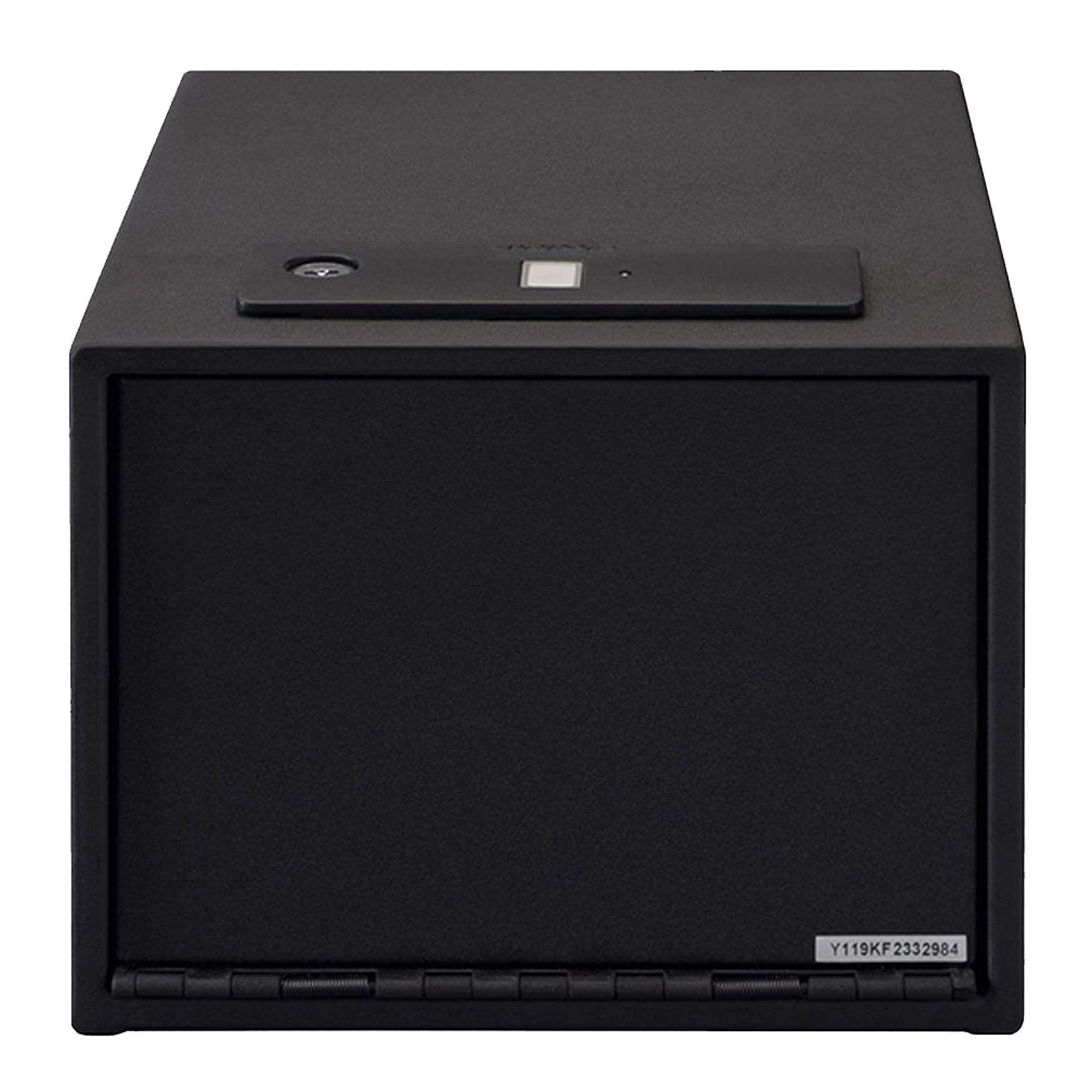
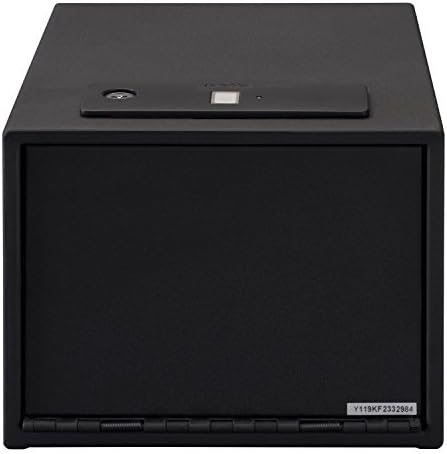
פיגורע 1: פראָנט view of the Stack-On QAS-1512-B Quick Access Safe.
זיכערקייַט אינפֿאָרמאַציע
- Always keep the backup keys in a secure location away from the safe and out of reach of children.
- Do not store the backup keys inside the safe.
- זיכער מאַכן אַז דער זיכערער אָרט איז זיכער אינסטאַלירט צו פאַרמייַדן אַן אומאָטעריזירטע אַראָפּנעמונג.
- Keep the safe closed and locked when not in use.
- This safe is designed to deter theft and provide quick access to contents; it is not fireproof or waterproof.
- Do not allow children to play with or around the safe.
פּעקל אינהאַלט
Verify that all items are present before proceeding with installation and setup:
- Stack-On QAS-1512-B Quick Access Safe
- באַקקופּ שליסלען (2)
- אַאַ באַטעריז (4)
- רימווואַבאַל שעלף
- Fastening Hardware (for mounting)
- באַניצער מאַנואַל (דעם דאָקומענט)

פיגורע 2: ינלענדיש view showing the removable shelf and foam-padded interior.
סעטאַפּ
1. באַטאַרייע ייַנמאָנטירונג
- Locate the battery compartment, typically on the inside of the safe door or back panel.
- אַרייַנלייגן 4 אַאַ באַטעריז, ינשורינג די ריכטיק פּאָולעראַטי (+/-).
- פאַרמאַכן די באַטאַרייע אָפּטייל דעקן סיקיורלי.
2. אויפשטעלן דעם זיכערן
The safe features pre-drilled holes for secure mounting to a floor, wall, or shelf. Use the provided fastening hardware.
- Choose a secure and discreet location for mounting.
- מאַרקירט די בויער פונקטן דורך די פאַר-געבויערטע לעכער אויף דעם זיכער.
- בויער פּילאָט האָלעס אין די מאַונטינג ייבערפלאַך.
- Align the safe with the pilot holes and secure it using the fastening hardware.
- זיכער מאַכן אַז דער זיכער איז פעסט באַפעסטיקט און קען נישט לייכט אַראָפּגענומען ווערן.
פיגורע 3: עקסample of the safe mounted securely inside a closet.
3. Initial Fingerprint Enrollment
וויכטיק: When you first receive your safe, it is in a factory default state where any fingerprint can open it. For security, you מוזן record at least one fingerprint. Failure to do so will compromise the safe's security.
The safe can store up to 20 different fingerprints. For optimal performance, each user should register only one thumb or index finger.
- Open the safe using the provided backup key.
- Locate the reset button on the inside of the safe.
- Press and release the reset button. You will hear two beeps, see two flashes of blue light, and the scanner will turn blue.
- Place your chosen finger on the scanner until the safe beeps once and a green light flashes.
- Immediately place the זעלביקער finger on the scanner for a second time until there is one beep and a green light flash.
- שטעלן די זעלביקער finger on the scanner for a third and final time, holding it in the same position until there are two beeps and two green light flashes.
- Your fingerprint is now recorded. Test the registered fingerprint to ensure it opens the safe.

פיגורע 4: שפּיץ view highlighting the biometric scanner.
For a visual guide on fingerprint enrollment, please refer to the official product video below:
Video 1: Official guide on how to record fingerprints for the Stack-On biometric safe. This video demonstrates the steps for enrolling a new fingerprint into the safe's system, ensuring secure access.
אַפּערייטינג ינסטראַקשאַנז
עפן מיט פינגערפּרינט
- Place a registered finger on the biometric scanner.
- The safe will beep and the light will turn green, indicating successful recognition.
- The safe door will automatically open.
Opening with Backup Key
- Locate the keyhole, usually concealed near the biometric scanner.
- Insert the backup key and turn it to unlock the safe.
- Open the safe door manually.
אַדינג נאָך פינגגערפּרינץ
To add more fingerprints (up to 20 total), repeat the "Initial Fingerprint Enrollment" steps for each new finger or user.
Deleting All Fingerprints
To delete all stored fingerprints and reset the safe to its factory default (any fingerprint opens), press and hold the reset button for approximately 5 seconds until you hear a long beep and the lights flash. All previously registered fingerprints will be erased.
וישאַלט
- באַטערי פאַרבייַט: Replace all 4 AA batteries annually or when the low battery indicator (if present) illuminates. Use only new, high-quality alkaline batteries.
- רייניקונג: ווישט אָפּ די אויסערלעכע זייט פון זיכער מיט אַ ווייכן, טרוקענעם שטאָף.amp cloth. Do not use abrasive cleaners or solvents. Keep the biometric scanner clean and free of dirt or oils for optimal performance.
- שליסל סטאָרידזש: Periodically check the location of your backup keys to ensure they are secure and accessible in case of battery failure or biometric system issues.
טראָובלעשאָאָטינג
| פּראָבלעם | מעגלעך סיבה | לייזונג |
|---|---|---|
| זיכער עפֿנט זיך נישט מיטן פינגער־אָפּדרוק. |
|
|
| Safe opens with any fingerprint (after initial setup). | Fingerprints were not recorded after initial setup, or all fingerprints were deleted. | Immediately follow the "Initial Fingerprint Enrollment" steps to register at least one fingerprint. |
| Safe makes no sound or light. | טויטע אדער נישט ריכטיק אינסטאלירטע באַטעריעס. | פאַרבייַטן באַטעריז מיט נייַ אָנעס, ינשורינג ריכטיק פּאָולעראַטי. |
| די טיר עפֿנט זיך נישט גלאַט. | שטערונג אדער מיסאַליינמענט. | Check for any obstructions around the door or hinges. Ensure the safe is mounted on a level surface. |
ספּעסאַפאַקיישאַנז
| שטריך | דעטאַל |
|---|---|
| סאָרט | אָנלייגן-אויף |
| מאָדעל נומער | QAS-1512-B |
| לאַק טיפּ | Biometric (Fingerprint) with Electronic Backup |
| Backup Access | שליסל |
| פינגערפּרינט קאַפּאַציטעט | אַרויף צו 20 |
| קאָליר | שוואַרץ |
| מאַונטינג טיפּ | שטאָק שטייענדיק, וואַנט מאָונט |
| פּונקט וואָג | 4.37 פונט |
| וואַסער קעגנשטעל מדרגה | ניט וואַסער קעגנשטעליק |
| אַרייַנגערעכנט קאַמפּאָונאַנץ | Battery, Key, Safe |
וואָראַנטי און שטיצן
For warranty information or technical support, please refer to the documentation included with your purchase or visit the official Stack-On webזייטל. האַלט אייער קויף קוויטל ווי אַ באַווייַז פון קויפן פֿאַר וואָראַנטי קליימז.
For further assistance, you may contact Stack-On customer service directly. Contact details are typically available on the manufacturer's webפּלאַץ אָדער אין די פּראָדוקט פּאַקקאַגינג.