
הקדמה
Welcome to your One For All URC-3021BG1 Universal Remote Control. This manual provides instructions for setting up, operating, and maintaining your remote control. This device is designed to control various home entertainment components, including VCRs, DVD players, PVR/DVRs, Cable Boxes, and Satellite receivers, utilizing UEI Technology.
פּעקל אינהאַלט
- One For All URC-3021BG1 Universal Remote Control
- באַניצער מאַנואַל (דעם דאָקומענט)
סעטאַפּ
1. ינסטאָלינג באַטעריז
Before using your remote control, install two new AAA alkaline batteries (not included).
- עפענען די באַטאַרייע אָפּטייל דעקן אויף די צוריק פון די ווייַט קאָנטראָל.
- אַרײַנשטעלן צוויי AAA באַטעריעס, און זיכער מאַכן אַז די ריכטיקע פּאָלאַריטעט (+ און -) איז אָנגעוויזן אין דעם אָפּטייל.
- פאַרמאַכן די באַטאַרייע אָפּטייל דעקן סיקיורלי.
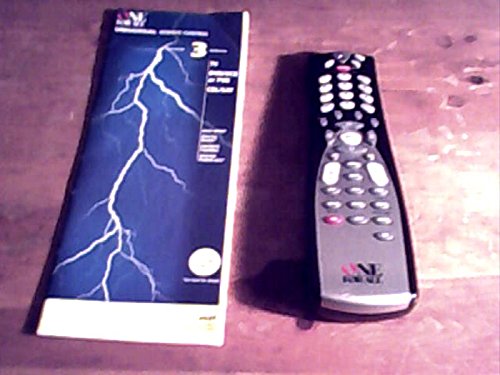
Image: The One For All URC-3021BG1 remote control, showing the rear battery compartment.
2. פּראָגראַמירן דיין ווײַטקאָנטראָל
The URC-3021BG1 can be programmed to control up to four devices. Follow these steps to program each device:
- Identify Device Type: Press the device button (e.g., VCR, DVD, CBL/SAT) on the remote that corresponds to the device you wish to control. The indicator light for that device will illuminate.
- אַרייַן די סעטטינגס מאָדע: Press and hold the "SETUP" button until the indicator light blinks twice.
- אַרייַן קאָד: Refer to the code list provided with your remote (or search online for "One For All URC-3021BG1 codes") and enter the 4-digit code for your device's brand.
- טעסט קאָנטראָל: Point the remote at your device and press the "POWER" button. If the device turns off, the code is correct. If not, try the next code for your brand or repeat the process with a different code.
- היט סעטטינגס: Once the device responds correctly, press the "SETUP" button again to save the code. The indicator light will blink twice.
טיפּ: If your device does not respond after trying all codes for its brand, use the Code Search method described in the advanced programming section (not covered in this basic manual).
אַפּערייטינג דיין רימאָוט קאָנטראָל
Once programmed, your URC-3021BG1 remote control functions like your original device remotes.
- דיווייס סעלעקציע: Press the corresponding device button (VCR, DVD, CBL/SAT) to select the device you want to control. The indicator light will show which device is active.
- יקערדיק פאַנגקשאַנז: Use the standard buttons for Power, Volume Up/Down, Channel Up/Down, Play, Pause, Stop, Rewind, Fast Forward, and Number Pad for direct channel entry.
- מעניו נאַוויגאַציע: Use the directional arrows and "OK" button to navigate menus on your selected device.
וישאַלט
כדי צו זיכער מאַכן אָפּטימאַלע פאָרשטעלונג און לאַנגלעבעדיקייט פון דיין ווייַט קאָנטראָל:
- רייניקונג: Wipe the remote with a soft, dry cloth. Do not use liquid cleaners or abrasive materials.
- באַטערי פאַרבייַט: Replace batteries when the remote's indicator light becomes dim or the remote stops responding. Always replace both batteries at the same time.
- סטאָרידזש: האַלט די ווײַטקאָנטראָלירטע אַפּאַראַטור אין אַ קיל, טרוקן אָרט, ווײַט פֿון דירעקטער זון און עקסטרעמע טעמפּעראַטורן.
טראָובלעשאָאָטינג
| פּראָבלעם | לייזונג |
|---|---|
| די ווײַטקאָנטראָל אַרבעט נישט. | Ensure fresh batteries are installed correctly. Verify the correct device button is selected. Reprogram the remote with the correct code for your device. Ensure there are no obstructions between the remote and the device. |
| עטלעכע קנעפּלעך טאָן ניט אַרבעט. | This may indicate an incorrect or incomplete programming code. Try reprogramming the device with a different code from the code list. |
| Indicator light does not blink. | Replace batteries. If the issue persists, contact customer support. |
ספּעסאַפאַקיישאַנז
- מאָדעל: URC-3021BG1
- סאָרט: איינער פֿאַר אַלע
- קאַמפּאַטאַבאַל דעוויסעס: VCR, DVD, PVR/DVR, Cable Boxes, Satellite Receivers
- קאַנעקטיוויטי טעכנאָלאָגיע: ינפרערעד
- קאָנטראָללער טיפּ: קנעפּל קאָנטראָל
- מאַכט מקור: 2 X AAA באַטעריז (ניט אַרייַנגערעכנט)
- ספּעציעלע שטריך: ערגאָנאָמיק פּלאַן
- טעכנאָלאָגיע: UEI Technology
וואָראַנטי אינפֿאָרמאַציע
One For All products are designed and manufactured to high quality standards. For specific warranty details, please refer to the warranty card included with your purchase or visit the official One For All webזייטל. האַלט דיין קויפן באַווייַז פֿאַר וואָראַנטי קליימז.
קונה שטיצן
For further assistance, programming codes, or troubleshooting not covered in this manual, please visit the איין פאר אלע קראָם אויף עמעזאן or the official One For All support webפּלאַץ.