
1. הקדמה
This manual provides detailed instructions for the setup, operation, and maintenance of your QANBA Q2 PRO LED Arcade Joystick. Designed for an authentic arcade experience, this fightstick is compatible with PlayStation 3 (PS3) and PC platforms. Please read this manual thoroughly before use to ensure optimal performance and longevity of your device.
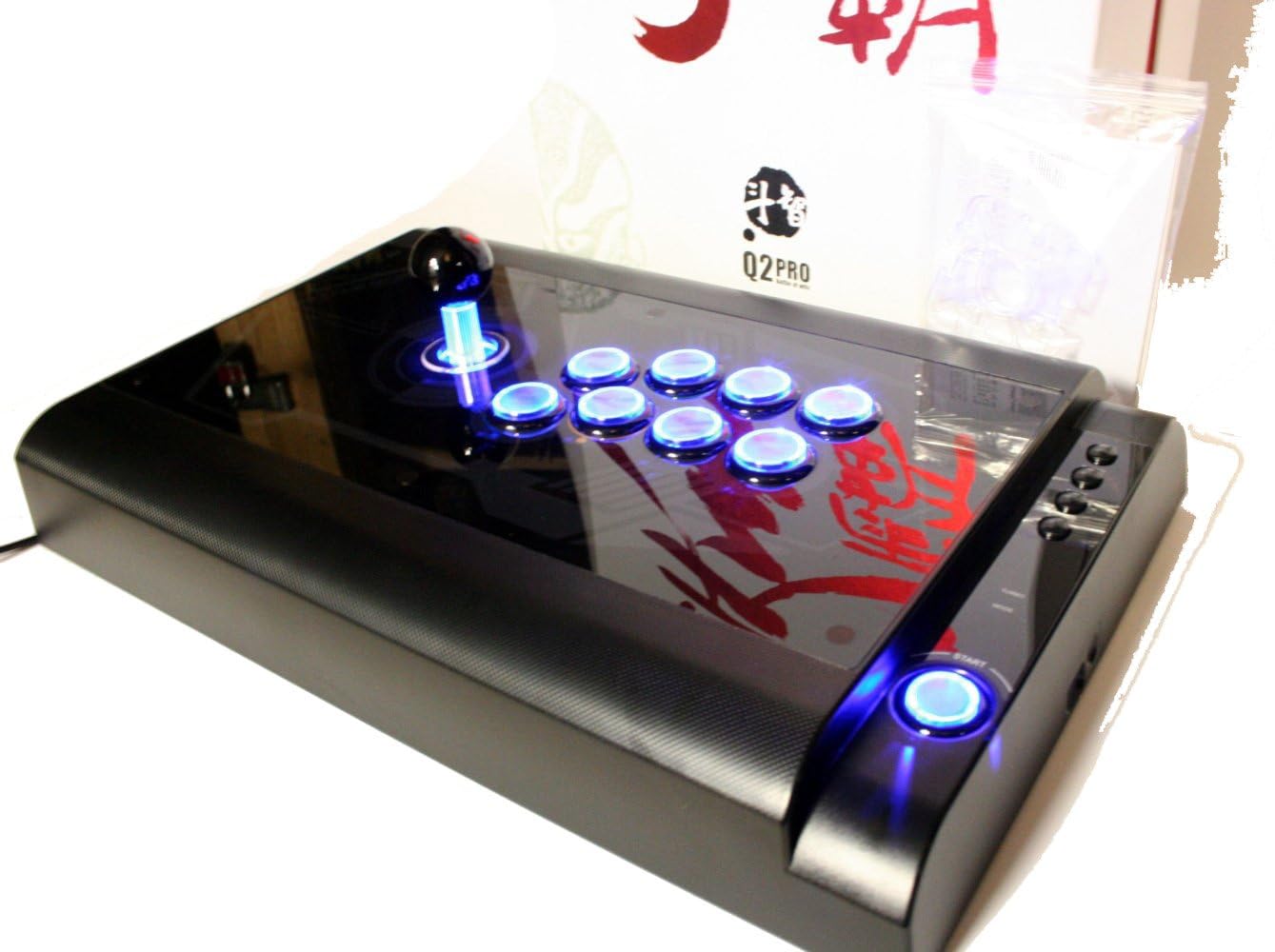
Image 1.1: The QANBA Q2 PRO LED Arcade Joystick with its signature blue LED lighting activated.
2. פּעקל אינהאַלט
באַשטעטיקט אַז אַלע זאכן וואָס זענען אויסגערעכנט אונטן זענען פאַראַן אין אייער פּעקל:
- QANBA Q2 PRO LED Arcade Joystick
- USB Connection Cable (integrated or separate)
- ינסטרוקטיאָן מאַנואַל (דעם דאָקומענט)
- Spare parts (e.g., button caps, joystick restrictor gate - may vary by region/package)

Image 2.1: The QANBA Q2 PRO LED Arcade Joystick alongside its product box.
3. פֿעיִקייטן
The QANBA Q2 PRO LED Arcade Joystick offers several features designed to enhance your gaming experience:
- LED Illumination: Buttons and joystick feature vibrant blue LED lighting for visual appeal.
- מולטי-פּלאַטפאָרם קאַמפּאַטאַבילאַטי: Seamlessly switch between PlayStation 3 and PC.
- הויך-קוואַליטעט קאַמפּאָונאַנץ: Equipped with durable arcade-grade joystick and buttons for precise input.
- ערגאָנאָמיק פּלאַן: Comfortable layout for extended gaming sessions.
- שטאַרק קאַנסטראַקשאַן: Built to withstand intense gameplay.

Image 3.1: The QANBA Q2 PRO LED Arcade Joystick demonstrating its illuminated buttons and joystick.
4. סעטאַפּ
4.1 Connecting to PlayStation 3 (PS3)
- Ensure your PS3 console is powered off or in standby mode.
- Locate an available USB port on your PS3 console.
- Connect the USB cable from the QANBA Q2 PRO LED Arcade Joystick to the USB port on your PS3.
- Power on your PS3. The console should automatically detect the joystick.
- The joystick's LEDs will illuminate, indicating a successful connection.
4.2 קאַנעקטינג צו פּיסי
- מאַכן זיכער אַז דיין פּיסי איז פּאַוערד אויף.
- געפינט אַ פאַראַן USB פּאָרט אויף אייער פּיסי.
- Connect the USB cable from the QANBA Q2 PRO LED Arcade Joystick to the USB port on your PC.
- Your operating system (e.g., Windows) will typically detect and install the necessary drivers automatically. This may take a few moments.
- Once drivers are installed, the joystick's LEDs will illuminate.
- You may need to configure the joystick within your game's control settings or through your operating system's game controller settings.
5. אַפּערייטינג ינסטרוקטיאָנס
The QANBA Q2 PRO LED Arcade Joystick features a standard arcade button layout and a responsive joystick for precise control.
5.1 יקערדיק קאָנטראָלס
- דזשויסטיק: Used for directional input (Up, Down, Left, Right, and diagonals).
- קאַמף קנעפּלעך: Typically arranged in an 8-button layout, corresponding to game actions (e.g., punch, kick, jump).
- אָנהייב/סעלעקט קנעפּלעך: Located on the side or top panel, used for pausing games, navigating menus, etc.
- PS Button (for PS3): Functions as the PlayStation button on a standard controller.
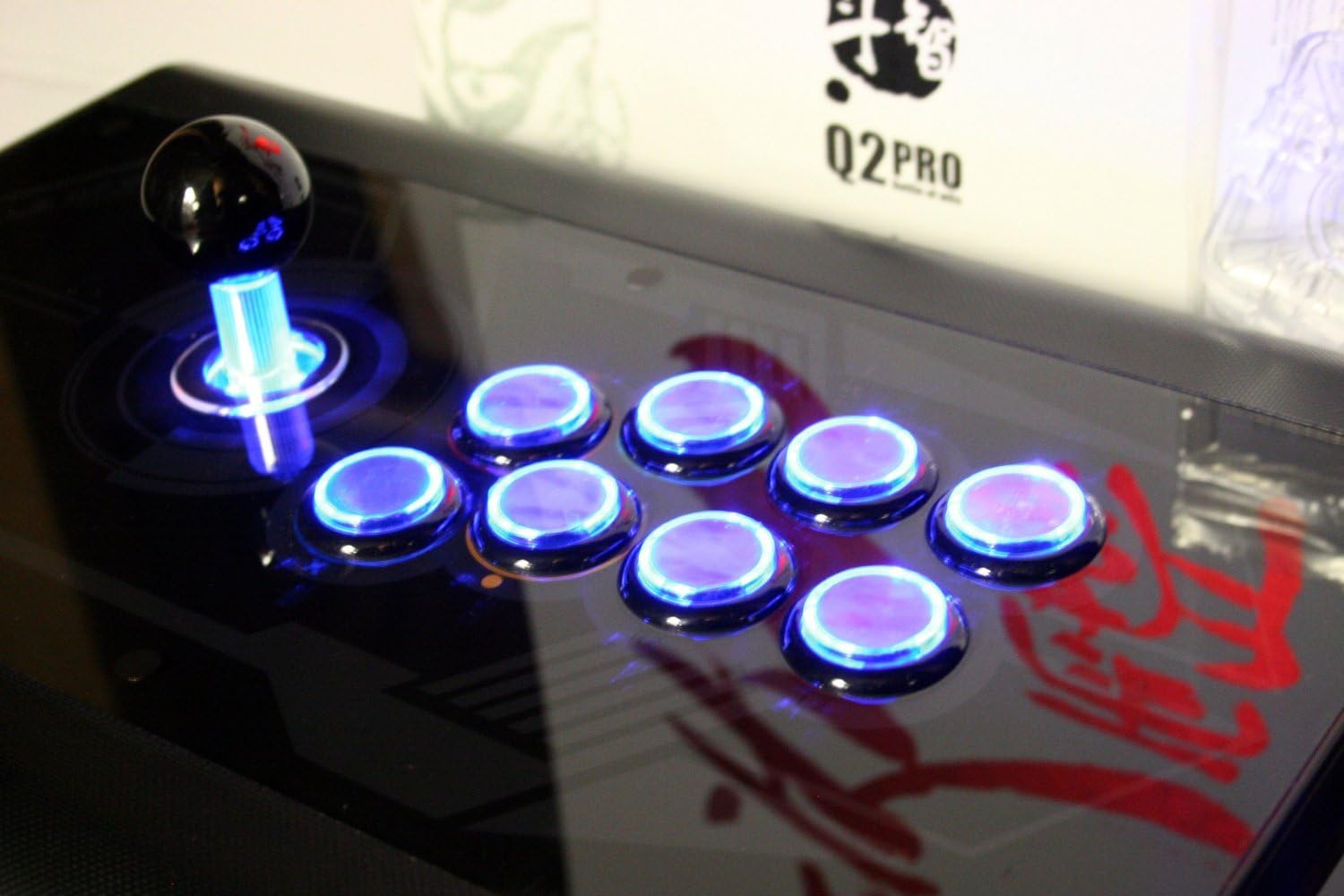
בילד 5.1: א דעטאלירטע view of the joystick and action buttons with their blue LED illumination.
5.2 LED Functionality
The blue LEDs on the joystick and buttons will automatically illuminate when the device is powered on and connected to a compatible system (PS3 or PC). There are no user-configurable settings for the LED lighting on this model.
5.3 Mode Switching (PS3/PC)
The QANBA Q2 PRO LED Arcade Joystick automatically detects the connected platform (PS3 or PC). No manual mode switching is required. Ensure the joystick is connected to the correct platform's USB port.
6. וישאַלט
Proper maintenance ensures the longevity and performance of your arcade joystick.
- רייניקונג: Use a soft, dry cloth to wipe down the surface of the joystick. For stubborn marks, a slightly damp מען קען ניצן אַ שטאָף מיט מילדער זייף, און עס זאָל גלייך טריקענען. מען זאָל עס אויסמיידן אַברייסיוו רייניגער אָדער סאָלווענטן.
- סטאָרידזש: Store the joystick in a cool, dry place away from direct sunlight and extreme temperatures. Protect it from dust when not in use.
- קאַבלע זאָרגן: פֿאַרמײַדט שאַרפֿע בייגן אָדער קנייטשן אין דעם USB קאַבל. ציט נישט דעם קאַבל מיט קראַפֿט ווען איר דיסקאָנעקט עס.
7. טראָובלעשאָאָטינג
If you encounter issues with your QANBA Q2 PRO LED Arcade Joystick, refer to the following common solutions:
| פּראָבלעם | מעגלעך לייזונג |
|---|---|
| Joystick not recognized by PS3/PC. |
|
| Buttons or joystick not responding. |
|
| LEDs are not illuminating. |
|
8. ספּעסאַפאַקיישאַנז
- מאָדעל: Q2 PRO LED
- קאַמפּאַטאַבילאַטי: PlayStation 3 (PS3), PC
- קאַנעקטיוויטי: וסב
- אַרייַנשרייַב: 8-way joystick, 8 action buttons, Start/Select/PS buttons
- לייטינג: Blue LED illumination for joystick and buttons
- דימענשאַנז און וואָג: Refer to product packaging for specific measurements.
9. וואָראַנטי און שטיצן
QANBA products are manufactured to high-quality standards. For information regarding warranty coverage, technical support, or replacement parts, please refer to the warranty card included with your product or visit the official QANBA webזייטל. האַלט דיין קויפן באַווייַז פֿאַר וואָראַנטי קליימז.
Official QANBA Webפּלאַץ: www.qanba.com (באַמערקונג: דאָס איז אַ פּלאַץ האָלדער URL, please refer to actual product documentation for correct support links.)