
הקדמה
This manual provides detailed instructions for the safe and efficient operation of your Ozeri 360 Oscillation Micro-Blade Noise Reduction Technology Tower Fan, Model OZF5. Please read all instructions carefully before use and retain this manual for future reference.
זיכערקייַט אינפֿאָרמאַציע
כדי צו רעדוצירן דעם ריזיקע פון פייער, עלעקטרישן שאק, אדער שאדן, פאלגט שטענדיג די גרונטלעכע זיכערהייט מיטלען:
- זיכער מאַכן אַז דער ווענטילאַטאָר איז געשטעלט אויף אַ סטאַבילן, גלייכן ייבערפלאַך צו פאַרמייַדן עס צו איבערקערן.
- שטעקט נישט אריין פינגער אדער פרעמדע אביעקטן אין קיין עפענונגען פון דעם ווענטילאַטאָר.
- Keep the fan away from water or moist areas.
- נעמט ארויס דעם ווענטילאַטאָר פֿון דער עלעקטרישער אַוטלעט איידער איר רייניקט אָדער דורכפֿירט קיין שום וישאַלט.
- דו זאלסט נישט אַרבעטן די פאָכער מיט אַ דאַמידזשד שנור אָדער צאַפּן.
- דער מיטל איז בלויז פֿאַר דרינענדיק נוצן.
פּעקל אינהאַלט
באַשטעטיקן אַז אַלע קאָמפּאָנענטן זענען פאַראַן:
- Ozeri 360 Oscillation Tower Fan Unit
- Fan Base (2 halves)
- ווייַט קאָנטראָל
- Screws for Base Assembly (3 pieces)
- באַניצער מאַנואַל
סעטאַפּ
Follow these steps to assemble your Ozeri Tower Fan:
- Carefully remove all packaging materials from the fan unit and its components.
- Connect the two halves of the fan base. Ensure they fit together securely.
- Align the assembled base with the bottom of the fan unit.
- Secure the base to the fan unit using the 3 provided screws. Hand assembly is sufficient; no special tools are required.
- שטעלט דעם ווענטילאַטאָר אויף אַ פעסטער, גלייכער ייבערפלאַך.
- צאַפּן די מאַכט שנור אין אַ נאָרמאַל עלעקטריקאַל ווענטיל.
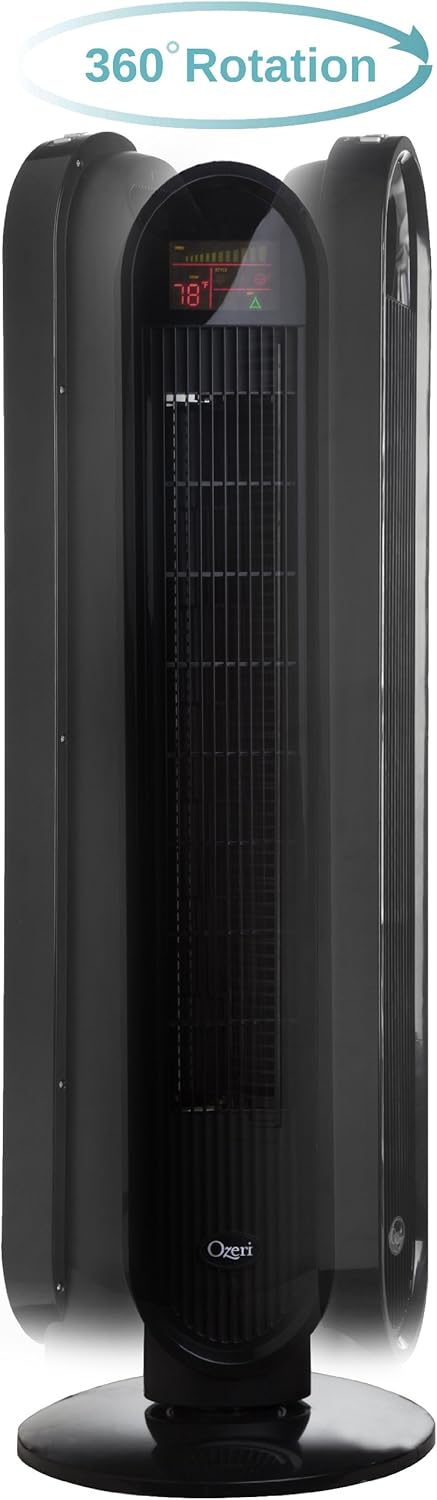
אַפּערייטינג ינסטראַקשאַנז
Your Ozeri Tower Fan can be operated using the control panel on top of the unit or the included remote control.
קאָנטראָל פּאַנעל פאַנגקשאַנז:

- מאַכט קנעפּל: טוט אן אדער אויסלעשן דעם פען.
- גיכקייַט קנעפּל: Cycles through 3 whisper-quiet speed settings. The LCD display will show the current speed level.
- מאָדע קנעפּל: Selects between 3 preprogrammed airflow patterns (e.g., normal, natural, sleep).
- Oscillation (OSC) Button: Activates or deactivates the oscillation feature. You can select oscillation angles of 60, 90, 120, or 360 degrees for partial to complete air circulation.
- טיימער קנעפּל: Sets the 8-hour programmable timer in 30-minute increments.
- אַוטאָ קנעפּל: Engages the auto mode, which adjusts fan speed based on room temperature.
LCD ווייַז:

The multi-colored LCD displays all active fan functions and the current room temperature, allowing for easy monitoring and control.
ווייַט קאָנטראָל:
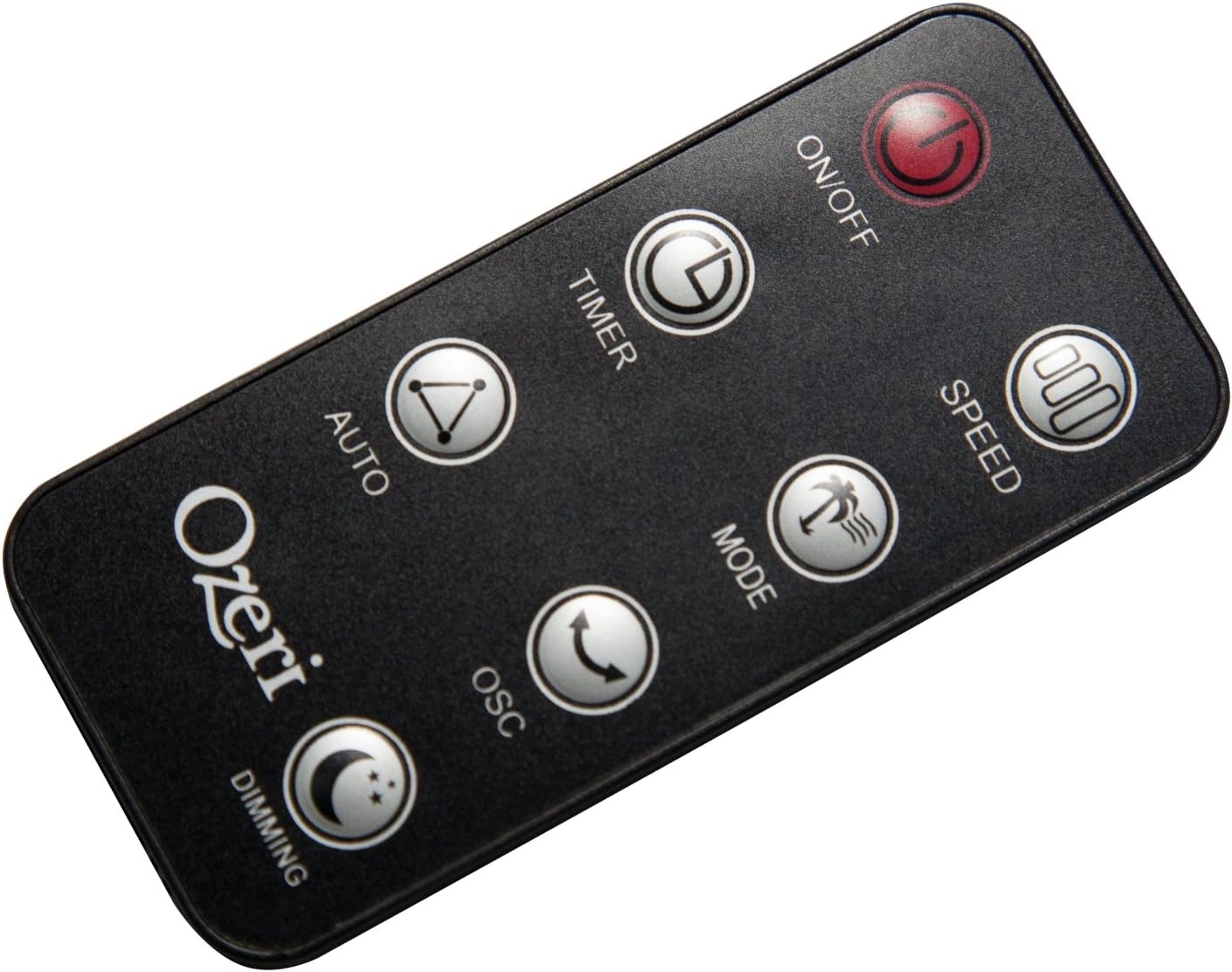
The extended-range remote control provides convenient access to all fan features from a distance. It includes buttons for On/Off, Speed, Timer, Mode, Auto, Oscillation, and Dimming (for the LCD display). The remote can be stored in a dedicated slot on the fan unit.

אפיציעלע פּראָדוקט ווידעא:
Video: This official product video demonstrates the Ozeri 360 Oscillation Tower Fan, highlighting its micro-blade noise reduction technology and various features.
וישאַלט
Regular cleaning ensures optimal performance and longevity of your fan:
- שטענדיק אָפּשטויסן די פאָכער איידער רייניקונג.
- ניצן אַ ווייך, דamp א שטאָף צו ווישן די אויסערלעכע ייבערפלאַכן. ניצט נישט קיין שרײַבנדיקע רייניגערס אדער סאָלווענטן.
- ניצט אַ וואַקוום קלינער מיט אַ באַרשט אַטאַטשמענט צו פֿאָרזיכטיק אַראָפּנעמען שטויב פֿון די לופֿט אַרײַנגאַנג און אויסגאַנג גרילן.
- דו זאלסט נישט ייַנטונקען די פאָכער אין וואַסער אָדער לאָזן וואַסער צו דריפּן אין די מאָטאָר האָוסינג.
- סטאָר די פאָכער אין אַ קיל, טרוקן אָרט ווען ניט אין נוצן.
טראָובלעשאָאָטינג
אויב איר טרעפט פּראָבלעמען מיט אייער ווענטילאַטאָר, זעט די פאלגענדע געוויינטלעכע פּראָבלעמען און לייזונגען:
- פאָכער טוט נישט קער אויף: Ensure the power cord is securely plugged into a working outlet. Check if the power button on the fan or remote has been pressed.
- שוואַך לופט לויפן: Check the fan speed setting and increase it if necessary. Ensure the air intake and exhaust grilles are not obstructed by dust or other objects.
- Fan makes unusual noise: Turn off and unplug the fan. Inspect for any foreign objects caught in the grilles or internal components. If the noise persists after clearing any obstructions, contact customer support.
- רימאָוט קאָנטראָל נישט ארבעטן: Ensure the remote control batteries are correctly installed and not depleted. Point the remote directly at the fan's receiver.
ספּעסאַפאַקיישאַנז
| שטריך | דעטאַל |
|---|---|
| סאָרט | עוזערי |
| מאָדעל נומער | OZF5 |
| קאָליר | שוואַרץ |
| עלעקטריק פאַן פּלאַן | פלאָר פאַן |
| מאַכט מקור | קאָרדעד עלעקטריק |
| ספּעציעלע שטריך | Oscillating (60, 90, 120, 360 degrees) |
| נומער פון ספּידז | 3 |
| וואָסtage | 60 וואטס |
| לופט פלאָו קאַפּאַסיטי | 5000 קוביק פֿיס פּער מינוט |
| Voltage | 127 וואלטס |
| קאָנטראָל מעטאָד | Remote Control, Electronic Touch Controls |
| מאַטעריאַל | פּלאַסטיק |
| פּונקט וואָג | 9 פונט |
וואָראַנטי און שטיצן
This Ozeri Tower Fan comes with a 1-year no questions asked warranty. For warranty claims, technical support, or any inquiries, please refer to the contact information provided on the Ozeri official webוועבזייטל אדער אייער קויפן דאקומענטאציע.