
1. הקדמה
This manual provides comprehensive instructions for the safe and efficient operation, setup, and maintenance of your HSM Classic 90.2 Cross Cut Paper Shredder. Please read this manual thoroughly before using the device and retain it for future reference.
2. וויכטיק סאַפעטי אינסטרוקציעס
To reduce the risk of injury or damage, always follow basic safety precautions when using this product.
- Keep hands, hair, loose clothing, ties, and jewelry away from the paper entry slot.
- לאָזט נישט קינדער אָדער חיות לעבן דעם שרעדער.
- Unplug the shredder when not in use or before cleaning, moving, or emptying the waste bin.
- Do not shred metal objects, large paper clips, or adhesive labels. Small staples and paper clips may be shredded, but it is recommended to remove them to prolong blade life.
- Do not spray aerosols or lubricants into the shredder.
- Operate the shredder on a flat, stable surface.
- ניצט נישט אויב דער עלעקטרישער שנור איז געשעדיגט.
3. פּעקל אינהאַלט
באַשטעטיקן אַז אַלע זאכן זענען פאַראַן אין פּעקל:
- HSM Classic 90.2 Shredder Unit
- וויסט בין
- מאַכט שנור
- באַניצער מאַנואַל (דעם דאָקומענט)
4. סעטאַפּ
- אויספּאַקן דעם שרעדער: נעמט פֿאָרזיכטיק אַרויס אַלע קאָמפּאָנענטן פֿון דער פּאַקאַדזשינג. האַלט די פּאַקאַדזשינג פֿאַר צוקונפֿטיקן טראַנספּאָרט אָדער סטאָרידזש.
- Position the Waste Bin: Place the shredder head securely onto the provided waste bin. Ensure it is seated correctly to activate the safety switch (if applicable).
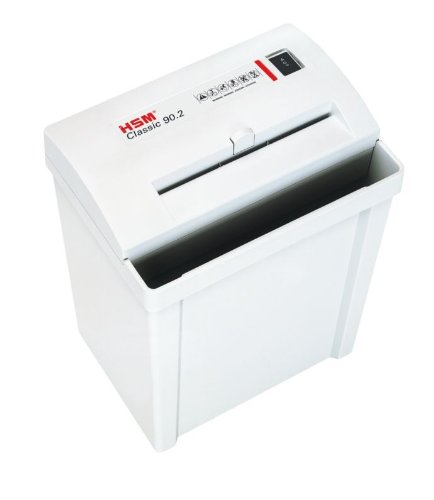
Image 1: HSM Classic 90.2 shredder with head properly seated on the waste bin. This shows the complete unit ready for operation.
- פאַרבינדן מאַכט: Plug the power cord into the shredder's power inlet, then into a standard electrical outlet.
5. אַפּערייטינג ינסטרוקטיאָנס
- מאַכט אויף: Locate the power switch on the shredder head. Set it to the "ON" or "AUTO" position. The shredder is now ready for use.
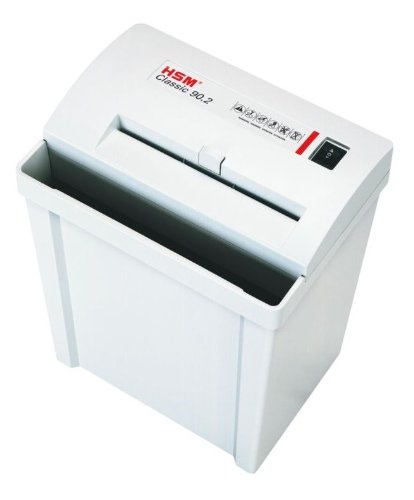
בילד 2: אויבן view of the shredder, highlighting the paper entry and control switch. The switch is typically located near the paper entry.
- צעשניידן דאקומענטן: Insert paper into the paper entry slot. The shredder will automatically start when paper is detected and stop once shredding is complete. Do not exceed the maximum sheet capacity (refer to specifications).
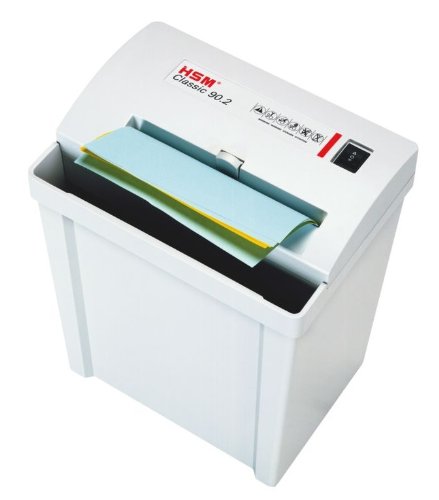
Image 3: Paper being fed into the shredder. This illustrates the correct method for inserting documents for shredding.
- ליידיק די וויסט באַן: When the waste bin is full, the shredder may stop operating. Unplug the shredder, carefully lift the shredder head off the bin, empty the shredded material, and then replace the head securely.
- מאַכט אַוועק: When finished shredding, set the power switch to the "OFF" position and unplug the unit from the power outlet.
6. וישאַלט
- Shredder Oiling: For optimal performance and longevity of cross-cut shredders, regular oiling is recommended. Apply shredder oil (specifically designed for paper shredders) across the paper entry slot. Run a few sheets of paper through the shredder immediately after oiling to distribute the lubricant. Refer to the shredder oil product instructions for frequency.
- רייניקונג: Unplug the shredder before cleaning. Use a soft, dry cloth to wipe the exterior surfaces. Do not use abrasive cleaners or solvents.
- Clearing Paper Jams: If a paper jam occurs, switch the shredder to the "REV" (reverse) position to attempt to clear the paper. If unsuccessful, unplug the shredder and carefully remove the jammed paper manually. Exercise extreme caution to avoid injury.
7. טראָובלעשאָאָטינג
| פּראָבלעם | מעגלעך סיבה | לייזונג |
|---|---|---|
| דער שרעדער צינדט זיך נישט אן. |
|
|
| פּאַפּיר קלעם. |
|
|
| Shredder runs continuously. |
|
|
8. ספּעסאַפאַקיישאַנז
- סאָרט: HSM
- מאָדעל: קלאַסיש 90.2
- מאָדעל נומער: SHDESM90CC
- קאַטינג טיפּ: קרייַז קאַט
- זיכערהייט מדרגה: P-4 & F-1 (according to DIN 66399)
- אָפּעראַציע מאָדע: אָטאַמאַטיק
- פּראָדוקט דימענשאַנז (LxWxH): 30.5 x 23.5 x 41.9 ס״מ (אומגעפער 12 x 9.25 x 16.5 אינטשעס)
- UPC: 633726615823
9. וואָראַנטי און שטיצן
For warranty information, technical support, or service inquiries, please refer to the official HSM webזייטל אדער קאָנטאַקט אייער לאקאלן אויטאָריזירטן הענדלער. האַלט אייער קויף קוויטל ווי אַ באַווייַז פון קויפן.