
1. הקדמה
א דאנק פארן קויפןasing the Lexon LR98R1 Onoff LCD Alarm Clock. This manual provides detailed instructions for the proper setup, operation, and maintenance of your device. Please read this manual thoroughly before use and retain it for future reference.
The Lexon Onoff alarm clock features a unique design where flipping the clock activates or deactivates the alarm. It includes an LCD display with a blue electroluminescent backlight for clear visibility.
2. זיכערקייַט אינפֿאָרמאַציע
- שטעלט נישט אויס דעם אפאראט צו עקסטרעמע טעמפעראטורן, דירעקטע זונשייַן, אדער הויכע הומידיטי.
- ויסמיידן דראַפּינג די מיטל אָדער אונטערטעניק צו שטאַרק ימפּאַקץ.
- Do not attempt to disassemble or modify the alarm clock. This will void the warranty.
- האַלטן די מיטל אַוועק פון וואַסער און אנדערע ליקווידס.
- אָפּזאָגן געוויינט באַטעריז ריספּאַנסאַבלי לויט די היגע רעגיאַליישאַנז.
- Use only the specified battery type (2 x AAA).
3. פּעקל אינהאַלט
זיכער מאַכן אַז אַלע זאכן זענען פאַראַן אין פּעקל:
- Lexon LR98R1 Onoff LCD Alarm Clock
- באַניצער מאַנואַל (דעם דאָקומענט)
באַמערקונג: AAA באַטעריעס זענען נישט אַרייַנגערעכנט און מוזן זיין געקויפט באַזונדער.
4. פּראָדוקט איבערview
Familiarize yourself with the components of your Lexon Onoff alarm clock.
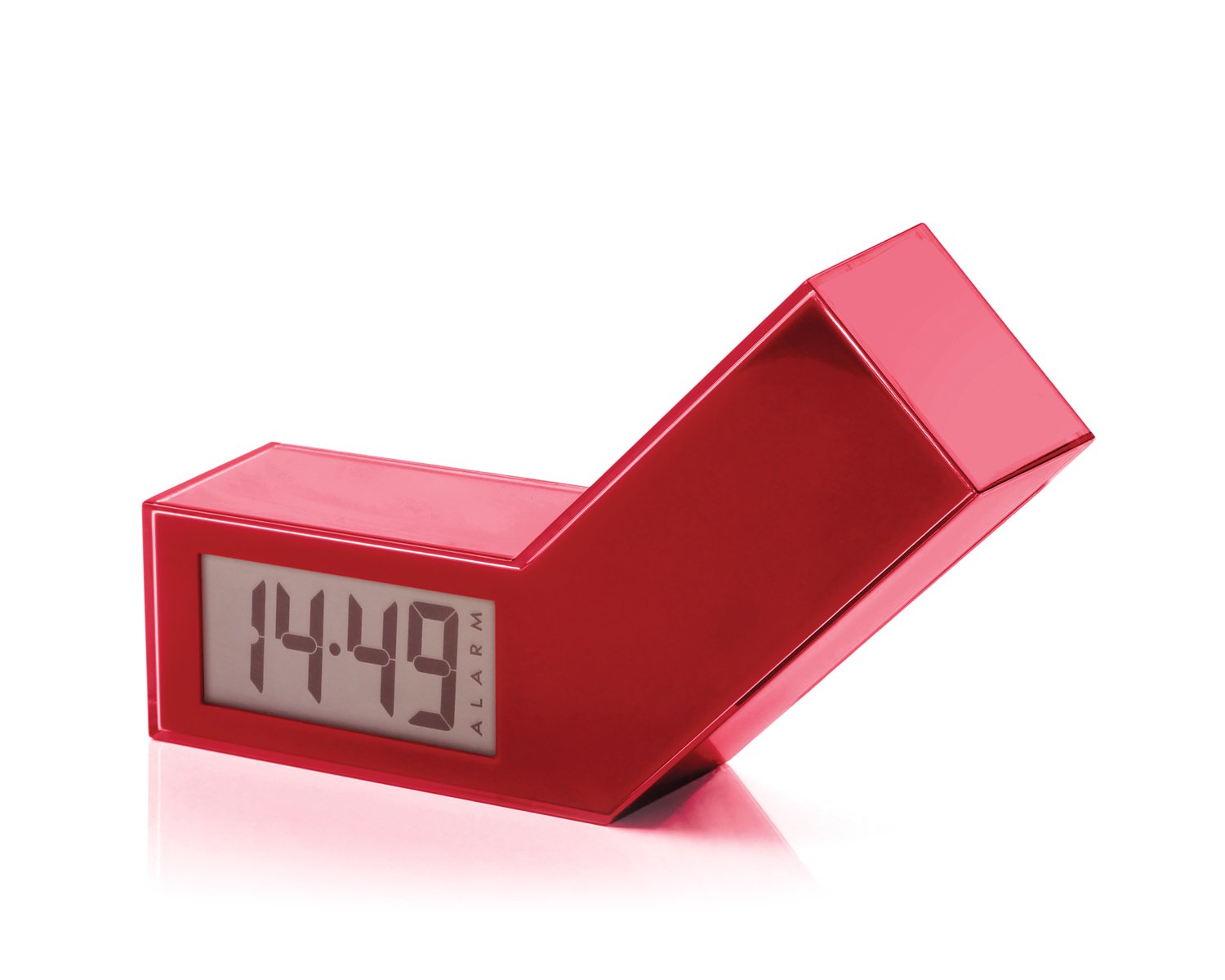
פיגורע 1: פראָנט view of the Lexon LR98R1 Onoff LCD Alarm Clock. The image displays the alarm clock in its red casing, with the LCD screen visible. The side labeled 'ON' is facing upwards, indicating the alarm is active. The clock has a minimalist rectangular design.
While specific button labels are not visible in the provided image, typical alarm clock controls are usually located on the back or sides. These generally include:
- Time Set Button: To adjust the current time.
- אַלאַרם שטעל קנעפּל: To adjust the alarm time.
- Hour/Minute Adjustment Buttons: To change hour and minute values.
- סנוז / ליכט קנעפּל: To temporarily silence the alarm or activate the backlight.
- באַטערי אָפּטייל: Located on the back or bottom.
5. סעטאַפּ
5.1 באַטאַרייע ייַנמאָנטירונג
- Locate the battery compartment cover on the back or bottom of the alarm clock.
- שלעפּט אָדער הייבט אויף דעם דעקל צו עפֿענען דעם אָפּטייל.
- אַרײַנשטעלן צוויי (2) AAA באַטעריעס, און זיכער מאַכן אַז די ריכטיקע פּאָלאַריטעט (+ און -) איז אָנגעוויזן אין דעם אָפּטייל.
- פאַרבייַטן די באַטאַרייע אָפּטייל דעקן סיקיורלי.
Note: Batteries are not included. Please use new AAA alkaline batteries for optimal performance.
5.2 ערשט מאַכט אויף
Once batteries are installed, the LCD display should illuminate, and the clock will typically start at a default time (e.g., 12:00 AM). You will then need to set the current time and alarm.
6. אַפּערייטינג ינסטרוקטיאָנס
6.1 שטעלן די איצטיקע צייט
- דריקן און האַלטן די צייט שטעלן button (or similar, refer to device markings) until the hour digits begin to flash.
- ניצן די שעה און מינוט adjustment buttons to set the correct hour and minute.
- דרוק צייט שטעלן נאכאמאל צו באשטעטיגן און ארויסגיין פון צייט איינשטעלונג מאָדע.
6.2 שטעלן די אַלאַרם צייט
- דריקן און האַלטן די אַלאַרם שטעלן button (or similar) until the alarm hour digits begin to flash.
- ניצן די שעה און מינוט adjustment buttons to set your desired alarm time.
- דרוק אַלאַרם שטעלן again to confirm and exit alarm setting mode.
6.3 Activating/Deactivating the Alarm (Onoff Feature)
The Lexon Onoff alarm clock features a unique flip mechanism:
- צו אַקטאַווייט the alarm, place the clock with the side labeled "ON" facing upwards. An alarm icon should appear on the LCD display.
- צו דעאַקטיווייט the alarm, flip the clock so the side labeled "OFF" is facing upwards. The alarm icon should disappear from the display.
6.4 Silencing the Alarm / Snooze Function
- ווען דער שרעק סאָונדס, דריקן די SNOOZE / LIGHT button (usually a large button on top) to temporarily silence the alarm. The alarm will sound again after a few minutes (typically 5-10 minutes).
- To completely turn off the alarm for the day, flip the clock to the "OFF"פאזיציע.
6.5 ווייַז באַקלייט
דרוק די SNOOZE / LIGHT button to activate the blue electroluminescent backlight for a few seconds, allowing you to view the time in low-light conditions.
7. וישאַלט
7.1 רייניקונג
Wipe the surface of the alarm clock with a soft, dry cloth. Do not use abrasive cleaners, solvents, or chemical sprays, as these may damage the finish or electronic components.
7.2 באַטערי פאַרבייַט
When the display dims or the alarm function becomes unreliable, it is time to replace the batteries. Follow the battery installation steps in Section 5.1. Always replace both AAA batteries at the same time.
8. טראָובלעשאָאָטינג
| פּראָבלעם | מעגלעך סיבה | לייזונג |
|---|---|---|
| דער עקראַן איז ליידיק אָדער טונקל. | באַטעריז זענען טויט אָדער ינקערעקטלי אינסטאַלירן. | פאַרבייטן די באַטעריעס מיט נייע AAA באַטעריעס, און זאָרגט אַז די פּאָלאַריטעט איז ריכטיק. |
| דער אַלאַרם קלינגט נישט. | Alarm is not activated (clock is in "OFF" position) or alarm time is not set. | Flip the clock to the "ON" position. Verify the alarm time is set correctly (Section 6.2). Ensure batteries are not low. |
| די צייט איז נישט ריכטיק. | Time was not set correctly or batteries were removed/replaced. | Reset the current time (Section 6.1). |
| Backlight does not work. | נידעריק באַטעריז. | פאַרבייַטן באַטעריז. |
9. ספּעסאַפאַקיישאַנז
| מאָדעל נומער | LR98R1 |
| סאָרט | לעקסאָן |
| ווייַז טיפּ | LCD with Blue Electroluminescent Backlight |
| מאַכט מקור | 2 X AAA באַטעריז (ניט אַרייַנגערעכנט) |
| מאַטעריאַל | ABS / Injected Polycarbonate |
| דימענסיעס (L X W X H) | 13.5 x 3.5 x 8 ס״מ (אומגעפער 5.3 x 1.4 x 3.1 אינטשעס) |
| באַוועגונג טיפּ | קוואַרץ |
| ספּעציעלע פֿעיִקייטן | Onoff flip alarm activation/deactivation, Snooze function |
10. וואָראַנטי און שטיצן
The Lexon LR98R1 Onoff LCD Alarm Clock comes with a 2-יאָר פאַבריקאַנט ס וואָראַנטי פון די דאַטע פון קויפן. די וואָראַנטי קאָווערס חסרונות אין מאַטעריאַלס און ווערקמאַנשיפּ אונטער נאָרמאַל נוצן.
די וואָראַנטי טוט נישט דעקן:
- שעדיקן געפֿירט דורך צופאַל, זידלען, מיסיוז, מבול, פייַער, ערדציטערניש אָדער אנדערע פונדרויסנדיק סיבות.
- Damage caused by operating the product outside the permitted or intended uses described in this manual.
- Damage caused by service performed by anyone who is not an authorized representative of Lexon.
- Products or parts that have been modified to alter functionality or capability without the written permission of Lexon.
For warranty claims or technical support, please contact Lexon customer service through their official website or your retailer. Please have your proof of purchase and model number (LR98R1) ready.