
וויכטיק סאַפעטי אינפֿאָרמאַציע
Please read and understand all instructions before using the laminator. Keep this manual for future reference.
- ניצט נישט דעם לאַמינאַטאָר אויב דער עלעקטרישער שנור אָדער פּלאָג איז געשעדיגט.
- Keep the laminator away from water or other liquids.
- Do not insert metal objects into the laminator.
- זיכער מאַכן אַז די מאַשין זאָל האָבן געהעריקע ווענטילאַציע בעתן אָפּעראַציע.
- אָפּשטויסן די לאַמינאַטאָר ווען ניט אין נוצן אָדער איידער רייניקונג.
- דער אַפּפּליאַנסע איז נישט בדעה פֿאַר נוצן דורך מענטשן (אַרייַנגערעכנט קינדער) מיט רידוסט גשמיות, סענסערי אָדער גייַסטיק קייפּאַבילאַטיז, אָדער פעלן פון דערפאַרונג און וויסן, סייַדן זיי האָבן באקומען השגחה אָדער לימעד וועגן די נוצן פון דעם אַפּפּליאַנסע דורך אַ מענטש פאַראַנטוואָרטלעך פֿאַר זייער זיכערקייַט.
פּראָדוקט איבערview
The Amazon Basics 9-Inch Thermal Laminator is designed for home, office, or classroom use, providing high-quality lamination for various document sizes.
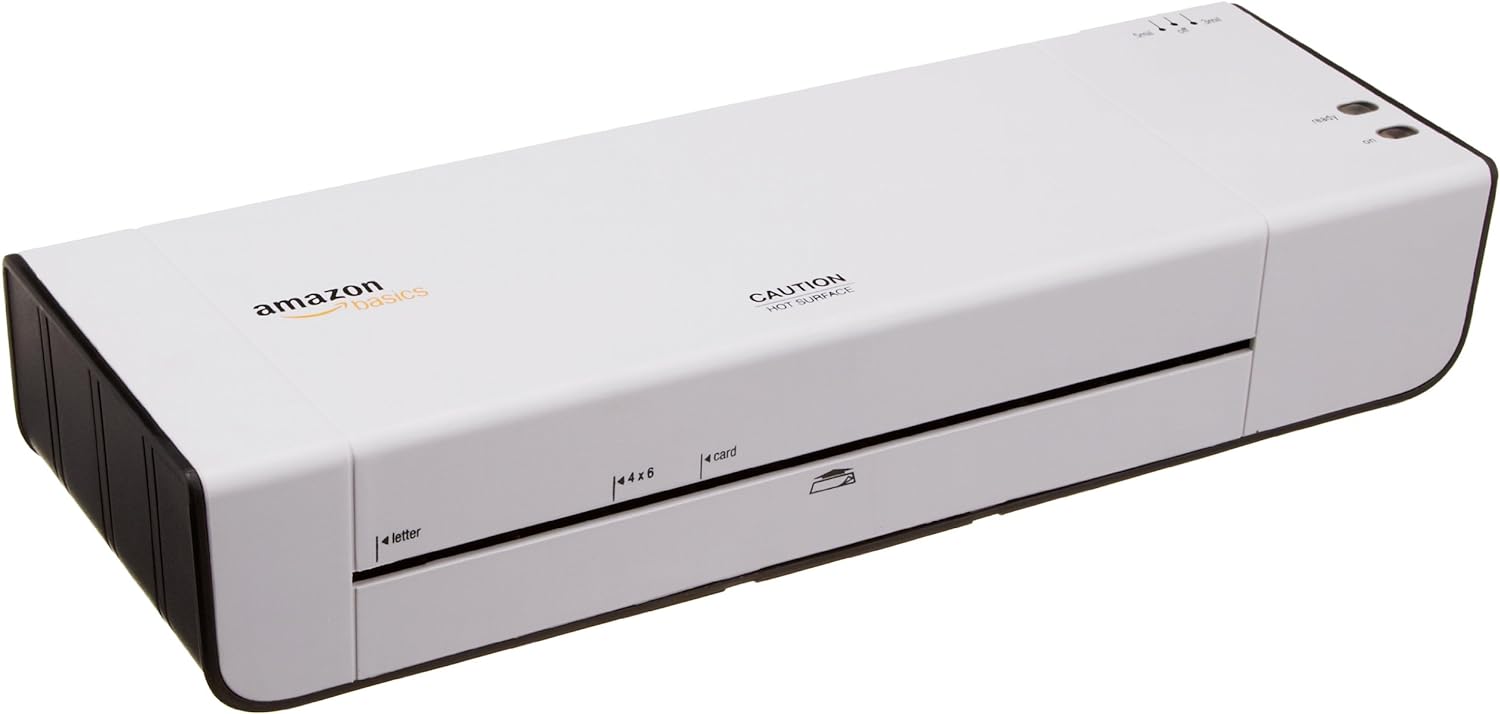
פיגורע 1: פראָנט view of the Amazon Basics 9-Inch Thermal Laminator Machine, showing the feed slot and branding.
שליסל פֿעיִקייטן:
- Laminates documents up to 9 inches wide.
- Two heat settings: 3 mil and 5 mil.
- Quick 4-minute warm-up time.
- Jam release lever for easy clearing.
- סאָליד פּלאַן.
סעטאַפּ
אויספּאַקן:
Carefully remove the laminator from its packaging. Retain the packaging for future storage or transport.
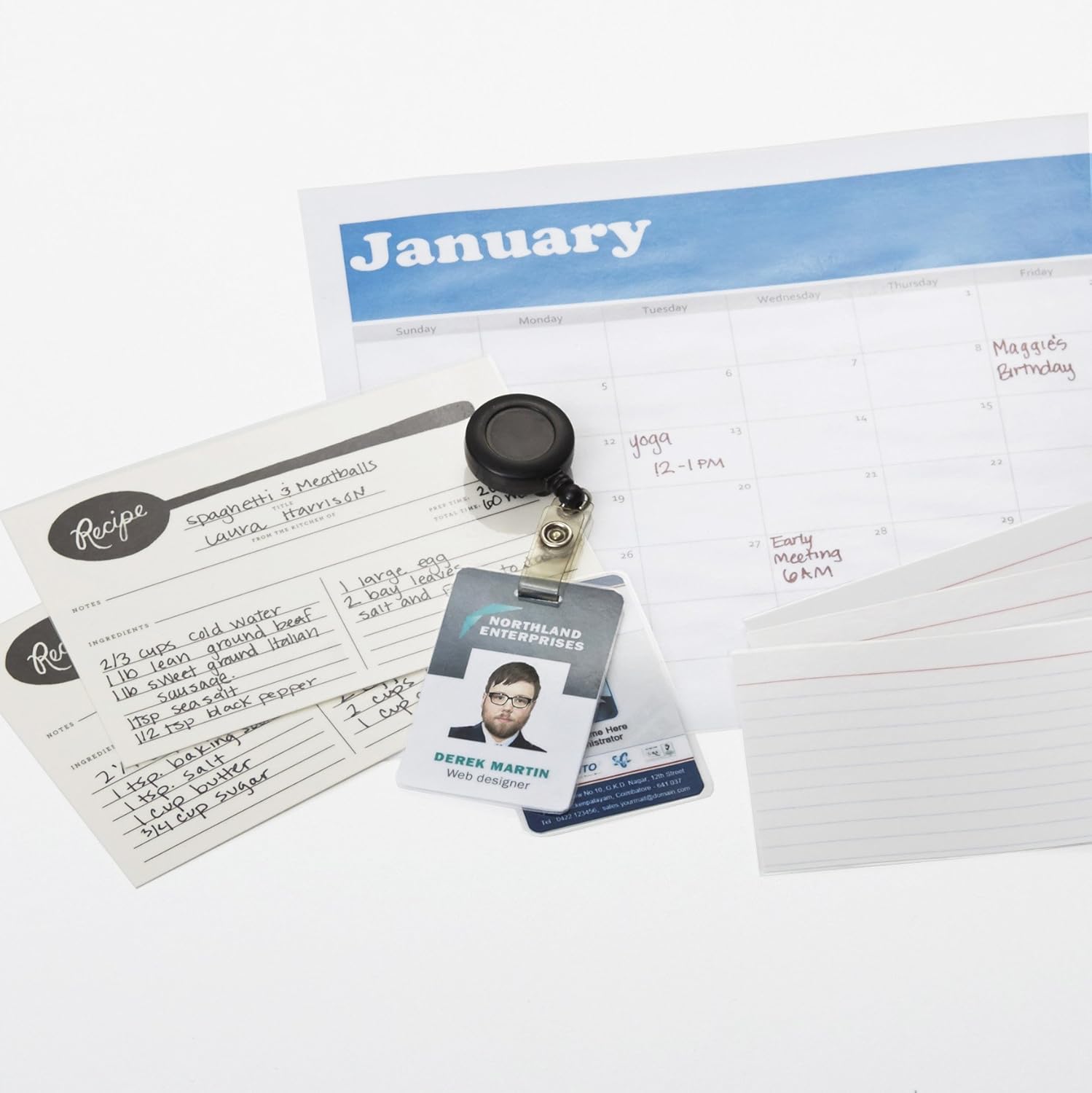
Figure 2: The laminator machine as it appears inside its frustration-free packaging.
אָרט:
Place the laminator on a flat, stable, and heat-resistant surface. Ensure there is adequate space around the machine for proper ventilation and for documents to exit the rear.
מאַכט קשר:
Plug the power cord into a standard electrical outlet. The power switch is located on the side of the unit.

פיגורע 3: נאָענט-אַרויף view of the power switch, 3mil/5mil heat settings, and release lever on the side of the laminator.
אַפּערייטינג ינסטראַקשאַנז
Laminating a Document:
Power On and Warm-up:
Turn the power switch to the "On" position. The "Ready" indicator light will illuminate once the machine has warmed up (approximately 4 minutes).
אויסקלייַבן היץ באַשטעטיקן:
Choose the appropriate heat setting based on the laminating pouch thickness:
- 3 mil: For normal documents, photos, and card stock.
- 5 mil: For thinner papers.
צוגרייטן דאָקומענט:
Place the document inside a laminating pouch, ensuring it is centered and there is an even border around the edges. Use the included 3 mil thick, 8.9 by 11.4 inch laminating pouches or any compatible 3 mil or 5 mil pouch.

פיגורע 4: עקסample of laminating recipe cards, showing the document being fed into the laminator.
אַרײַנשטעלן זעקל:
Carefully insert the sealed edge of the laminating pouch into the laminator's feed slot. The machine will automatically pull the pouch through.

Figure 5: A calendar page being laminated, demonstrating the machine's ability to handle various document types.
Retrieve Laminated Document:
Once the pouch exits the rear of the machine, allow it to cool on a flat surface before handling to ensure proper sealing.

Figure 6: A collection of laminated items, including recipe cards, ID badges, and a calendar, showcasing the versatility of the laminator.
וישאַלט
רייניקונג:
זיכער מאַכן אַז דער לאַמינאַטאָר איז אַרויסגעטראָגן און גאָר אָפּגעקילט איידער איר רייניקט. ווישט די אויסערלעכע זייט מיט אַ ווייכן, טרוקן שטאָף.amp שטאָף. דו זאלסט נישט נוצן אַברייסיוו קלינערז אָדער סאָלוואַנץ.
Roller Cleaning (Optional):
Periodically, you may run a cleaning sheet (available separately) through the laminator to remove any adhesive residue from the rollers.
סטאָרידזש:
Store the laminator in a cool, dry place when not in use. Ensure the power cord is neatly wrapped and not kinked.
טראָובלעשאָאָטינג
| פּראָבלעם | מעגלעך סיבה | לייזונג |
|---|---|---|
| לאַמינאַטאָר טוט זיך נישט אָן. | נישט איינגעשטאכן; שטראָם אויסגעלאָשן; קיין שטראָם אין דער ווענטיל. | Check power cord connection; ensure power switch is "On"; test outlet with another device. |
| זעקל שטעקט זיך איין אין דער מאַשין. | Pouch inserted incorrectly; pouch too thick; foreign object. | דרוק די מעלדונג הייבער to clear the jam. Ensure pouch is inserted sealed edge first and is within specified thickness (3 or 5 mil). |
| Lamination is cloudy or bubbly. | Incorrect heat setting; machine not fully warmed up; low-quality pouch. | Ensure correct heat setting (3 mil for normal, 5 mil for thinner); wait for "Ready" light; use high-quality laminating pouches. |
| Lamination is not sealed properly. | Incorrect heat setting; machine not fully warmed up; document too thick for pouch. | Verify heat setting; wait for "Ready" light; ensure document fits pouch with adequate border. |
ספּעסאַפאַקיישאַנז
| שטריך | דעטאַל |
|---|---|
| מאָדעל נומער | PL9-US |
| לאַמינאַטינג ברייט | אַרויף צו 9 אינטשעס |
| היץ סעטטינגס | 3 מיל, 5 מיל |
| וואַרעם-אַרויף צייט | בעערעך 4 מינוט |
| נומער פון ראָולערס | 2 |
| וואָג | 1.2 קג |
| מאַכט צושטעלן | נאָרמאַל AC |
וואָראַנטי און שטיצן
For warranty information and customer support, please visit the official Amazon Basics webזייטל אדער קאנטאקטירן עמעזאן קאסטומער סערוויס גלייך.
אָנליין שטיצן: אַמאַזאָן באַסיקס סטאָר
Note: Reading the full user manual is recommended prior to the first use of this product.