
הקדמה
The Techno Line WT 529 is a radio-controlled projection alarm clock designed to provide accurate time, date, and temperature information. It features a projection function to display time and temperature on a wall or ceiling, an alarm with snooze, and displays both indoor and outdoor temperatures.
שליסל פֿעיִקייטן:
- DCF77 radio-controlled clock with manual setting option.
- Projection alarm function.
- Date and day of the week display (available in 5 languages).
- Adjustable projection direction for time and temperature.
- Indoor temperature indicator.
- שרעק מיט סנוז פונקציע.
- באַקלייט.
- נידעריק באַטאַרייע גראדן.
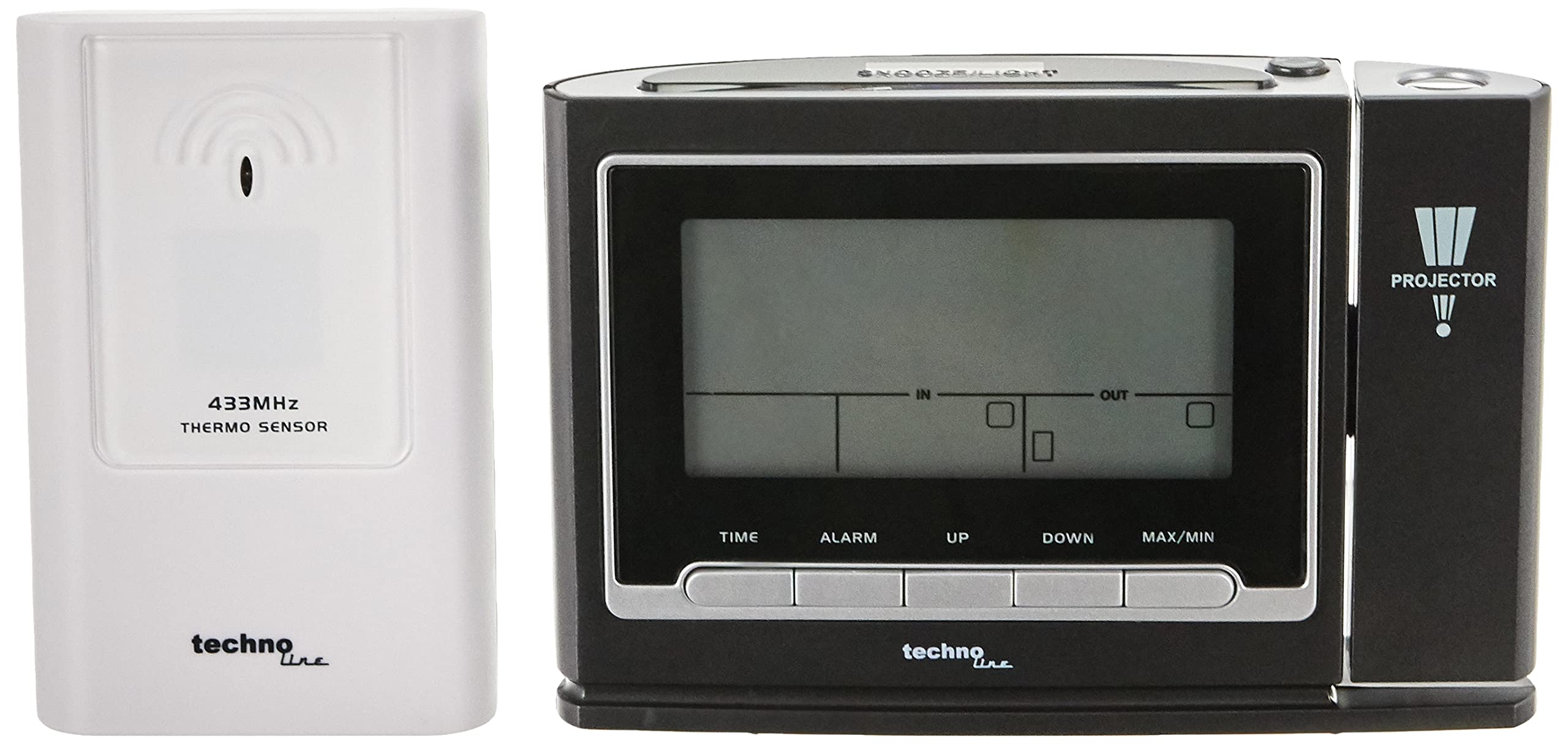
פיגורע 1: פראָנט view of the Techno Line WT 529 Projection Alarm Clock, displaying time, date, and temperature, with the projection lens visible on the right side.
סעטאַפּ
1. פּאַוערינג די מיטל
The WT 529 can be powered by batteries or an AC adapter (if included, check packaging). For continuous projection, an AC adapter is recommended.
- ייַנמאָנטירונג פון באַטאַרייע: Open the battery compartment cover on the back of the unit. Insert the required batteries (e.g., 3 x AAA, not included) according to the polarity markings (+/-). Close the cover securely.
- אַק אַדאַפּטער קאַנעקשאַן: If using an AC adapter, plug it into the DC input jack on the back of the clock and then into a standard wall outlet.
2. External Sensor Setup (for Outdoor Temperature)
The WT 529 includes an external wireless sensor for outdoor temperature readings.
- Open the battery compartment of the external sensor. Insert the required batteries (e.g., 2 x AAA, not included) according to the polarity markings. Close the cover.
- Place the sensor in a sheltered outdoor location, away from direct sunlight and rain, to ensure accurate temperature readings. Ensure it is within range of the main unit.
- The main unit will automatically attempt to connect with the sensor. This may take a few minutes. Once connected, the outdoor temperature will appear on the display.

פיגורע 2: דערציען view of the WT 529 main unit showing battery compartment and ports, alongside the external wireless temperature sensor.
3. Initial Time Synchronization (DCF77)
Upon initial power-up, the clock will automatically attempt to synchronize with the DCF77 radio signal. This signal transmits the precise time from Frankfurt, Germany.
- Place the clock near a window, away from electronic interference, for optimal signal reception.
- A signal icon (e.g., an antenna symbol) will flash on the display during synchronization.
- Once synchronized, the icon will become solid, and the correct time will be displayed. This process can take several minutes or even hours depending on location and interference.
4. Manual Time Setting (if DCF77 signal is unavailable or for different time zones)
If the DCF77 signal is not received or if you are in a different time zone, you can set the time manually.
- דריקן און האַלטן די צייט button (refer to Figure 3 for button location) for a few seconds until the time display starts flashing.
- ניצן די UP or אַראָפּ קנעפּלעך צו סטרויערן די שעה.
- דרוק צייט again to confirm the hour and move to minutes. Adjust minutes using UP or אַראָפּ.
- פאָרזעצן דרינגלעך צייט to cycle through and set year, month, date, and day of the week language. Use UP or אַראָפּ צו סטרויערן יעדער באַשטעטיקן.
- דרוק צייט one last time to exit manual setting mode.
אַפּערייטינג ינסטראַקשאַנז
1. Control Buttons Overview

פיגורע 3: זייַט view of the WT 529, illustrating the location of control buttons such as TIME, ALARM, UP, DOWN, and MAX/MIN.
Familiarize yourself with the main control buttons located on the front and top of the unit for easy operation.
2. ווייַז איבערview

פיגורע 4: נאָענט-אַרויף view of the WT 529 display, showing time, day, date, indoor temperature ('IN'), and outdoor temperature ('OUT') indicators.
The main display shows the current time, day of the week, date, indoor temperature, and outdoor temperature. The time can be displayed in 12-hour (AM/PM) or 24-hour format.
3. באַשטעטיקן די שרעק
- דריקן און האַלטן די שרעק קנעפּל ביז די אַלאַרם צייט הייבט אָן צו בלינקען.
- ניצן די UP or אַראָפּ קנעפּלעך צו שטעלן די געוואונטשענע אַלאַרם שעה.
- דרוק שרעק again to confirm the hour and set the minutes. Adjust minutes using UP or אַראָפּ.
- דרוק שרעק one last time to activate the alarm and exit setting mode. An alarm icon will appear on the display.
4. Using the Snooze Function
ווען דער שרעק סאָונדס, דריקן די SNOOZE / LIGHT button (located on top of the unit) to temporarily silence the alarm. The alarm will sound again after approximately 5-10 minutes (duration may vary by model).
5. Activating and Adjusting Projection
The projector can display the time and temperature on a surface.

Figure 5: The WT 529 projecting the current time and temperature onto a surface, demonstrating the projection feature.
- אַקטיווירן פּראָיעקציע: דרוק די פּראָדזשעקטאָר button (usually on the side or top, near the projection lens) to turn the projection on or off. If powered by batteries, projection may only be momentary. With an AC adapter, continuous projection is possible.
- סטרויערן פּרויעקציע ווינקל: Rotate the projection lens barrel to adjust the angle of the projected image.
- סטרויערן פאָקוס: Use the focus wheel (often located near the projection lens) to sharpen the projected image.
- פליפּ פּראָיעקציע: Some models allow flipping the projected image 180 degrees. Refer to the specific button (e.g., a small rotate icon button) or sequence of presses for this function.
6. באַקלייט
דרוק די SNOOZE / LIGHT button to activate the display backlight for a few seconds. If powered by an AC adapter, the backlight may have adjustable brightness levels or remain on continuously.
7. MAX/MIN Temperature Display
דרוק די מאַקסימום / מין קנעפּל צו view the maximum and minimum recorded indoor and outdoor temperatures since the last reset. Press again to cycle through current, maximum, and minimum values. Hold the button to reset the MAX/MIN records.
וישאַלט
1. רייניקונג
Wipe the clock and sensor with a soft, dry cloth. Do not use abrasive cleaners or solvents, as these can damage the casing and display. Keep the projection lens clean for clear projection.
2. באַטערי פאַרבייַט
When the low battery indicator appears on the display, replace the batteries in both the main unit and the external sensor promptly to ensure continued operation and data accuracy. Dispose of old batteries responsibly.
טראָובלעשאָאָטינג
| פּראָבלעם | מעגלעך סיבה | לייזונג |
|---|---|---|
| קיין דיספּלעי אָדער טונקעל דיספּלעי | Low or dead batteries; AC adapter not connected/faulty. | טוישט אויס די באַטעריעס אדער זיכערט זיך אז דער AC אַדאַפּטער איז זיכער פארבונדן און פונקציאָנירט. |
| די צייט איז נישט ריכטיג אדער ווערט נישט אויטאמאטיש איינגעשטעלט | Poor DCF77 signal reception; manual setting error. | Move the clock to a location with better signal reception (e.g., near a window). Avoid electronic interference. Manually set the time if automatic synchronization fails. |
| Outdoor temperature not displayed | External sensor out of range; sensor batteries low/dead; interference. | Ensure sensor is within range (typically up to 30 meters). Replace sensor batteries. Re-establish connection by removing and reinserting batteries in both units. |
| Projection is blurry or unclear | Focus not adjusted; projection lens dirty. | Adjust the focus wheel. Clean the projection lens with a soft cloth. |
| דער שרעק קלינגט נישט | Alarm not activated; alarm volume too low (if adjustable). | Ensure the alarm icon is visible on the display. Check if there's a volume setting (though typically fixed on this model). |
ספּעסאַפאַקיישאַנז
- מאָדעל: ווט 529
- סאָרט: טעטשנאָ ליניע
- דימענסיעס: 13.8 x 4 x 9 ס״מ (הויפּט אַפּאַראַט)
- ווייַז טיפּ: דיגיטאַל
- צייט פֿאָרמאַט: סעלעקטאַבאַל 12/24 שעה
- דאַטע ווייַז: טאָג, חודש, יאָר
- Day of Week Languages: 5 שפראכן
- טעמפּעראַטור קייט (אינעווייניק): Typically 0°C to +50°C (32°F to 122°F)
- Temperature Range (Outdoor): Typically -20°C to +60°C (-4°F to 140°F)
- מאַכט מקור: Battery (e.g., AAA) and/or AC Adapter (check specific product for details)
- מאַטעריאַל: אַקרילאָניטרילע בוטאַדיענע סטירענע (אַבס) פּלאַסטיק
- ספּעציעלע פֿעיִקייטן: DCF77 Radio Control, Projection, Alarm with Snooze, Indoor/Outdoor Temperature Display, Backlight, Low Battery Indicator.

Figure 6: Size comparison of the WT 529 main unit and external sensor, illustrating their compact dimensions.
וואָראַנטי און שטיצן
For warranty information and technical support, please refer to the documentation included with your purchase or visit the official Techno Line webזייטל. האַלט דיין קויפן באַווייַז פֿאַר וואָראַנטי קליימז.
פאַבריקאַנט: מאַקאַו
Webפּלאַץ: www.technoline.de