
הקדמה
א דאנק פארן קויפןasing the Orion 24" SLED2468W LED LCD HDTV. This manual provides essential information for the safe and efficient operation of your television. Please read it thoroughly before using the product and retain it for future reference.
זיכערקייַט אינפֿאָרמאַציע
כדי צו זיכער מאַכן זיכערע אָפּעראַציע און פאַרמייַדן שאָדן, אָבסערווירן די פאלגענדע פאָרזיכטיגקייטן:
- דו זאלסט נישט ויסשטעלן די טעלעוויזיע צו רעגן אָדער נעץ.
- דו זאלסט נישט פאַרשפּאַרן ווענטאַליישאַן אָופּאַנינגז.
- שטעלט דעם טעלעוויזאר אויף א סטאבילן, גלייכן אויבערפלאך.
- ניצן בלויז די מאַכט שנור סאַפּלייד מיט די אַפּאַראַט.
- נעמט ארויס דעם טעלעוויזאר בעת בליץ-שטורעמס אדער ווען מען ניצט עס נישט פאר לאנגע צייטן.
- אָפּשיקן אַלע סערוויסעס צו קוואַלאַפייד סערוויס פּערסאַנעל.
וואָס איז אין די קעסטל
פֿאָרזיכטיק אויספּאַקן די קעסטל און זיכער מאַכן אַז אַלע זאַכן זענען דאָרט:
- Orion 24" SLED2468W LED LCD HDTV
- טעלעוויזיע שטייט
- Remote Control (batteries not included, requires 2 AAA batteries)
- מאַכט שנור
- באַניצער מאַנואַל (דעם דאָקומענט)
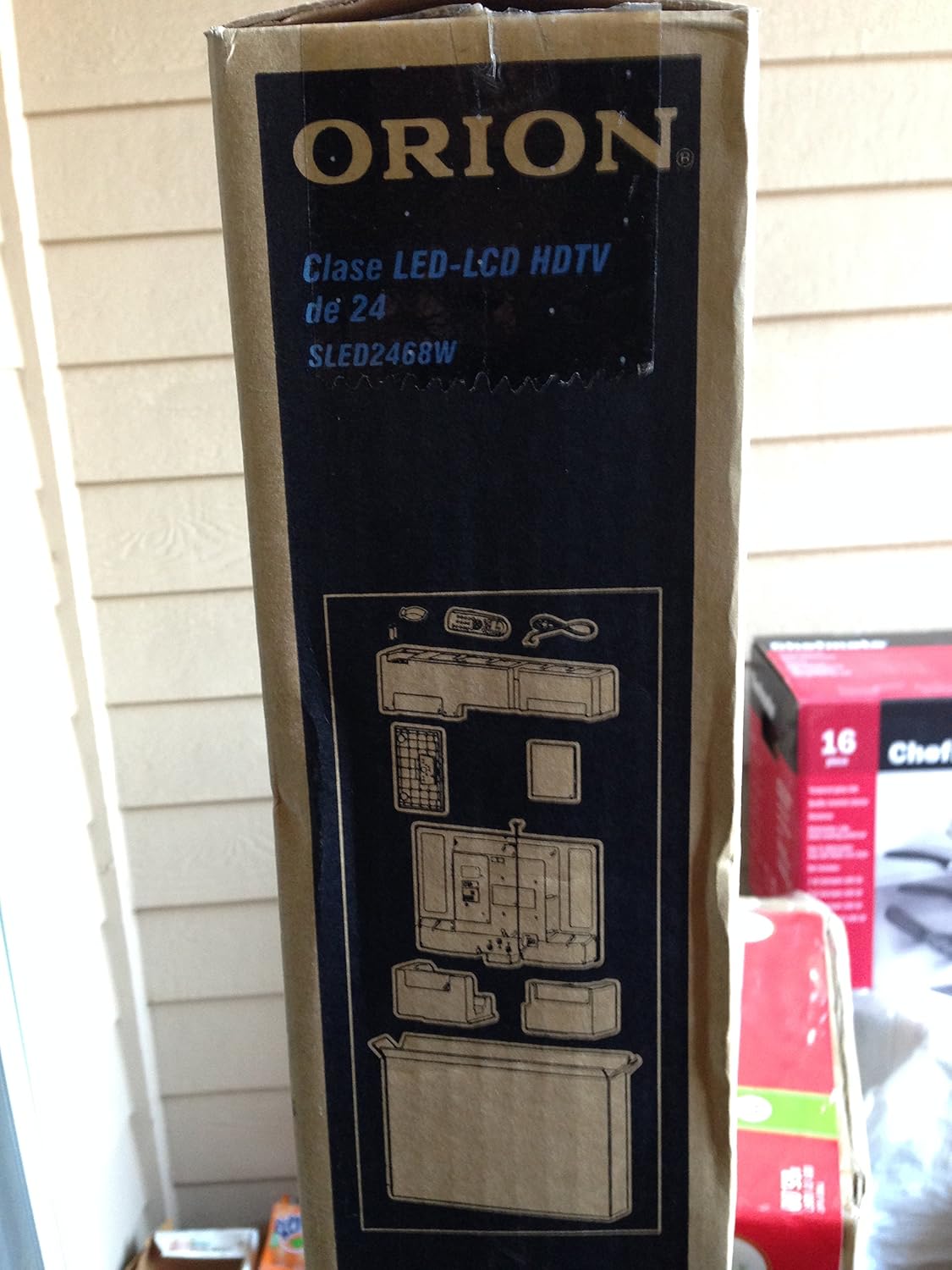
Image: The side of the Orion TV box illustrating the TV and stand components packed inside.
סעטאַפּ
1. ונפּאַקקינג
Remove the TV and all accessories from the packaging. Retain the packaging for future transport or storage.

Image: The front of the Orion 24" LED-LCD HDTV box, displaying the model number SLED2468W and key features such as Integrated Digital Tuner, USB Time Shift, HDMI, and Headphone/Digital Audio Output.
2. אנשטעלן דעם שטאנד
Place the TV screen-down on a soft, clean surface. Align the TV stand with the mounting holes on the bottom of the TV. Secure the stand using the provided screws.
3. קאַנעקטינג מאַכט
Connect the power cord to the TV's power input and then to a standard 110 VAC, 60 Hz electrical outlet.
4. קאַנעקטינג פונדרויסנדיק דעוויסעס
אייער טעלעוויזיע שטיצט פארשידענע קאנעקשאנס פאר עקסטערנע דעווייסעס:
- הדמי: For high-definition audio and video from devices like Blu-ray players, game consoles, or cable/satellite boxes.
- וסב: For media playback or USB Time Shift functionality.
- אַנטענע / קאַבלע: For receiving broadcast television signals via the integrated ATSC tuner.
- פּיסי אַרייַנשרייַב: For connecting a computer monitor.
- Headphone/Digital Audio Output (Coaxial): פֿאַר פֿאַרבינדן עקסטערנע אַודיאָ סיסטעמען.

Image: A diagram illustrating various connection ports on the TV, including headphone, audio, PC monitor, and coaxial outputs. Also shown are the unit dimensions and weight.
5. ערשט סעטאַפּ וויזערד
Upon first power-on, the TV will guide you through an initial setup process, including language selection, channel scanning, and time zone settings.
אַפּערייטינג
Basic Remote Control Functions
The remote control allows you to access all TV functions. Ensure batteries are correctly inserted.
- מאַכט: טורנס די טעלעוויזיע אויף אָדער אַוועק.
- קאַנאַל אַרויף / אַראָפּ: טוישט טעלעוויזיע קאַנאַלן.
- באַנד אַרויף / אַראָפּ: אַדדזשוסץ די געזונט מדרגה.
- אַרייַנשרייַב / מקור: Selects the input source (HDMI, TV, USB, etc.).
- מעניו: Accesses the main menu for settings adjustments.
- נאַוויגאַציע קנעפּלעך (אַרויף/אַראָפּ/לינקס/רעכטס/גוט): געניצט צו נאַוויגירן מעניוז און באַשטעטיקן אויסוואלן.
USB Time Shift
The TV features a USB Time Shift function. Connect a USB storage device to pause, rewind, or fast-forward live TV broadcasts. Refer to the on-screen menu for detailed instructions on activating and using this feature.
אינטערנעט בלעטערער
This TV includes a basic internet browser. Connect the TV to your network (if applicable) to access web content. Performance may vary depending on network speed and website complexity.
וישאַלט
רייניקונג די פאַרשטעלן
ווישט אָפּ דעם עקראַן מיט אַ ווייכן, לינט-פֿרײַעם שטאָף. פֿאַר שווערע פֿלעקן, ווישט לײַכט.ampווישט דעם שטאָף מיט וואַסער אָדער אַ ספּעציאַליזירטן עקראַן רייניגער. שפּריצט קיינמאָל נישט פליסיקייט גלייך אויפן עקראַן.
אַלגעמיינע קער
Keep the TV free from dust by regularly wiping the cabinet with a dry, soft cloth. Ensure adequate ventilation around the TV to prevent overheating.
טראָובלעשאָאָטינג
If you encounter issues with your TV, consult the following table before contacting support:
| פּראָבלעם | מעגלעך לייזונג |
|---|---|
| קיין מאַכט | Check if the power cord is securely connected to both the TV and the outlet. Ensure the outlet is functional. |
| קיין בילד נישט, אבער סאונד איז דא | באַשטעטיקן אַז די ריכטיקע אַרייַנגאַנג מקור איז אויסגעקליבן. קאָנטראָלירט די פֿאַרבינדונגען פֿון די עקסטערנע דעווייסעס. |
| קיין קלאַנג, אָבער בילד איז דאָ | Check volume level and mute settings. Ensure external audio connections are secure. |
| ווייַט קאָנטראָל נישט ארבעטן | טוישט די באַטעריעס. מאַכט זיכער אַז עס זענען נישטאָ קיין שטערונגען צווישן דעם ווײַטקאָנטראָל און דעם טעלעוויזיע'ס IR סענסאָר. |
| נעבעך בילד קוואַליטעט | Check antenna connection. Adjust picture settings in the TV menu. |
ספּעסאַפאַקיישאַנז
Technical specifications for the Orion 24" SLED2468W LED LCD HDTV:
| שטריך | באַשרייַבונג |
|---|---|
| מאָדעל נומער | SLED2468W |
| פאַרשטעלן גרייס | 24 אינטשעס |
| ווייַז טעכנאָלאָגיע | לעד-על-סי-די |
| האַכלאָטע | 720 פּ |
| דערפרישן קורס | 60 הז |
| אַספּעקט פאַרהעלטעניש | 16:9 |
| קאַנעקטיוויטי טעכנאָלאָגיע | HDMI, וסב |
| טונער טיפּ | ATSC |
| שטיצט אינטערנעט באַדינונגס | בלעטערער |
| שורה וואָלtage | 110 וואַק 60 הז |
| On Mode Power Consumption | 37W (as per box image) |
| אַפּאַראַט דימענשאַנז (WxDxH) | 21.65" x 5.39" x 14.21" (550 x 136.9 x 361 mm) (as per box image) |
| אַפּאַראַט וואָג | 3.6 kg (8.0 lbs) (as per box image) |
| פאַבריקאַנט | Sansui |
| UPC | 755805020776 |
וואָראַנטי און שטיצן
For warranty information and technical support, please refer to the documentation included with your purchase or visit the official Orion product support webזייטל. האַלט דיין קויפן באַווייַז פֿאַר וואָראַנטי קליימז.