
1. הקדמה
Thank you for choosing the Coby LEDTV3216 32-Inch 720p 60Hz Slim-Bezel LED HDTV. This manual provides essential information for the safe and efficient operation of your television. Please read these instructions thoroughly before use and retain them for future reference.
The Coby LEDTV3216 offers a 32-inch widescreen display, a built-in digital TV tuner (ATSC/NTSC/QAM), and multiple connectivity options including HDMI and VGA. It features energy-efficient technology, digital noise reduction, and V-chip parental control.
2. זיכערקייַט אינפֿאָרמאַציע
כדי צו זיכער מאַכן זיכערע אָפּעראַציע און פאַרמייַדן שאָדן, אָבסערווירן די פאלגענדע פאָרזיכטיגקייטן:
- מאַכט מקור: פֿאַרבינדט דעם טעלעוויזיע נאָר צו אַן AC 100-240V, 50/60Hz מאַכט צושטעל.
- ווענטילאַטיאָן: בלאָקירט נישט די ווענטילאַציע עפענונגען. זאָרגט פֿאַר גענוג פּלאַץ אַרום דעם טעלעוויזאָר פֿאַר געהעריקן לופטפֿלוס.
- וואַסער און נעץ: שטעלט נישט אויס דעם טעלעוויזאר צו רעגן, פייכטקייט, און לייגט נישט קיין זאכן פול מיט פליסיקייטן אויף אדער לעבן אים.
- היץ קוואלן: האַלט דעם טעלעוויזאָר אַוועק פון ראַדיאַטאָרן, היץ רעגיסטערס, אויוון, אָדער אַנדערע היץ-פּראָדוצירנדיקע אַפּאַראַטן.
- רייניקונג: Unplug the TV from the wall outlet before cleaning. Use a soft, dry cloth. Do not use liquid or aerosol cleaners.
- סערוויס: דו זאלסט נישט פּרווון צו דינען דעם פּראָדוקט זיך. קאָנטאַקט אַלע קוואַלאַפייד סערוויס פּערסאַנעל.
- וואַנט מאָונטינג: If wall-mounting, ensure the mount is VESA 200mm x 200mm compatible and installed by qualified personnel.
3. פּעקל אינהאַלט
באַשטעטיקן אַז אַלע זאכן זענען פאַראַן אין פּעקל:
- Coby LEDTV3216 32-Inch LED HDTV
- טעלעוויזיע שטייט
- ווײַטקאָנטראָל (דאַרפֿט 2 AAA באַטעריעס, אַרײַנגערעכנט)
- מאַכט שנור
- באַניצער מאַנואַל (דעם דאָקומענט)
4. סעטאַפּ
4.1 אַטאַטשינג די שטיין
צו באַפֿעסטיקן דעם אַרייַנגעשלאָסענעם שטאַנד:
- לייגט דעם טעלעוויזאר מיטן פנים אראפ אויף א ווייכער, ריינער אויבערפלאך כדי צו פארמיידן שאדן צום עקראן.
- גלייכט אויס דעם שטאַנד באַזע מיט די מאָנטירונג לעכער אויף דער אונטערשטער טייל פון דעם טעלעוויזאָר.
- באַפעסטיקט דעם שטאַנד מיט די צוגעשטעלטע שרויפן. מאַכט זיכער אַז אַלע שרויפן זענען פעסט אָנגעצויגן.
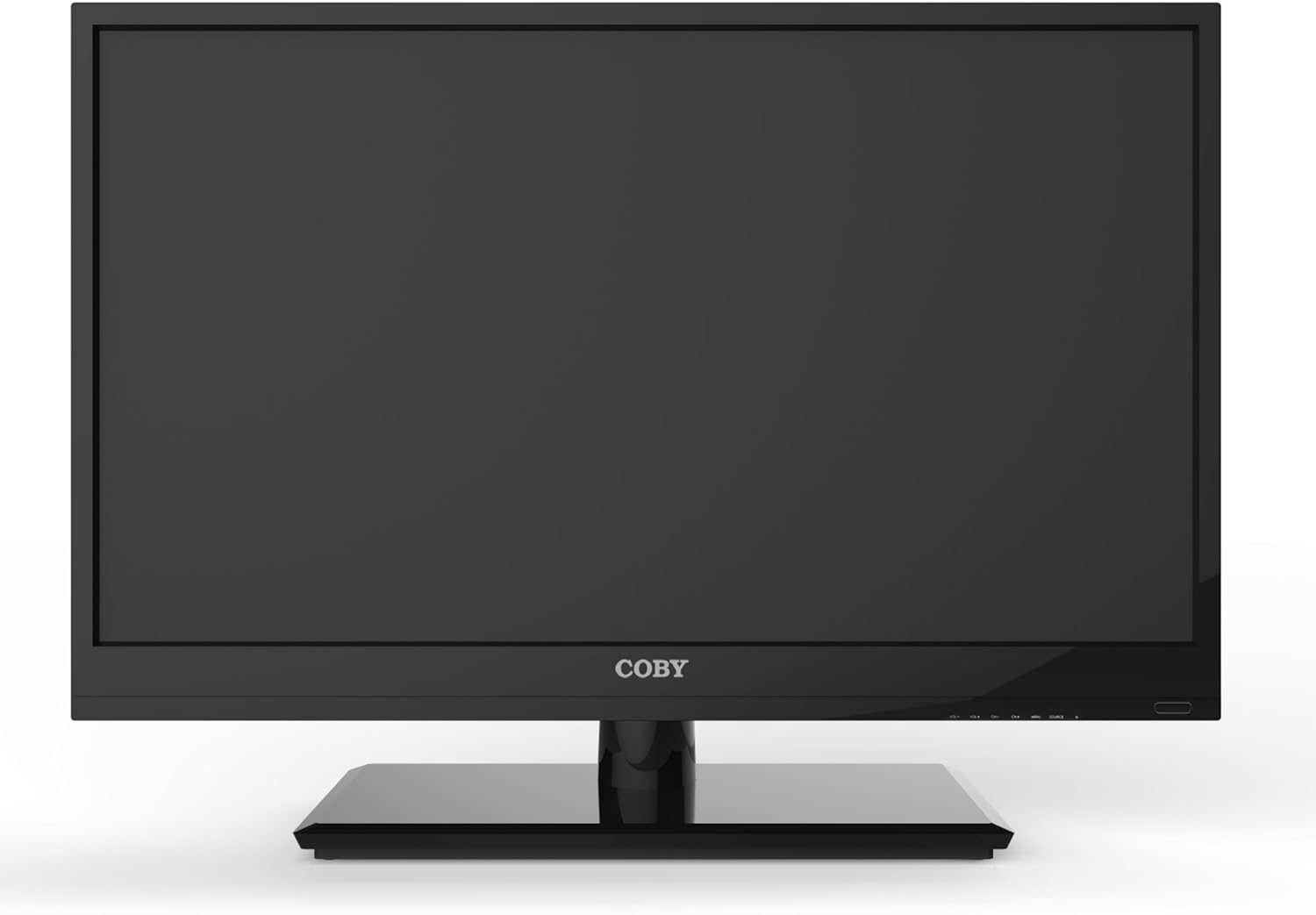
פיגורע 4.1: פראָנט view of the Coby LEDTV3216 with stand.
4.2 וואַנט מאָונטינג (אָפּציאָנאַל)
The TV supports VESA 200mm x 200mm wall mounts. Wall mount hardware is not included. For safe installation, it is recommended to have the TV wall-mounted by a professional.
4.3 קאַנעקטינג דעוויסעס
The Coby LEDTV3216 offers various input ports on the rear panel for connecting external devices.
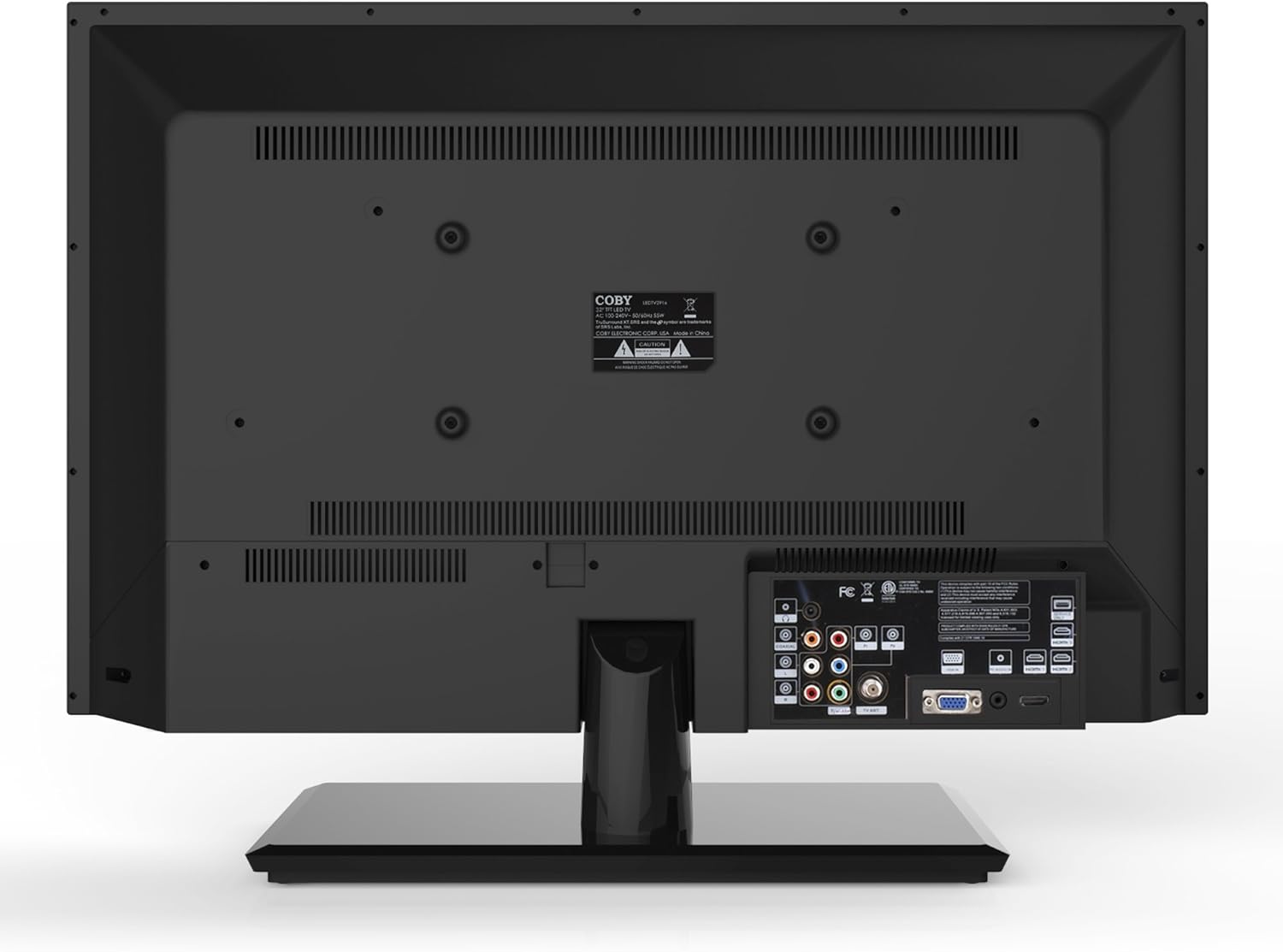
פיגורע 4.2: דערציען view מיט אינפוט פּאָרטן.
- הדמי: Connect high-definition devices such as Blu-ray players, game consoles, or cable/satellite boxes using an HDMI cable. The TV has 1 HDMI port.
- VGA (PC Input): Connect a computer to use the TV as a monitor. Use a VGA cable for video and a 3.5mm audio cable for audio input.
- אַנטענע / קאַבלע: Connect an antenna or cable TV feed to the RF input for receiving broadcast channels.
- קאָמפּאָנענט ווידעאָ (YPbPr): Connect devices using component video cables (red, green, blue) and corresponding audio cables (red, white).
- Composite Video (AV): Connect older devices using composite video (yellow) and stereo audio (red, white) cables.
4.4 ערשט מאַכט אויף
After connecting all desired devices and the power cord, press the Power button on the TV or remote control. Follow the on-screen prompts for initial setup, including language selection and channel scanning.
5. אפערירן דעם טעלעוויזאר
5.1 רימאָוט קאָנטראָל פאַנגקשאַנז
The remote control allows you to access all TV functions. Insert the two included AAA batteries into the remote control, observing polarity.
- מאַכט: טורנס די טעלעוויזיע אויף אָדער אַוועק.
- אַרייַנשרייַב / מקור: Selects the input source (HDMI, VGA, TV, AV, Component).
- באַנד (+/-): אַדזשאַסץ די באַנד מדרגה.
- קאַנאַל (CH +/-): טוישט טעלעוויזיע קאַנאַלן.
- מעניו: עפֿנט דאָס אויף-עקראַן אַרויסווייַז (OSD) מעניו.
- נאַוויגאַציע קנעפּלעך (אַרויף/אַראָפּ/לינקס/רעכטס): נאַוויגירן דורך מעניו אָפּציעס.
- OK/Enter: קאַנפערמז סאַלעקשאַנז.
- אַרויסגאַנג: קלאָוזיז די מעניו.
- שטום: מיוטעס אָדער אַנמיוט די געזונט.
- אינפֿאָרמאַציע: Displays channel or program information.
5.2 מעניו נאַוויגאַציע
דרוק די מעניו button on the remote to access the main menu. Use the navigation buttons to select categories such as Picture, Sound, Channel, Time, and Setup. Press OK to enter a sub-menu and adjust settings. Press אַרויסגאַנג צו לאָזן די מעניו.
5.3 בילד סעטטינגס
Adjust settings like Brightness, Contrast, Color, Tint, and Sharpness to optimize your viewing experience. Picture modes (e.g., Standard, Dynamic, Movie, User) are available for quick adjustments.

Figure 5.1: Coby LEDTV3216 displaying an image.
5.4 געזונט סעטטינגס
Adjust Bass, Treble, and Balance. Sound modes (e.g., Standard, Music, Movie, User) are available. The TV features premium sound powered by SRS Labs.
5.5 קאַנאַל סעטטינגס
Perform auto-scan or manual scan to find available channels. The built-in digital TV tuner supports ATSC, NTSC, and QAM standards.
5.6 Parental Control (V-Chip)
The V-chip parental control feature allows you to block programs based on their rating. Access this setting through the menu and follow the on-screen instructions to set up a password and content restrictions.
6. פֿעיִקייטן
Key features of the Coby LEDTV3216 include:
- Energy efficient technology (standby power less than 0.5W).
- Extended backlight life expectancy (30,000 hours).
- Built-in digital TV tuner (ATSC/NTSC/QAM).
- HDMI digital connection for perfect signal transmission.
- PC VGA connection for use as a computer monitor.
- Premium sound powered by SRS Labs.
- דיגיטאַל ראַש רעדוקציע.
- V-chip parental control, Closed-Caption, and Electronic Program Guide support.
- Energy Star 5.3 compliant.
- Multi-language on-screen display.
- Wall-Mountable design (200mm x 200mm VESA Mount).
7. ספּעסאַפאַקיישאַנז
| שטריך | באַשרייַבונג |
|---|---|
| מאָדעל נאָמען | LEDTV3216 |
| פאַרשטעלן גרייס | 32 אינטשעס |
| ווייַז טעכנאָלאָגיע | געפירט |
| האַכלאָטע | 720 פּ |
| דערפרישן קורס | 60 הז |
| קאַנטראַסט פאַרהעלטעניש | 3,000:1 |
| ענטפער צייט | 6 מיליסעקאַנדז |
| קאַנעקטיוויטי טעכנאָלאָגיע | הדמי, ווגאַ |
| Total Number of HDMI Ports | 1 |
| טונער טיפּ | ATSC, NTSC, QAM |
| פּאַרענטאַל קאָנטראָל | V-טשיפּ |
| וועסאַ מאָונט סטאַנדאַרט | 200 רענטגענ 200 מם |
| פּונקט וואָג | 18.08 פונט |
| קאָליר | שוואַרץ |

Figure 7.1: Estimated Yearly Energy Cost for LEDTV3216.
8. וישאַלט
8.1 רייניקן דעם עקראַן
ווישט אָפּ דעם עקראַן מיט אַ ווייכן, לינט-פֿרײַעם שטאָף. פֿאַר שווערע פֿלעקן, ווישט לײַכט.ampווישט דעם שטאָף מיט וואַסער אָדער אַ ספּעציאַליזירטן עקראַן רייניגער. שפּריצט קיינמאָל נישט רייניגער גלייך אויפן עקראַן.
8.2 רייניקונג די קאַבינעט
ווישט אָפּ דעם טעלעוויזיע קאַבינעט מיט אַ ווייכן, טרוקענעם שטאָף. פֿאַרמייַדט ניצן אַברייסיוו רייניגער אָדער סאָלווענטן וואָס קענען שאַטן די ענדיקונג.
9. טראָובלעשאָאָטינג
אויב איר טרעפט פּראָבלעמען מיט אייער טעלעוויזיע, זעט די פאלגענדע געוויינטלעכע פּראָבלעמען און לייזונגען:
| פּראָבלעם | מעגלעך סיבה / לייזונג |
|---|---|
| קיין מאַכט | Ensure the power cord is securely plugged into the TV and a working electrical outlet. Check the power indicator light. |
| קיין בילד נישט, אבער סאונד איז דא | באַשטעטיקן אַז די ריכטיקע אַרייַנגאַנג מקור איז אויסגעקליבן. קאָנטראָלירט קאַבל קאַנעקשאַנז צו פונדרויסנדיק דעוויסעס. |
| קיין קלאַנג, אָבער בילד איז דאָ | קאָנטראָלירט דעם וואָלומען לעוועל און זיכערט זיך אַז דער טעלעוויזאָר איז נישט שטיל. קאָנטראָלירט די קאַנעקשאַנז פון די אַודיאָ קאַבל פֿאַר עקסטערנע דעוויסעס. |
| נעבעך בילד קוואַליטעט | Adjust picture settings (brightness, contrast, sharpness). Ensure the antenna or cable connection is secure. For digital channels, perform a channel scan. |
| ווייַט קאָנטראָל נישט ארבעטן | קאָנטראָלירט און פֿאַרבייט באַטעריעס אויב נייטיק. מאַכט זיכער אַז עס זענען נישטאָ קיין שטערונגען צווישן דעם ווײַטקאָנטראָל און דעם טעלעוויזיע'ס IR סענסאָר. |
10. וואָראַנטי און שטיצן
The Coby LEDTV3216 comes with a limited warranty. Please refer to the warranty card included with your product for specific terms and conditions. For technical support or service inquiries, please contact Coby customer service through their official webזייטל אדער די קאָנטאַקט אינפֿאָרמאַציע וואָס איז צוגעשטעלט אין אייער וואָראַנטי דאָקומענטאַציע.