
Fysic FX-6000
פיזיק FX-6000 גרויסע קנעפּל DECT טעלעפאָן באַניצער מאַנואַל
Model: FX-6000
1. הקדמה
א דאנק פארן קויפןasing the Fysic FX-6000 Big Button DECT Phone. This manual will guide you through the setup, operation, and maintenance of your new cordless telephone. Please read these instructions carefully before using the phone to ensure proper functionality and safety. Keep this manual for future reference.
2. וויכטיק סאַפעטי אינפֿאָרמאַציע
- ניצט נאָר דעם צוגעשטעלטן מאַכט אַדאַפּטער און באַטעריעס.
- Do not expose the phone to water or excessive humidity.
- פֿאַרמײַדט צו שטעלן דעם טעלעפֿאָן לעבן היץ־קוואַלן אָדער דירעקטער זון.
- פרובירט נישט צו עפענען אדער פאררעכטן דעם טעלעפאן אליין. לאָזט איבער אלע סערוויסעס צו קוואַליפֿיצירטע פּערסאָנעל.
- אַוועקוואַרפן באַטעריעס פאַראַנטוואָרטלעך לויט די לאָקאַלע רעגולאַציעס.
3. פּעקל אינהאַלט
ביטע קאָנטראָלירט אַז אַלע זאכן זענען פאַראַן אין אייער פּעקל:
- Fysic FX-6000 Handset
- באַזע סטאנציע
- מאַכט אַדאַפּטער פֿאַר באַזע סטאַנציע
- טעלעפאָן ליניע שנור
- 2 x AAA NiMH ריטשאַרדזשאַבאַל באַטעריעס
- באַניצער מאַנואַל
4. פּראָדוקט איבערview
The Fysic FX-6000 features large buttons and a clear display for ease of use.

פיגורע 4.1: פראָנט view of the Fysic FX-6000 handset in its charging base, highlighting the large, easy-to-read buttons and the clear, backlit display.
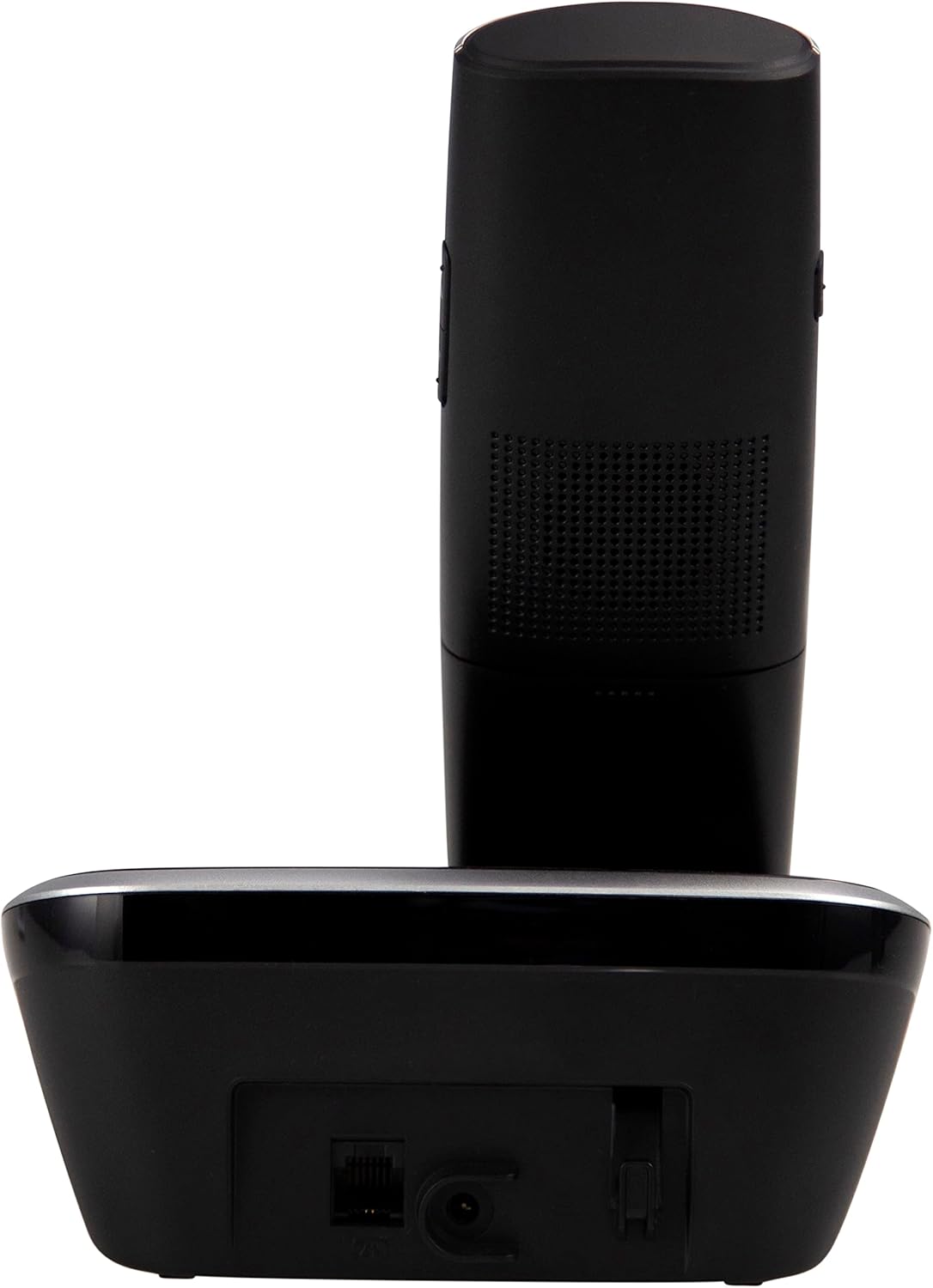
פיגורע 4.2: זייַט view of the Fysic FX-6000 handset docked in its base station, showing the ergonomic design and side volume buttons.

פיגורע 4.3: Detailed close-up of the Fysic FX-6000 phone's keypad, emphasizing the large, clearly labeled buttons for easy dialing.

פיגורע 4.4: נאָענט-אַרויף view of the Fysic FX-6000 phone's backlit display, showing clear icons for battery status, signal strength, and call information.
כאַנדסעט אויסלייג
- ווייַז: 1.8-inch backlit screen for caller ID, menu, and status.
- נאַוויגאַציע שליסלען: For menu navigation and volume adjustment.
- טעלעפאן: Large, easy-to-read numeric keys (0-9, *, #).
- רוף/ענדע קנעפּלעך: Green button to answer/make calls, Red button to end calls.
- Memory Keys (M1, M2, M3): For speed dialing frequently used numbers.
- רעדנערפאָון קנעפּל: To activate hands-free mode.
באַזע סטאנציע אויסלייג
- טשאַרדזשינג וויגעלע: For charging the handset.
- Paging Button: To locate a misplaced handset.
- מאַכט סאָקקעט: פֿאַר קאַנעקטינג די מאַכט אַדאַפּטער.
- Telephone Line Socket: For connecting to the telephone line.
5. סעטאַפּ
5.1 באַטאַרייע ייַנמאָנטירונג
- עפענען די באַטאַרייע אָפּטייל דעקן אויף די צוריק פון די כאַנדסעט.
- אַרײַנשטעלן די צוויי צוגעשטעלטע AAA NiMH ריטשאַרדזשאַבאַל באַטעריעס, אָבסערווירנדיק די ריכטיקע פּאָלאַריטעט (+ און -).
- פאַרמאַכן די באַטאַרייע אָפּטייל דעקן סיקיורלי.
5.2 קאַנעקטינג די באַזע סטאַנציע
- Connect one end of the telephone line cord to the telephone line socket on the base station.
- Connect the other end of the telephone line cord to your telephone wall socket.
- פֿאַרבינדט דעם מאַכט אַדאַפּטער צו דער מאַכט סאָקעט אויף דער באַזע סטאַנציע.
- שטעקט אריין דעם מאַכט אַדאַפּטער אין אַ פּאַסיק עלעקטרישער ווענטיל (220-240V).
5.3 Initial Charging and Handset Registration
Place the handset on the base station. The handset will automatically begin charging. For optimal battery performance, allow the handset to charge for at least 16 hours before its first use. The handset is pre-registered to the base station from the factory. If for any reason the handset loses its registration, refer to the troubleshooting section for re-registration steps.
6. אַפּערייטינג ינסטרוקטיאָנס
6.1 מאַכן אַ רוף
- פאַר-דיילינג: Enter the phone number using the dial pad, then press the גרין רוף קנעפּל.
- דירעקט דילינג: דרוק די גרין רוף button, then enter the phone number.
- Using Memory Keys (M1, M2, M3): Press and hold the desired memory key (M1, M2, or M3) to dial the stored number.
6.2 באַקומען אַ רוף
ווען דער טעלעפאָן קלינגט, דריק די גרין רוף button to answer. The display will show the caller's number if Caller ID service is active.
6.3 ענדיקן אַ רוף
דרוק די רויטער ענד רוף קנעפּל אדער לייג צוריק דעם האַנדסעט אויף דער באַזע סטאַנציע.
6.4 אַדזשאַסטירן באַנד
During a call, use the volume up/down buttons on the side of the handset to adjust the earpiece volume. The ringtone volume can be adjusted via the phone's menu settings.
6.5 הענט-פריי אפעראציע
דריקן די בעשאַס אַ רוף ספּיקערז button to switch to hands-free mode. Press it again to return to earpiece mode.
6.6 טעלעפאָנירן בוך
The phonebook allows you to store frequently called numbers. Refer to the on-screen menu for options to add, edit, or delete contacts.
6.7 ווידער-רופן
דרוק די רעדיאַל button (often integrated with the call log or a dedicated button) to view and redial the last dialed numbers.
6.8 שטום פֿונקציע
דריקן די בעשאַס אַ רוף שטום button to temporarily disable your microphone. The other party will not hear you. Press it again to unmute.
7. וישאַלט
7.1 רייניקונג
ווישט אָפּ דעם טעלעפאָן און באַזע סטאַנציע מיט אַ ווייכן, דamp שטאָף. ניצט נישט קיין שרײַבנדיקע רייניגערס אדער סאָלווענטן. מאַכט זיכער אַז דער טעלעפאָן איז אָפּגעטיילט פֿון עלעקטריע איידער איר רייניקט.
7.2 באַטערי קער
- Always use the supplied rechargeable NiMH batteries.
- אויב דער טעלעפאָן וועט נישט ווערן גענוצט פֿאַר אַ לענגערע צייט, נעמט אַרויס די באַטעריעס צו פאַרמייַדן ליקאַדזש.
- טוישן באַטעריעס ווען זייער פאָרשטעלונג ווערט באַדייטנד ערגער.
8. טראָובלעשאָאָטינג
| פּראָבלעם | מעגלעך סיבה | לייזונג |
|---|---|---|
| קיין רעדל טאָן | Telephone line not connected; Power adapter not connected; Handset out of range or not registered. | Check all cable connections; Ensure base station is powered; Move handset closer to base; Re-register handset (see manual for specific steps). |
| האַנדסעט לאָדט זיך נישט אויף | Handset not properly seated in cradle; Dirty charging contacts; Faulty batteries. | Ensure handset is correctly placed; Clean charging contacts on handset and base with a dry cloth; Replace batteries if necessary. |
| שלעכטע רוף קוואַליטעט / סטאַטיק | Handset too far from base; Interference from other electronic devices. | Move closer to the base station; Move base station away from other electronic devices (Wi-Fi routers, microwaves). |
| אַרויסווייַזן איז ליידיק | Batteries are depleted or not inserted correctly. | Charge handset for at least 16 hours; Check battery polarity. |
9. טעכניש ספּעסאַפאַקיישאַנז
- מאָדעל: פקס-6000
- סאָרט: פיזיק
- קאָליר: שוואַרץ
- טעלעפאָן טיפּ: שנורלאָזער DECT טעלעפאָן
- ווייַז: 1.8-אינטש באַקלייטעד על-סי-די
- באַטעריז: 2 x AAA NiMH Rechargeable (1.2V, 500 mAh)
- Base Power Supply: 6 וודק, 300 מאַ
- מאַכט מאַכט: 220-240וו
- רעדן צייט: אַרויף צו 10 שעה
- סטאַנדביי צייט: אַרויף צו 100 שעה
- דרינענדיק קייט: אַרויף צו 50 מעטער
- דרויסנדיק קייט: אַרויף צו 300 מעטער
- דימענשאַנז (L x W x H): Approximately 8 x 20 x 17 cm (Handset in base)
- וואָג: בעערעך 534 גראַמז
- ספּעציעלע פֿעיִקייטן: Large buttons, Hearing aid compatible, Adjustable ringtone/call volume, Mute function, Hands-free operation, GAP compatible.
10. וואָראַנטי און שטיצן
Fysic products are designed and manufactured to the highest quality standards. For information regarding warranty terms and conditions, please refer to the warranty card included with your product or visit the official Fysic website. For technical support or service inquiries, please contact Fysic customer service through their official channels. Keep your purchase receipt as proof of purchase.
Ask a question about this manual
Ask about setup, troubleshooting, compatibility, parts, safety, or missing instructions. Manuals+ will review the question and use this page’s manual context to help answer it.