
Chief TS325TU
Chief TS325TU Medium THINSTALL Dual Swing Arm Wall Display Mount
Model: TS325TU
הקדמה
The Chief TS325TU Medium THINSTALL Dual Swing Arm Wall Display Mount is designed to provide a secure and versatile mounting solution for flat panel displays ranging from 30 to 52 inches. This mount offers an ultra-low profile when collapsed and extends up to 25 inches, allowing for optimal viewing angles with its Centris low-profile tilt and Centerless lateral shift capabilities. It features integrated cable management for a clean installation.
זיכערקייַט אינפֿאָרמאַציע
ווארענונג: Failure to read, understand, and follow all instructions can result in serious personal injury, property damage, or voiding of product warranty. If you have any questions, contact Chief customer service or a qualified installer.
- נישט איבערשטייגן די מאקסימום לאוד קאפאציטעט פון 75.00 לב (34 קג).
- Ensure the mounting surface can safely support the combined weight of the mount and the display.
- Always mount to structural studs or appropriate wall anchors. Note that this mount is designed for studs approximately 16 inches apart.
- Use appropriate tools and follow all local building codes.
- האַלטן קינדער און פּעץ אַוועק בעשאַס ינסטאַלירונג.
פּעקל אינהאַלט
באַשטעטיקן אַז אַלע קאָמפּאָנענטן זענען פאַראַן איידער איר הייבט אָן די אינסטאַלאַציע:
- 1 x הויפּט פֿאַרזאַמלונג
- 1 x Wall Rail
- 1 x Right Upright
- 1 x Left Upright
- 1 x Top Interface Support
- 1 x Bottom Interface Support
- 2 x Wall Rail Cover
- 1 x Lag Screw Cover
- 1 x Bumper
- 1 x Latch Spacer
- 2 x Long Adhesive
- 4 x Short Adhesive
- Mounting Hardware (various screws, washers, spacers)
סעטאַפּ און ינסטאַלירונג
Proper installation is critical for the safety and performance of your display mount. It is recommended to have at least two people for installation due to the weight and size of the mount.
מכשירים פארלאנגט (ניט אַרייַנגערעכנט):
- שטיפט פינדער
- בויער מיט צונעמען בויער ביטן
- מדרגה
- טייפּ מעזשער
- Socket Wrench / Ratchet
- פיליפּס קאָפּ שרויפנ - ציער
- בלייַער
שריט-דורך-שריט ינסטאַלירונג:
- צוגרייטן די וואנט:
Locate and mark the center of two adjacent wall studs. This mount is designed for standard 16-inch stud spacing. Ensure there are no electrical wires or plumbing in the drilling path. It is highly recommended to plan your entire layout, including TV, speakers, and wiring, before drilling.
- Attach Wall Rail:
Position the Wall Rail on the marked studs, ensuring it is level. Mark the pilot hole locations. Drill pilot holes into the studs. Secure the Wall Rail to the wall using the provided lag screws. Ensure the screws are tightened securely but do not overtighten to avoid stripping.
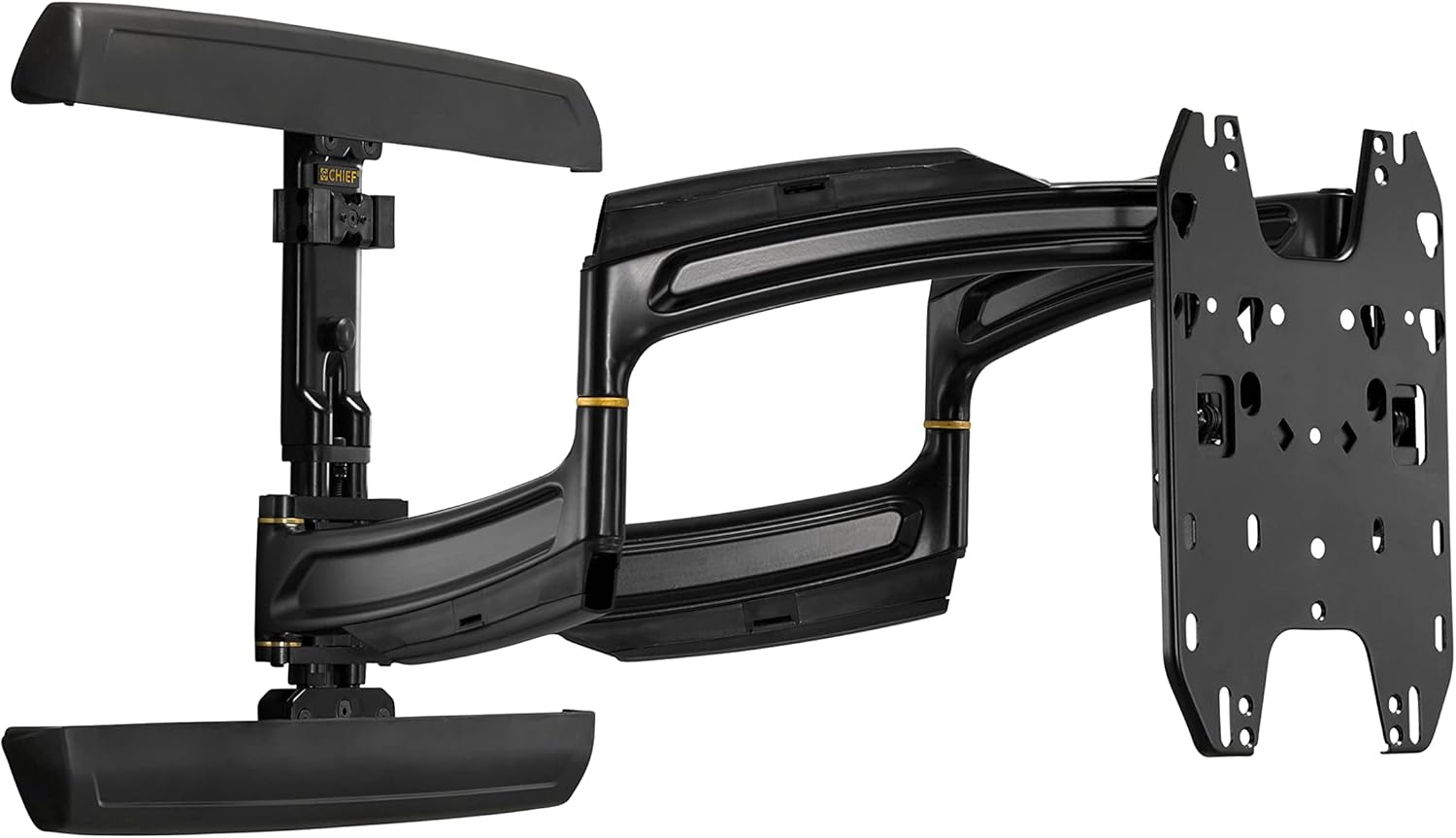
Image: Main assembly of the Chief TS325TU mount, showing the wall plate, articulating arms, and display interface.
- Assemble Display Interface:
Attach the Right and Left Uprights to the back of your display using the appropriate screws, washers, and spacers from the mounting hardware kit. Ensure the uprights are centered and level on the display. Then, attach the Top and Bottom Interface Supports to the uprights.
- Mount Display to Wall Rail:
Carefully lift the display with the attached interface and hook it onto the Wall Rail. The design allows for post-installation lateral shift of up to 16 inches (406 mm) for limitless centering capability. Secure the display to the mount according to the specific instructions in the detailed manual (refer to manufacturer's full manual for precise steps).
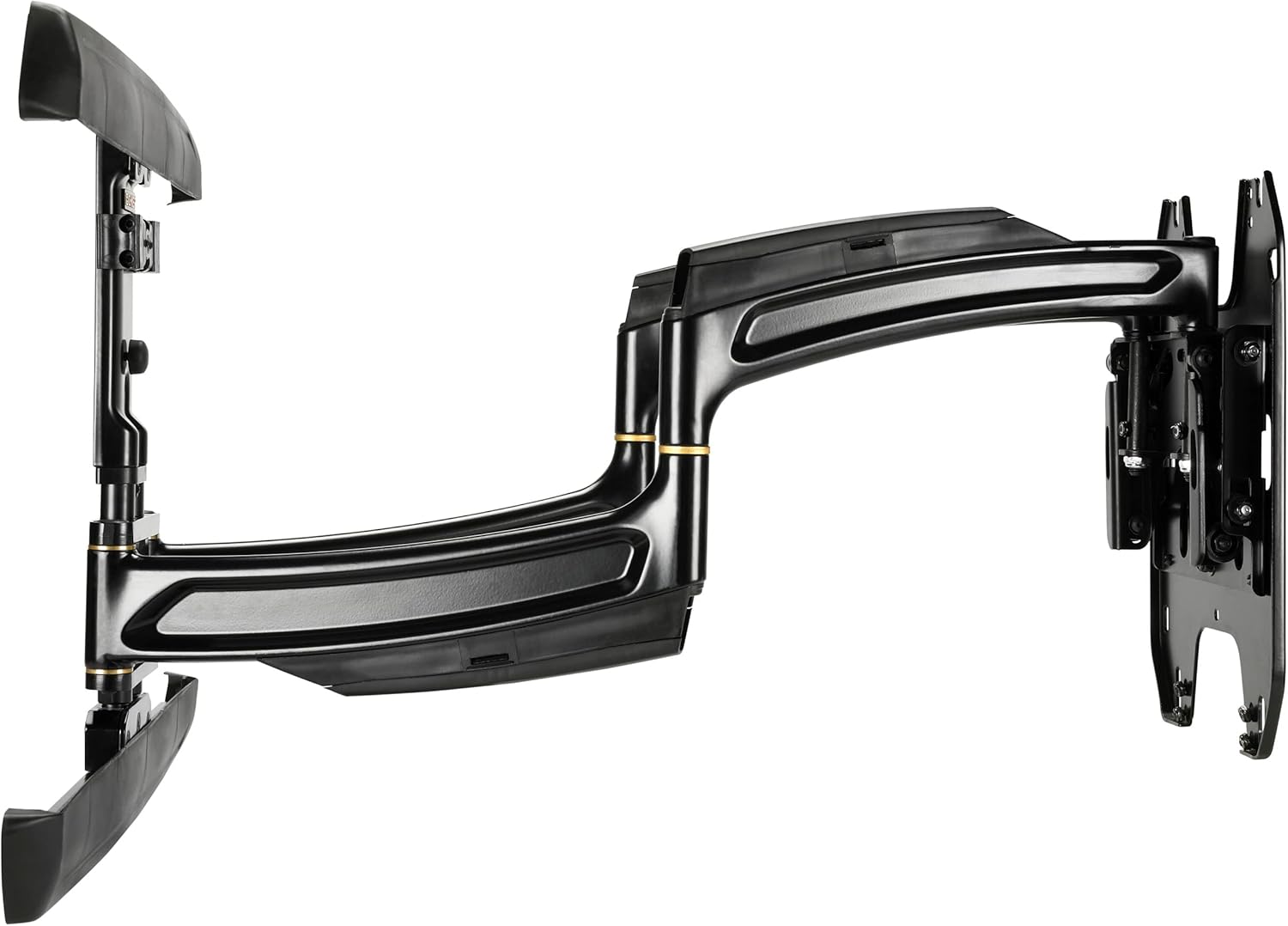
בילד: זייט view of the Chief TS325TU mount, illustrating its compact profile when retracted and the extension capability.
- קאַבלע פאַרוואַלטונג:
Utilize the enclosed, tool-free cable covers and the wide open wall plate to route power and signal cables. This helps maintain a clean and organized appearance.
אפערירן דעם בארג
The Chief TS325TU mount offers flexible positioning for your display:
- פארלענגערונג: The mount extends up to 25 inches (635 mm) from the wall, maximizing viewing potential from various positions in the room.
- טילט: The Centris low-profile tilt mechanism allows for up to 15 degrees of effortless fingertip tilt. This enables you to achieve optimal viewינג ווינקלען און רעדוצירן בליץ.
- Swivel/Pan: The dual swing arms allow for significant swivel capabilities, enabling you to turn the display left or right to suit your viewינג באדערפענישן.
- Lateral Shift: After installation, the display can be shifted laterally along the wall plate by up to 16 inches (406 mm) to fine-tune its horizontal position without re-drilling.

בילד: ווינקלדיק view of the Chief TS325TU mount, highlighting its robust construction and articulating design.
וישאַלט
Regular maintenance ensures the longevity and safe operation of your mount:
- רייניקונג: Dust the mount regularly with a soft, dry cloth. For stubborn marks, use a slightly damp cloth with mild soap, then wipe dry. Avoid abrasive cleaners or solvents.
- טשעק קאַנעקשאַנז: קאָנטראָלירט פּעריִאָדיש אַלע שרויפן און באָלטן צו זיכער מאַכן אַז זיי בלייבן פעסט. נישט צו שטאַרק אָנציִען.
- באַוועגונג טשעק: Occasionally extend, retract, tilt, and swivel the mount to ensure smooth operation. If movement becomes stiff, consult the troubleshooting section or contact support.
טראָובלעשאָאָטינג
| פּראָבלעם | מעגלעך סיבה | לייזונג |
|---|---|---|
| דער באַרג פילט זיך נישט סטאַביל אָדער וואָקלדיק. | Loose wall mounting bolts or display attachment screws. | Carefully re-tighten all wall and display attachment screws. Do not overtighten. If the issue persists, consult a professional installer. |
| Difficulty extending or retracting the arm. | Friction in the arm joints. | Ensure the mount is not overloaded. Check for any obstructions. The mount is designed for smooth movement; excessive force should not be required. |
| Display does not tilt smoothly. | Tilt mechanism tension. | The Centris tilt mechanism is designed for fingertip adjustment. Refer to the full manufacturer's manual for specific tilt tension adjustment procedures if needed. |
| קייבלס זענען נישט אָרדנטלעך געראטן. | Improper routing through cable covers. | Re-route cables through the integrated cable covers on the arms and wall plate for a cleaner look. |
For complex issues or if you are unsure about any step, please contact Chief customer support or a certified installer.
ספּעסאַפאַקיישאַנז
| שטריך | דעטאַל |
|---|---|
| פּראָדוקט מאָדעל | TS325TU |
| סאָרט | הויפט |
| מאַונטינג טיפּ | וואנט בארג |
| באַוועגונג טיפּ | בייגן, אַרטיקולירן |
| מאַקסימום מאַסע קאַפּאַציטעט | 75.00 לב (34 קג) |
| Minimum Compatible Display Size | 30 אינטשעס |
| מאַקסימום קאָמפּאַטיבלע אַרויסווייַזן גרייס | 52 אינטשעס |
| מאַקסימום פאַרלענגערונג | 25 אינטשעס (635 מם) |
| מאַקסימום טילט ווינקל | 15 דיגריז |
| Lateral Shift Adjustment | Up to 16 Inches (406 mm) |
| פּראָדוקט דימענסיעס (צוזאַמענגעלייגט) | 1.3 X 29.5 X 17.2 אינטשעס (33 X 749 X 437 מם) |
| פּונקט וואָג | 1 פונט (0.45 קג) Note: This weight seems unusually low for a mount of this type and capacity. Please refer to official manufacturer documentation for precise weight. |
| מאַטעריאַל | מעטאַל |
| קאָליר | שוואַרץ |
וואָראַנטי און שטיצן
For detailed warranty information, please refer to the official Chief Manufacturing website or the documentation included with your product. Chief provides support for their products to ensure customer satisfaction.
If you require technical assistance, have questions about installation, or need to report a missing part, please visit the official Chief Manufacturing support page or contact their customer service directly. Contact information can typically be found on their webפּלאַץ:
Ask a question about this manual
Ask about setup, troubleshooting, compatibility, parts, safety, or missing instructions. Manuals+ will review the question and use this page’s manual context to help answer it.