
הקדמה
This manual provides comprehensive instructions for the setup, operation, maintenance, and troubleshooting of your Polk Audio SurroundBar 4000 Instant Home Theater system. Please read this manual thoroughly before using the product to ensure proper functionality and to maximize your audio experience.
וויכטיק סאַפעטי אינפֿאָרמאַציע
Always follow basic safety precautions when using this product to reduce the risk of fire, electric shock, and injury. Keep these instructions for future reference.
- דו זאלסט נישט ויסשטעלן דעם אַפּפּליאַנסע צו רעגן אָדער נעץ.
- דו זאלסט נישט פאַרשפּאַרן קיין ווענטאַליישאַן אָופּאַנינגז.
- טאָן ניט ינסטאַלירן לעבן קיין היץ קוואלן.
- נאָר נוצן אַטאַטשמאַנץ / אַקסעסעריז ספּעסיפיעד דורך דער פאַבריקאַנט.
- אָפּשיקן אַלע סערוויסעס צו קוואַלאַפייד סערוויס פּערסאַנעל.
פּעקל אינהאַלט
באַשטעטיקן אַז אַלע זאכן זענען פאַראַן אין פּעקל:
- Polk Audio SurroundBar 4000 Soundbar
- ווירעלעסס סובוואָאָפער
- ווייַט קאָנטראָל
- מאַכט קאָרדס
- אָפּטיש קאַבלע
- Wall Mounting Template (if applicable)
- שנעל אָנהייב גייד
סעטאַפּ
קסנומקס. פּלאַסעמענט
The SurroundBar 4000 can be placed on a shelf below your television or mounted on a wall. Ensure the soundbar is centered with your TV for optimal audio imaging.
The wireless subwoofer can be placed anywhere in the room, ideally within 20-30 feet of the soundbar, for best performance. Avoid placing it directly against a wall or in a corner, which can cause excessive bass.
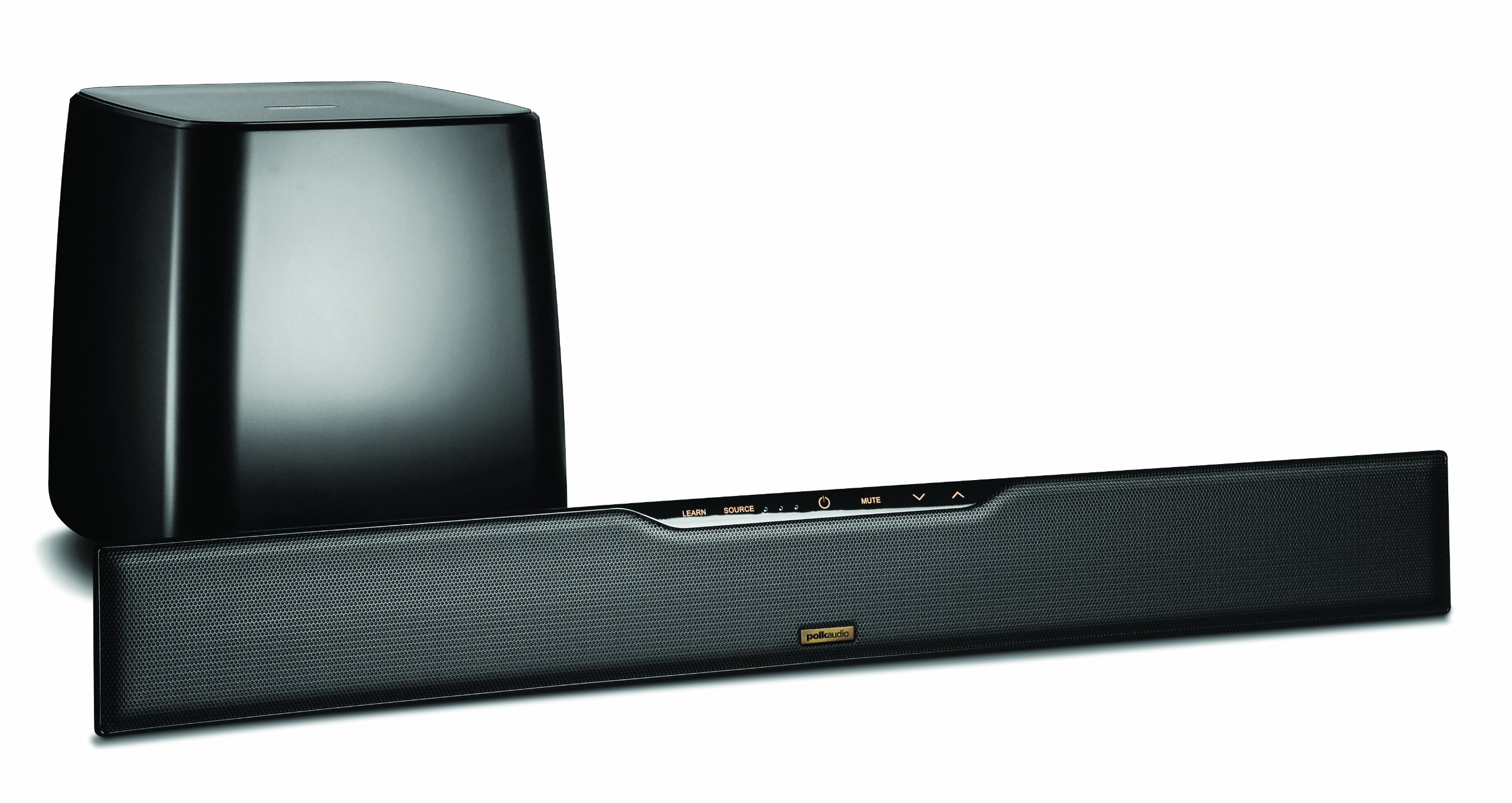
Image: Polk Audio SurroundBar 4000 IHT soundbar and wireless subwoofer. This image illustrates a typical setup with the soundbar positioned below a television and the wireless subwoofer placed nearby.
2. קאַנעקשאַנז
Connect the soundbar to your television or other audio sources using one of the following methods:
- אָפּטיש דיגיטאַל אַודיאָ (רעקאָמענדירט): Connect one end of the optical cable to the "Optical Out" port on your TV and the other end to the "Optical In" port on the SurroundBar.
- Analog Audio (3.5mm or RCA): If your TV does not have an optical output, use an analog audio cable to connect the TV's audio output to the SurroundBar's analog input.
פֿאַרבינדט די מאַכט קאָרדס צו דער סאַונדבאַר און דעם וויירלעסס סאַבוווּפער, און דערנאָך שטעקט זיי אַרײַן אין אַ וואַנט ווענטיל.
3. וויירלעס סאַבוואָאָפער פּערינג
The subwoofer should automatically pair with the soundbar when both are powered on. If pairing does not occur, or if the connection is lost:
- זיכער מאַכן אַז ביידע די סאַונדבאַר און סאַבוווּפער זענען אנגעצינדן.
- Press and hold the "Connect" button on the back of the subwoofer for a few seconds until the status light blinks.
- Press and hold the "Connect" button on the back of the soundbar (or on the remote, if available) until its status light also blinks.
- The lights should become solid once a connection is established.
אַפּערייטינג ינסטראַקשאַנז
1. מאַכט אויף / אויסגעלאשן
Press the Power button on the remote control or on the soundbar to turn the system on or off.
2. ינפּוט סעלעקציע
Use the "Source" button on the remote control or soundbar to cycle through available audio inputs (Optical, Analog, Bluetooth).
3. באַנד קאָנטראָל
Adjust the master volume using the "Volume Up" and "Volume Down" buttons on the remote or soundbar. The subwoofer volume can be adjusted independently using the "Subwoofer Volume" buttons on the remote.
4. בלועטאָאָטה פּערינג
צו פאַרבינדן אַ בלועטאָאָטה מיטל:
- Select the Bluetooth input on the soundbar.
- On your device, enable Bluetooth and search for "Polk SurroundBar 4000".
- Select the soundbar from the list to pair.
5. Remote Control Learning Feature
The SurroundBar 4000 can learn commands from your TV remote control for power, volume up, volume down, and mute. Refer to the quick start guide for detailed instructions on programming this feature.
וישאַלט
To ensure the longevity and optimal performance of your Polk Audio SurroundBar 4000 IHT:
- רייניקונג: ניצט אַ ווייכע, טרוקענע שטאָף צו רייניקן די ייבערפלאַכן פון די סאַונדבאַר און סאַבוווּפער. ניצט נישט פליסיקע רייניגער אָדער שרײַבנדיקע מאַטעריאַלן.
- ווענטילאַטיאָן: זייט זיכער אז די ווענטילאציע עפענונגען אויף דער סאונדבאַר און סאַבוווּפער זענען נישט פארשטאפט צו פארמיידן איבערהיצונג.
- מאַכט קאָרדס: Regularly inspect power cords for any damage. If damaged, discontinue use and contact customer support.
טראָובלעשאָאָטינג
| פּראָבלעם | מעגלעך סיבה | לייזונג |
|---|---|---|
| קיין געזונט פֿון סאָונדבאַר |
|
|
| קיין קלאַנג פֿון סאַבוואָפֿער |
|
|
| פארדרייט אדער שלעכטע קלאַנג קוואַליטעט |
|
|
| ווייַט קאָנטראָל נישט ארבעטן |
|
|
ספּעסאַפאַקיישאַנז
| שטריך | דעטאַל |
|---|---|
| סאָרט | פּאָלק אַודיאָ |
| מאָדעל נאָמען | SurroundBar 4000 IHT |
| מאָדעל נומער | IHT 4000 |
| רעדנער טיפּ | סאָונדבאַר מיט ווירעלעסס סובוואָאָפער |
| רעדנער מאַקסימום רעזולטאַט מאַכט | 180 וואטס |
| קאַנעקטיוויטי טעכנאָלאָגיע | בלועטאָאָטה |
| אַודיאָ רעזולטאַט מאָדע | אַרומרינגלען |
| קאָנטראָל מעטאָד | ווייַט |
| מאַכט מקור | קאָרדעד עלעקטריק |
| קאַמפּאַטאַבאַל דעוויסעס | Gaming Console, Television |
| UPC | 747192121662 |
וואָראַנטי און שטיצן
For warranty information and technical support, please refer to the warranty card included with your product or visit the official Polk Audio webזייטל. האַלט דיין קויפן באַווייַז פֿאַר וואָראַנטי קליימז.
פּאָלק אַודיאָ Webפּלאַץ: www.polkaudio.com
קונה סערוויס: Refer to the Polk Audio webזייטל פֿאַר קאָנטאַקט אינפֿאָרמאַציע ספּעציפֿיש פֿאַר אייער געגנט.