
הקדמה
This manual provides comprehensive instructions for the assembly, operation, and maintenance of your Sauder Lake Point L Desk, Model 410866. Designed with a contemporary architectural style, this L-shaped desk features storage drawers and glass tops, suitable for various office and entertainment needs. Please read these instructions carefully before beginning assembly and retain them for future reference.
זיכערקייַט אינפֿאָרמאַציע
- שטענדיק פאָלגן די פֿאַרזאַמלונג אינסטרוקציעס פּינקטלעך.
- Ensure all hardware is securely fastened before use.
- איבערלאָדן נישט דעם טיש אָדער די שופלאָדן.
- Handle glass components with care to prevent breakage or injury.
- האַלטן קליין טיילן אַוועק פון קינדער בעשאַס פֿאַרזאַמלונג.
פּעקל אינהאַלט
Before beginning assembly, verify that all parts and hardware are present. Refer to the packing list provided with your desk for a complete inventory. If any parts are missing or damaged, contact Sauder customer support.
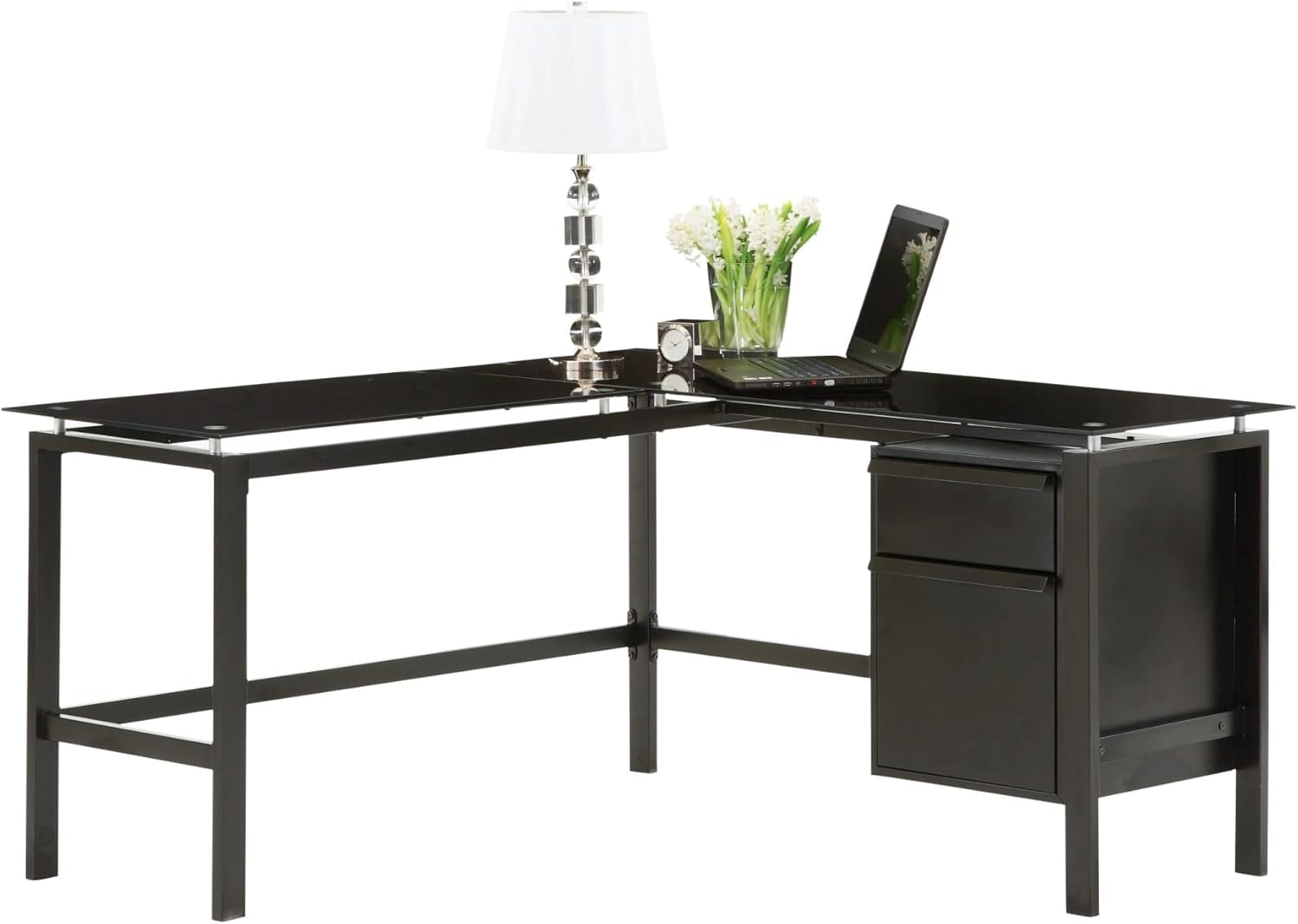
פיגורע 1: Assembled Sauder Lake Point L Desk. This image illustrates the overall design and components of the desk, including the L-shaped configuration, black metal frame, and glass work surfaces. A laptop, lamp, and decorative items are shown on the desk.
סעטאַפּ און אַסעמבלי
Assembly typically requires two adults and basic tools such as a Phillips head screwdriver. Follow the step-by-step diagrams and instructions included in your product packaging. The following general steps outline the assembly process:
- צוגרייטן די שטח: Clear a spacious, clean, and level area for assembly. Lay down a blanket or cardboard to protect floor surfaces and desk components.
- ידענטיפיצירן קאַמפּאָונאַנץ: Unpack all parts and hardware. Organize them according to the provided parts list.
- אַסעמבאַל די ראַם: Begin by assembling the metal frame sections. Insert bolts loosely at first. This allows for minor adjustments if holes do not align perfectly. Tighten all bolts only after all components are in place and aligned.
- Install Drawer Unit: Assemble the drawer unit according to the instructions. Ensure drawer slides are correctly oriented for smooth operation.
- Attach Drawer Unit to Frame: Secure the assembled drawer unit to the main desk frame.
- Place Glass Tops: Carefully place the tempered glass tops onto the designated frame supports. Ensure they are level and securely seated. The glass is heavy and requires careful handling.
- לעצט טייטנינג: Once all parts are assembled and aligned, fully tighten all screws and bolts. Do not overtighten.
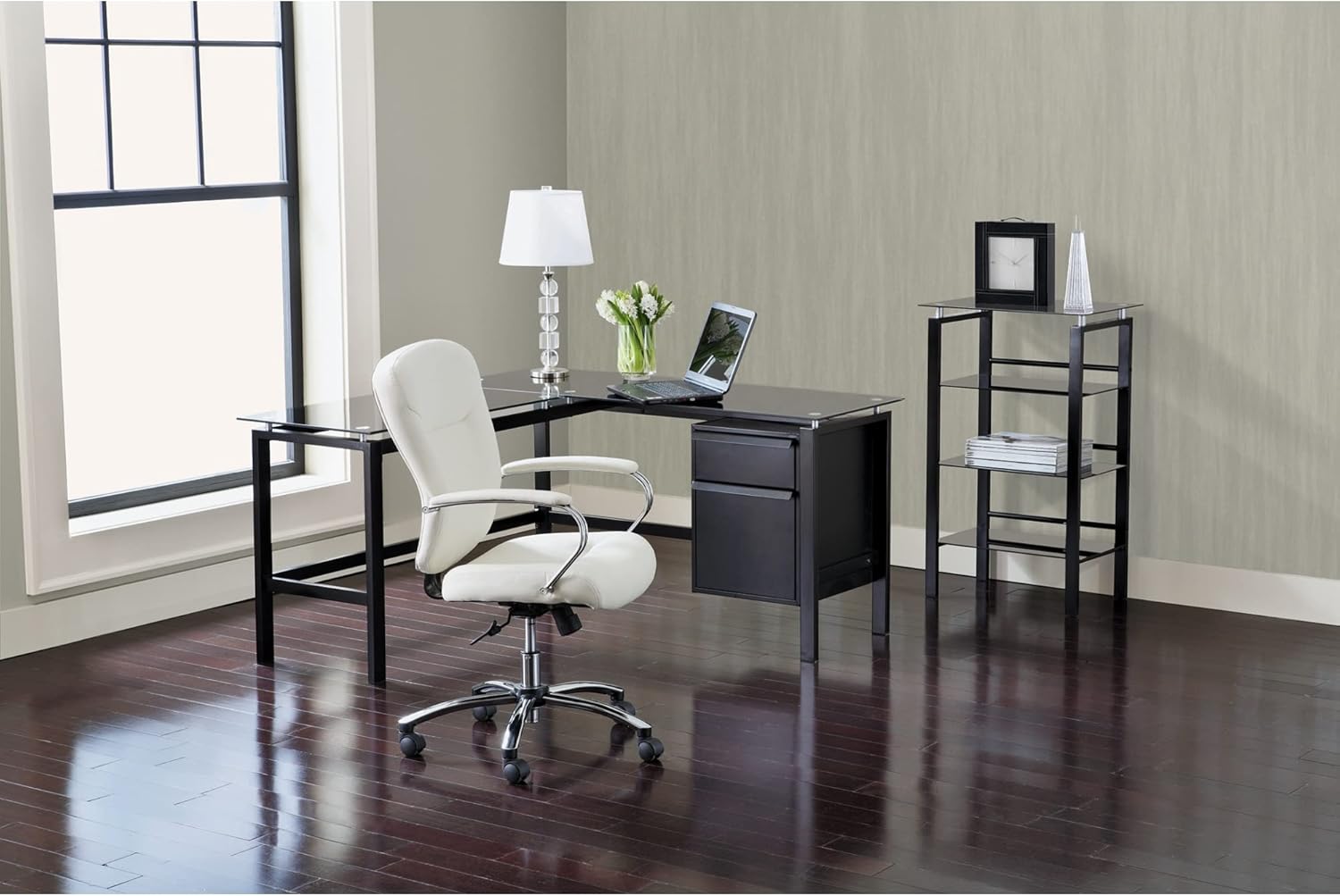
פיגורע 2: Sauder Lake Point L Desk in a complete office setup. This image shows the desk positioned in a room, accompanied by a white office chair and a complementary shelving unit, demonstrating its integration into a functional workspace.
אָפּעראַציע
The Sauder Lake Point L Desk is designed for general office and home use. Its L-shape provides ample workspace, and the integrated drawers offer convenient storage.
- אַרבעט ייבערפלאַך: Utilize the tempered glass surface for your computer, documents, and other work essentials. Avoid placing extremely hot items directly on the glass without a protective coaster.
- שופלאָדן: The desk includes two drawers for organized storage. Pull drawers open smoothly and close gently to prevent wear. Do not force overloaded drawers.
וישאַלט און זאָרג
Proper care will ensure the longevity and appearance of your desk.
- גלאז סורפאַסעס: Clean glass tops regularly with a glass cleaner and a soft, lint-free cloth. To avoid smudges and streaks, wipe in one direction and buff dry.
- Frame and Drawers: Wipe the metal frame and drawer surfaces with a soft, damp שטאָף. פֿאַרמײַדט שרײַבנדיקע רייניקונגס־מיטלען אָדער שאַרפֿע כעמיקאַלן וואָס קענען שאַטן דעם ענדיקונג.
- ייַזנוואַרג: Periodically check all screws and bolts to ensure they remain tight. Retighten as necessary, but do not overtighten.
- ויסמיידן יבעריק וואָג: Do not place excessively heavy items on the glass or in the drawers.
טראָובלעשאָאָטינג
If you encounter issues with your Sauder Lake Point L Desk, refer to the following common solutions:
- שרייַבטיש איז וואַבבלי:
Ensure all assembly bolts and screws are fully tightened. Check that the desk is on a level surface. If not, use shims under the feet to stabilize it.
- Glass Tops Appear Smudged/Dirty:
This is common with glass surfaces. Clean with a high-quality glass cleaner and a microfiber cloth. For persistent smudges, try a mixture of vinegar and water.
- שופלאדן גליטשן נישט גלאט:
Check that the drawer slides are correctly installed and free of obstructions. Ensure the drawer unit is properly aligned and secured to the desk frame.
- טיילן גלייכן זיך נישט בעתן צוזאמענשטעלן:
During initial assembly, only loosely fasten bolts. This allows for flexibility to align all parts before final tightening. If parts are significantly bent or damaged, contact customer support for replacements.
ספּעסאַפאַקיישאַנז
| שטריך | דעטאַל |
|---|---|
| סאָרט | Sauder |
| מאָדעל נומער | 410866 |
| פּראָדוקט דימענשאַנז | 154.94 X 58.42 X 15.88 סענטימעטער (61 X 23 X 6.25 אינטשעס) |
| פּונקט וואָג | 56.63 קג (124.85 לבס) |
| פאָרעם | ל-פאָרעם |
| קאָליר | שוואַרץ |
| סטייל | הייַנטצייַטיק |
| באַזע מאַטעריאַל | מעטאַל |
| שפּיץ מאַטעריאַל טיפּ | גלאז |
| אָרט טיפּ | אָפיס |
| נומער פון גאַטקעס | 2 |
| מעבל ענדיקן | Nickel (hardware highlights) |
וואָראַנטי און קונה שטיצן
For specific warranty information, please refer to the documentation included with your purchase or visit the official Sauder website. If you require assistance with assembly, missing parts, or have any questions regarding your Sauder Lake Point L Desk, please contact Sauder customer support directly. Contact details are typically found on the manufacturer's webזייטל אדער אין אייער פּראָדוקט פּאַקאַדזשינג.
איר קענט אויך באַזוכן די יו Sauder Brand Store on Amazon פֿאַר מער פּראָדוקט אינפֿאָרמאַציע.