
הקדמה
This manual provides essential information for the safe and efficient use of your Doro PhoneEasy 105wr cordless phone. Please read these instructions carefully before using the phone and retain them for future reference.
פּעקל אינהאַלט
איידער איר הייבט אן, זיכערט זיך אז אלע זאכן זענען פאראן אין פעקל:
- Doro PhoneEasy 105wr Handset
- באַזע אַפּאַראַט
- מאַכט אַדאַפּטער פֿאַר באַזע אַפּאַראַט
- טעלעפאָן ליניע שנור
- Rechargeable Batteries (NiMH)
- באַניצער מאַנואַל (דעם דאָקומענט)
סעטאַפּ
1. פֿאַרבינדן די באַזע אַפּאַראַט
- פאַרבינדן די מאַכט אַדאַפּטער: Plug the small end of the power adapter into the DC IN socket on the back of the base unit. Plug the other end into a wall power outlet.
- Connect the Telephone Line Cord: Plug one end of the telephone line cord into the LINE socket on the back of the base unit. Plug the other end into your telephone wall socket.
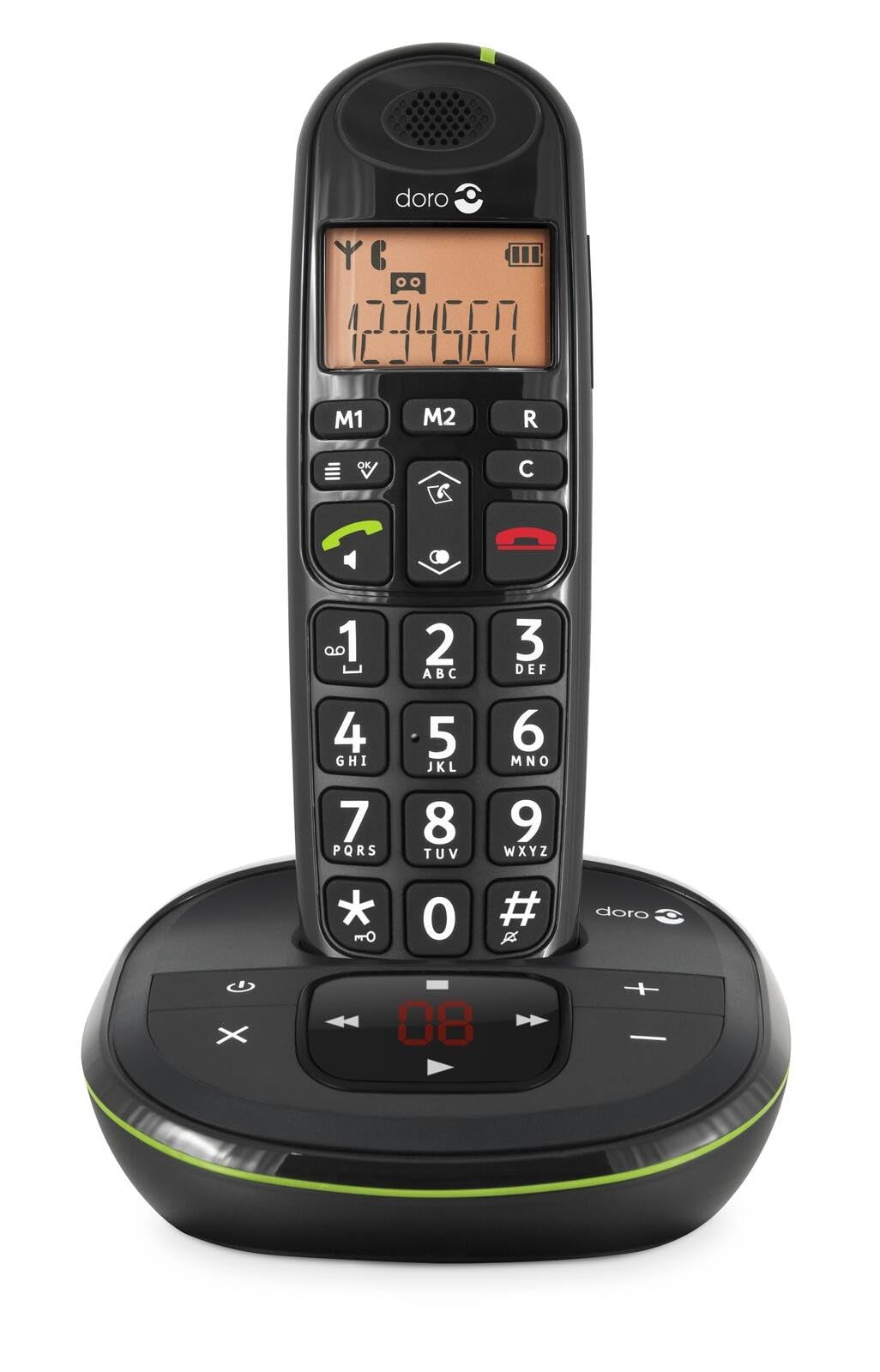 Image: The Doro PhoneEasy 105wr handset docked in its base unit, showing the keypad and display.
2. Installing Batteries in the Handset
- עפֿענען די באַטערי אָפּטייל: Slide the battery compartment cover on the back of the handset downwards and remove it.
- אַרייַנלייגן באַטעריז: Insert the supplied rechargeable NiMH batteries, observing the correct polarity (+ and -) as indicated inside the compartment.
- פאַרמאַכן די אָפּטייל: לייגט צוריק דעם דעקל פונעם באַטעריע־אָפּטייל דורך עס אַרויפצושיִבן ביז עס קליקט אַרײַן אין פּלאַץ.
3. טשאַרדזשינג די כאַנדסעט
Place the handset on the base unit. The battery icon on the handset display will animate to indicate charging. For optimal battery performance, charge the handset for at least 10-12 hours before its first use, even if the display indicates a full charge sooner.
 Image: A slightly angled view of the Doro PhoneEasy 105wr handset in its charging cradle, highlighting its ergonomic design.
אַפּערייטינג ינסטראַקשאַנז
מאַכן אַ רוף
- דילינג: ופהייבן די כאַנדסעט אָדער דריקן די Green Call button. Enter the phone number using the keypad.
- ענדיקן אַ רוף: דרוק די Red End Call button אדער לייג צוריק דעם האנטסעט אויף דער באזע איינהייט.
באַקומען אַ רוף
ווען דער טעלעפאָן קלינגט, דריק די Green Call button to answer. To end the call, press the Red End Call button or return the handset to the base unit.
אַדזשאַסטינג באַנד
בעשאַס אַ רופן, נוצן די Up און אַראָפּ navigation buttons on the handset to adjust the earpiece volume.
טעלעפאָן בוך
Your Doro PhoneEasy 105wr can store up to 20 entries in its phonebook.
- צולייגן אן איינטראג:
- דרוק די מעניו קנעפּל.
- Navigate to "Phonebook" and select "Add New".
- Enter the name and number, then save.
- Calling from Phonebook:
- דרוק די טעלעפאָן בוך button (often a book icon).
- Scroll through the entries using the navigation buttons.
- דרוק די Green Call button to dial the selected entry.
Answering Machine (if applicable)
The Doro PhoneEasy 105wr features a digital answering machine with a recording capacity of 20 minutes.
- שפּילן מעסעדזשעס: דרוק די שפּיל / האַלטן קנעפּל אויף דער באַזע אַפּאַראַט.
- אויסמעקן אַרטיקלען: בעתן ווידערשפילן דעם מעסעדזש, דריק דעם ויסמעקן קנעפּל אויף דער באַזע אַפּאַראַט.
- אויפנעמען ארויסגייענדיקע מעסעדזש: Refer to the handset menu for options to record or select a pre-recorded outgoing message.
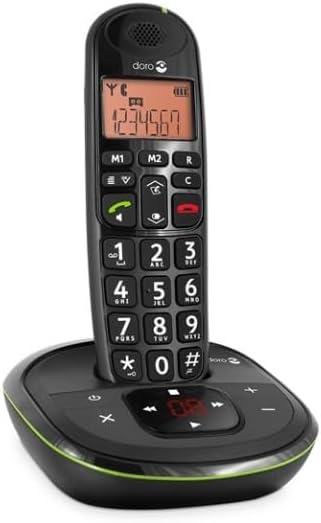 בילד: א דירעקטע פראנט view of the Doro PhoneEasy 105wr cordless phone, showing the large buttons and clear display on the handset, and the answering machine controls on the base.
וישאַלט
- רייניקונג: ווישט אָפּ דעם טעלעפאָן און באַזע אַפּאַראַט מיט אַ ווייכן, טרוקענעם שטאָף.amp שטאָף. דו זאלסט נישט נוצן אַברייסיוו קלינערז אָדער סאָלוואַנץ.
- באַטערי זאָרגן: ניצט נאָר די ספּעציפֿישע ריטשאַרדזשאַבאַל באַטעריעס. אויב דער טעלעפאָן וועט נישט ווערן גענוצט פֿאַר אַ לענגערע צייט, נעמט אַרויס די באַטעריעס צו פֿאַרמייַדן ליקאַדזש.
- ינווייראַנמענאַל טנאָים: פֿאַרמײַדט אויסשטעלן דעם טעלעפֿאָן צו עקסטרעמע טעמפּעראַטורן, דירעקטע זונשײַן, אָדער פֿײַכטקייט.
טראָובלעשאָאָטינג
| פּראָבלעם | מעגלעך סיבה | לייזונג |
|---|---|---|
| קיין רעדל טאָן | טעלעפאָן ליניע שנור נישט פארבונדן אדער דעפעקטיוו. | Check the telephone line cord connection to the base unit and wall socket. Test with another phone if possible. |
| האַנדסעט לאָדט זיך נישט אויף | Handset not correctly placed on the base unit; dirty charging contacts; faulty batteries. | Ensure the handset is seated correctly. Clean charging contacts on both handset and base with a dry cloth. Replace batteries if old. |
| נעבעך געזונט קוואַליטעט | Handset too far from base unit; interference; low battery. | Move closer to the base unit. Avoid placing the base near other electronic devices. Charge the handset battery. |
| קען נישט מאַכן/באַקומען רופן | No power to base unit; handset not registered. | Check power adapter connection. Refer to the full manual for handset registration instructions if needed. |
ספּעסאַפאַקיישאַנז
| שטריך | דעטאַל |
|---|---|
| סאָרט | דאָראָ |
| מאָדעל נומער | 380102 |
| קאָליר | שוואַרץ |
| טעלעפאָנירן טיפּ | קאָרדלעסס |
| מאַטעריאַל | Metal (internal components) |
| מאַכט מקור | באַטעריע געטריבן (1 א באַטעריע אַרייַנגערעכנט) |
| דיאַלער טיפּ | איין קיפּאַד |
| נומער דימענשאַנז (L X W X H) | 19.4 X 15.4 X 10.3 סענטימעטער |
| פּונקט וואָג | 706 גראַמז |
| ענטפער סיסטעם טיפּ | דיגיטאַל |
| רעדן צייט | 600 Minutes (10 hours) |
| סטאַנדביי צייט | 100 שעה |
| רעקאָרדינג קאַפּאַציטעט | 20 מינוט |
| קאַללער שייַן | יא |
| Independent Test Certification | ענערגיע שטערן |
וואָראַנטי און שטיצן
Information regarding specific warranty terms and customer support contact details is not available in this document. Please refer to the warranty card included with your product or visit the official Doro webפּלאַץ פֿאַר די מערסט דערהייַנטיקט אינפֿאָרמאַציע.
For further assistance, you may contact Doro customer service through their official channels.