
1. הקדמה
This manual provides detailed instructions for the installation, operation, and maintenance of your Xigmatek HD503 Home Theater PC (HTPC) case. Please read this manual thoroughly before beginning installation to ensure proper setup and safe usage. Keep this manual for future reference.
The Xigmatek HD503 is designed as an HTPC enclosure, featuring a side vent for optimized cooling performance, a robust aluminum, plastic, and steel construction, and support for various PC components.
2. זיכערקייַט אינפֿאָרמאַציע
- עלעקטריקאַל זיכערקייַט: Always disconnect the power supply from the wall outlet before installing or removing any components to prevent electrical shock.
- Sharp Edges: Exercise caution when handling internal components as some edges may be sharp.
- ווענטילאַטיאָן: Ensure adequate ventilation around the case to prevent overheating. Do not block the side vents.
- וואָג: The case weighs approximately 17.6 lbs (8 kg). Use proper lifting techniques to avoid injury.
- סטאַטיק עלעקטרע: Discharge static electricity from your body before touching internal components by touching a grounded metal object.
3. פּעקל אינהאַלט
באַשטעטיקט אַז אַלע זאכן וואָס זענען אויסגערעכנט אונטן זענען פאַראַן אין אייער פּעקל:
- Main unit (Xigmatek HD503 HTPC Case)
- Motherboard / PSU bolts
- HDD bolts (for fixing hot swap bay)
- ODD bolts
- Standoffs for mATX motherboards
- SSD bolts
- Clamps
- קאַבלע טייז
- Lock Plate bolts
- שלאָס פּלאַטע
- SD bracket
- CPU power extension cable
- ווייַט קאָנטראָל
- AAA battery (for remote control)
- ייַנמאָנטירונג קאָמפּאַקטדיסק
- iMon manual
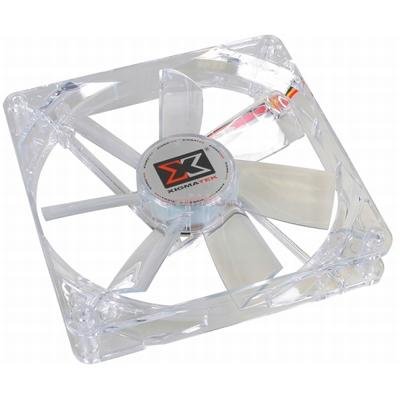
Figure 1: Xigmatek HD503 HTPC Case. This image shows the front panel of the HD503 HTPC case, highlighting the integrated DFSTN LCD display and front I/O ports.
4. סעטאַפּ און ייַנמאָנטירונג
4.1 קאָמפּאָנענט קאָמפּאַטיביליטי
- Motherboard Standards: Supports Standard ATX and Micro ATX motherboards.
- מאַכט צושטעלן: Compatible with Standard ATX / ATX12V power supplies.
- PCI/AGP Card Support: Accommodates full-size cards up to 10.2 inches (260 mm) in length.
4.2 דרייוו אינסטאַלאַציע
- 5.25-inch Bays: Two bays available, including one hot-swap bay.
- 3.5-inch Bays: Three bays available, supporting two 2.5-inch SSDs.
- SSD Mounting: Equipped with a basic SSD mounting bracket for up to two 2.5-inch SSDs.
- הייס סוואַפּינג: The hot-swap bay supports SATA I and SATA II drives. Refer to the iMon manual for specific hot-swap bay usage.
4.3 פאָכער ינסטאַללאַטיאָן
- Rear Vent: Supports two 3.1-inch (80 mm) fans (optional).
- זייַט ווענט: Supports two 4.7-inch (120 mm) fans (optional). These fans contribute to maximum cooling performance.
4.4 פראָנט I/O קאַנעקשאַנז
The front panel provides convenient access to the following ports:
- 2 רענטגענ וסב פּאָרץ
- 1 x e-SATA Port
- 1 x Microphone Input
- 1 x כעדפאָון אַרויסגאַנג
5. אַפּערייטינג ינסטרוקטיאָנס
5.1 DFSTN LCD Display
The built-in DFSTN LCD on the front of the case provides a wide viewing angle for easy monitoring of multimedia information and system status. Refer to the included iMon manual for detailed instructions on configuring and utilizing the LCD display features.
5.2 רימאָוט קאָנטראָל באַניץ
The included remote control allows for convenient operation of your HTPC. Insert the AAA battery into the remote control. Refer to the iMon manual and installation CD for instructions on pairing the remote and configuring its functions with your HTPC software.
6. וישאַלט
- רייניקונג: Use a soft, dry cloth to clean the exterior of the case. For stubborn dirt, a slightly damp cloth can be used, but ensure no liquid enters the case.
- באַזייַטיקונג פון שטויב: Periodically open the case and use compressed air to remove dust from internal components and fan blades to maintain optimal cooling performance. Ensure the system is powered off and unplugged before performing internal cleaning.
- פאָכער דורכקוק: Regularly check the optional 80mm rear and 120mm side fans for obstructions or excessive noise. Clean or replace as necessary.
7. טראָובלעשאָאָטינג
- סיסטעם גייט נישט אן:
- Ensure all power cables are securely connected to the motherboard, power supply, and wall outlet.
- Verify the power supply switch is in the 'ON' position.
- Check front panel power button connections to the motherboard.
- קיין ווייַז אויף מאָניטאָר:
- Confirm the monitor is connected to the graphics card and powered on.
- Reseat the graphics card in its PCI/AGP slot.
- DFSTN LCD Not Functioning:
- Check the internal cable connection for the LCD display to the motherboard or controller.
- Refer to the iMon manual for software configuration and troubleshooting steps.
- אָוווערכיטינג ישוז:
- Ensure all case fans (optional) are installed correctly and functioning.
- Verify that the side vents are not obstructed.
- Clean dust from internal components and fan filters.
8. ספּעסאַפאַקיישאַנז
| שטריך | באַשרייַבונג |
|---|---|
| טיפּ פון קאַסטן | הטפּק |
| דימענסיעס (L X W X H) | 17.7 X 6.7 X 18.9 אינטשעס (450 X 170 X 455 מם) |
| וואָג | 17.6 לבס (8 קג) |
| מאַטעריאַל | אַלומינום, פּלאַסטיק, שטאָל |
| מאָטהערבאָאַרד סופּפּאָרט | Standard ATX, Micro ATX |
| מאַכט צושטעלן שטיצן | Standard ATX, ATX12V |
| PCI/AGP Card Length | אַרויף צו 10.2 אינטשעס (260 מם) |
| 5.25" דרייוו בייס | 2 (1 hot swap bay) |
| 3.5" דרייוו בייס | 3 (supports 2 x 2.5" SSDs) |
| SSD Mounting Support | 2 x 2.5" SSDs (basic bracket) |
| הייס סוואַפּינג | SATA I, SATA II |
| יקספּאַנשאַן סלאָץ | 7 |
| פראָנט איך / אָ פּאָרץ | 2 x USB, 1 x e-SATA, 1 x Microphone, 1 x Headphone |
| ווייַז | DFSTN LCD |
| Rear Fan Position | 2 x 3.1 inch (80 mm) (optional) |
| Side Fan Position | 2 x 4.7 inch (120 mm) (optional) |
| ראַש מדרגה | 16 דעציבעלן |
| סאָרט | קסיגמאַטעק |
| מאָדעל נומער | CLF-F1453 |
| ASIN | B0031572I4 |
| GTIN | 04712477311256 |
9. וואָראַנטי און שטיצן
For warranty information and technical support, please refer to the documentation provided with your purchase or contact your retailer. Additional support for the iMon software and remote control functionality can be found in the included iMon manual and installation CD.
ביטע באַהאַלטן אייער קויפן-באַווייַז פֿאַר יעדע וואָראַנטי-פאָדערונג.