
פּראָדוקט איבערview
This PROSCAN SRCD243 Portable CD Player with AM/FM Radio Boombox offers versatile audio playback. It features an AM/FM radio, a CD player compatible with CD-R discs, skip and search functions, and a 20-track programmable memory. The unit can be powered by AC or batteries.
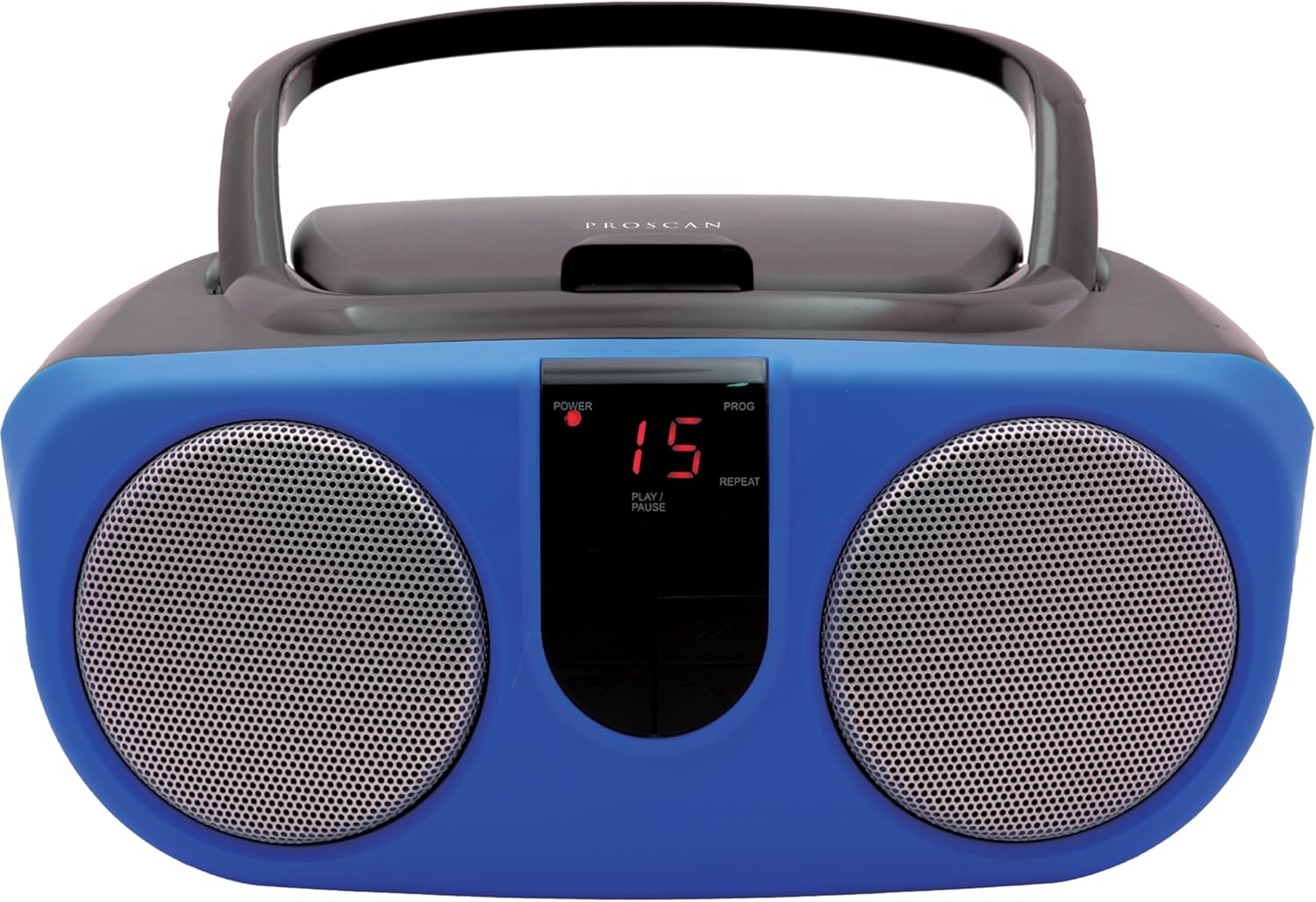
Description: Front view of the PROSCAN SRCD243 Portable CD Player with AM/FM Radio Boombox in blue, showcasing its dual speakers and central control panel.
וואָס איז אין די קעסטל
- Sylvania SRCD243 Portable CD Player with AM/FM Radio, Boombox (Blue)
סעטאַפּ
מאַכט די אַפּאַראַט
The SRCD243 can be powered in two ways:
- AC מאַכט: Connect the included AC adapter to the AC IN jack on the back of the unit and plug it into a standard 120V/60Hz wall outlet.
- באַטאַרייע מאַכט: For portable use, insert 8 'C' (UM-2) size batteries into the battery compartment located on the bottom of the unit. Ensure correct polarity.
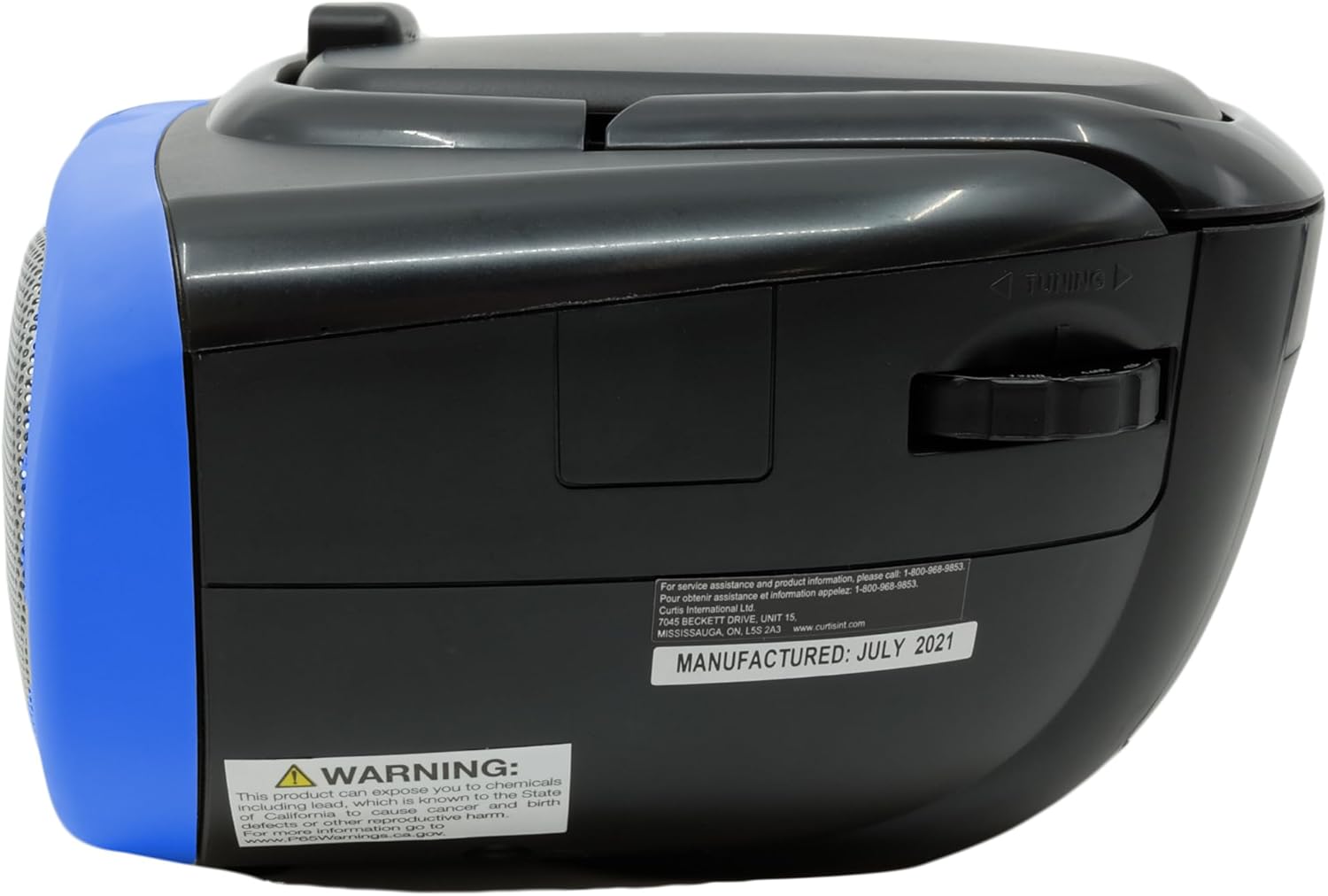
Description: This image displays the rear of the boombox, highlighting the AC power input and the battery compartment area. It also shows the product's manufacturing details and a Proposition 65 warning.
אַפּערייטינג ינסטראַקשאַנז
קאָמפּאַקטדיסק פּלייַבאַקק
צו שפּילן אַ קאָמפּאַקטדיסק:
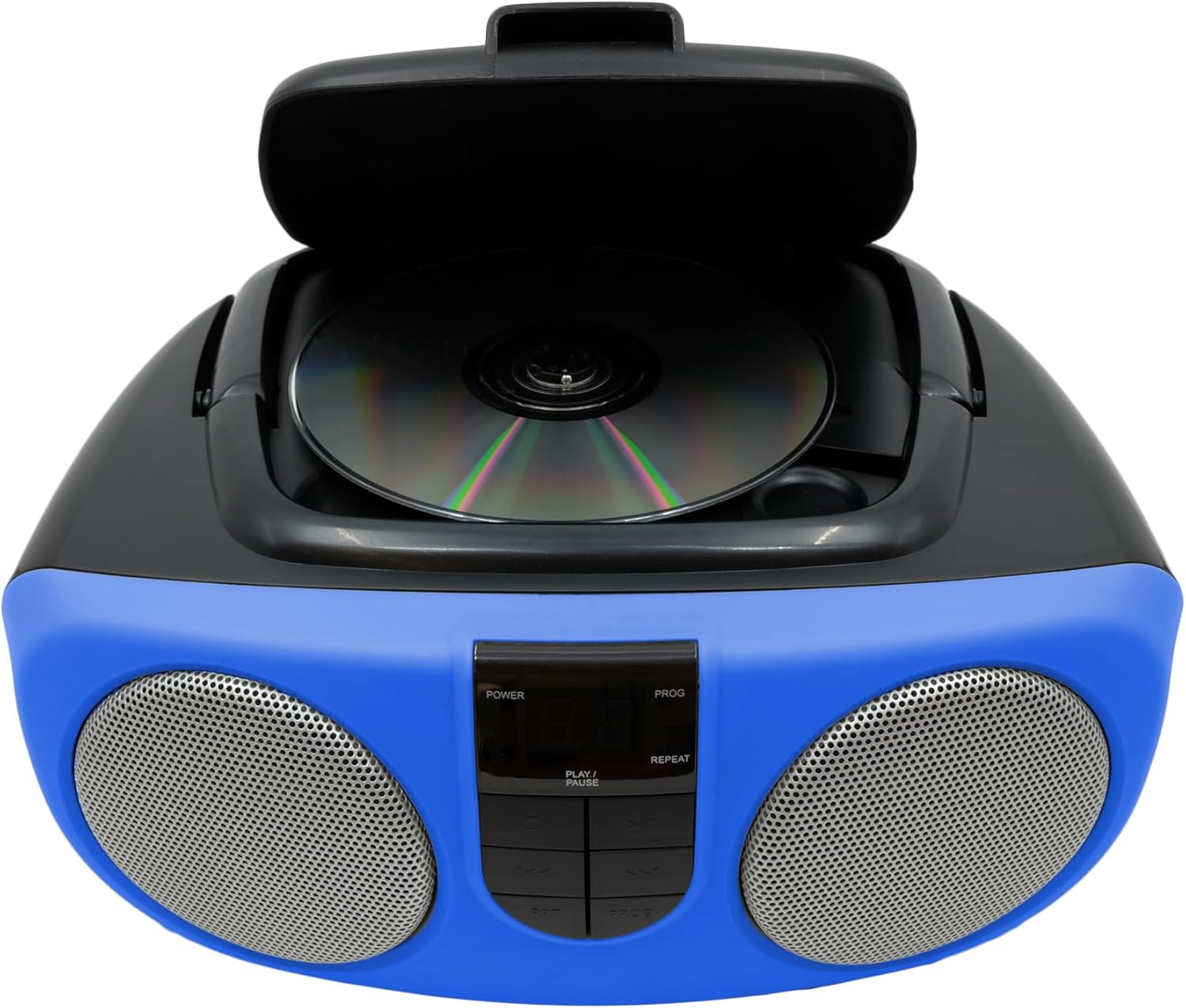
- Lift the CD compartment lid located on the top of the unit.
- Place a CD or CD-R disc onto the spindle, label side up.
- פֿאַרמאַכט דעם דעקל פֿון דעם סי-די אָפּטייל זיכער.
- Slide the FUNCTION switch (located on the side) to the "CD" position.
- דריקן די PLAY/PAUSE קנעפּל צו אָנהייבן פּלייבאַק.
- Use the SKIP/SEARCH buttons to navigate between tracks or fast-forward/rewind within a track.
- Press the STOP button to halt playback.
- The unit features a 20-track programmable memory and Repeat 1/All functions.

Description: This image shows the top of the boombox with the CD lid open, illustrating how to insert a compact disc for playback. The central control panel is also visible.
AM / FM ראַדיאָ
צו הערן צו די ראַדיאָ:
- Slide the FUNCTION switch (located on the side) to the "RADIO" position.
- פארלענגערט די טעלעסקאָפּישע אַנטענע פֿאַר אָפּטימאַלער FM אָפּנאַם.
- Use the TUNING dial (located on the side) to select your desired AM or FM station.
Description: This image provides a side view of the boombox, clearly showing the manual tuning dial used for selecting AM/FM radio frequencies.
אַגזיליערי אַרייַנשרייַב
The Aux In jack allows you to connect external audio devices (e.g., MP3 players, smartphones) to play music through the boombox speakers.
- Connect one end of a 3.5mm audio cable (not included) to the Aux In jack on the side of the boombox.
- פֿאַרבינדט דעם אַנדערן עק פֿונעם קאַבל צום כעדפֿאָן דזשעק אָדער אַודיאָ אַרויסגאַנג פֿון אייער עקסטערנעם מיטל.
- Slide the FUNCTION switch to the "AUX IN" position (if available, otherwise ensure it's not on CD or Radio).
- Adjust the volume using the VOLUME control on the boombox and your external device.

Description: This image displays the side of the boombox, featuring the auxiliary input jack and the function switch for selecting different audio sources.
קאָנטראָלס איבערview
The front panel features an LED display and various control buttons:
- מאַכט: טורנס די אַפּאַראַט אויף/אַוועק.
- האַלטן: סטאַפּס קאָמפּאַקטדיסק פּלייבאַק.
- פּראָג (פּראָגראַם): Used for programming CD tracks.
- שפּיל / פּויזע: הייבט אָן אָדער פּויזירט סי-די ווידערשפּיל.
- SKIP/SEARCH (<< / >>): Skips tracks or fast-forwards/rewinds.
- איבערחזרן: איבערחזרט דעם איצטיקן טרעק אדער אלע טרעקס.
- VOLUME (Side Dial): אַדזשאַסטירט דעם אַלגעמיינעם געזונט־ניוואָ.
- FUNCTION (Side Switch): Selects between CD, OFF, and RADIO modes.

Description: This image provides a detailed front view of the boombox, highlighting the central control panel with its buttons for playback, programming, and the LED display.
וישאַלט
רייניקונג
ווישן די אַפּאַראַט מיט אַ ווייך, דamp cloth. Do not use abrasive cleaners or solvents. For the CD lens, use a specialized CD lens cleaner.
סטאָרידזש
If storing the unit for an extended period, remove batteries to prevent leakage and damage.
טראָובלעשאָאָטינג
| פּראָבלעם | מעגלעך סיבה | לייזונג |
|---|---|---|
| קיין מאַכט | AC adapter not connected or batteries depleted/incorrectly inserted. | Check AC connection or replace/reinsert batteries. |
| סי-די שפּילט נישט אָדער שפּרינגט איבער | CD is dirty, scratched, or inserted incorrectly. Unit is on an unstable surface. | Clean CD, reinsert correctly. Place unit on a stable, flat surface. |
| נעבעך ראַדיאָ אָפּטראָג | Antenna not extended or unit is in an area with weak signal. | Extend and adjust the telescopic antenna. Try relocating the unit. |
| קיין געזונט | Volume too low or incorrect function selected. | Increase volume. Ensure FUNCTION switch is set to CD, RADIO, or AUX IN as desired. |
ספּעסאַפאַקיישאַנז
| שטריך | דעטאַל |
|---|---|
| סאָרט | פּראָסקאַן |
| מאָדעל נומער | SRCD243M-BLUE |
| פּראָדוקט דימענשאַנז | 10 X 9 X 5.7 אינטשעס |
| פּונקט וואָג | 2.64 פונט |
| מאַכט מקור | AC 120V/60Hz or 8 x 'C' (UM-2) batteries |
| קאָמפּאַטיביליטי פון קאָמפּאַקטדיסק | CD, CD-R |
| ראַדיאָ באַנדס | AM/FM |
| קאַנעקטיוויטי | Auxiliary Input (3.5mm) |
וויכטיק סאַפעטי אינפֿאָרמאַציע
דער פּראָדוקט כּולל קעמיקאַלז באקאנט צו די שטאַט פון קאַליפאָרניאַ צו פאַרשאַפן ראַק און געבורט חסרונות אָדער אנדערע רעפּראָדוקטיווע שאָדן. פֿאַר מער אינפֿאָרמאַציע, באַזוכן www.P65Warnings.ca.gov.