
1. הקדמה
This manual provides detailed instructions for the assembly, operation, and maintenance of your Sauder Beginnings Collection Computer Desk. Designed for residential use, this desk offers a functional workspace with an elevated monitor/printing shelf, a slide-out keyboard/mouse shelf, and dedicated storage for a vertical CPU tower and other office supplies. Please read this manual thoroughly before beginning assembly or use to ensure proper setup and longevity of your product.
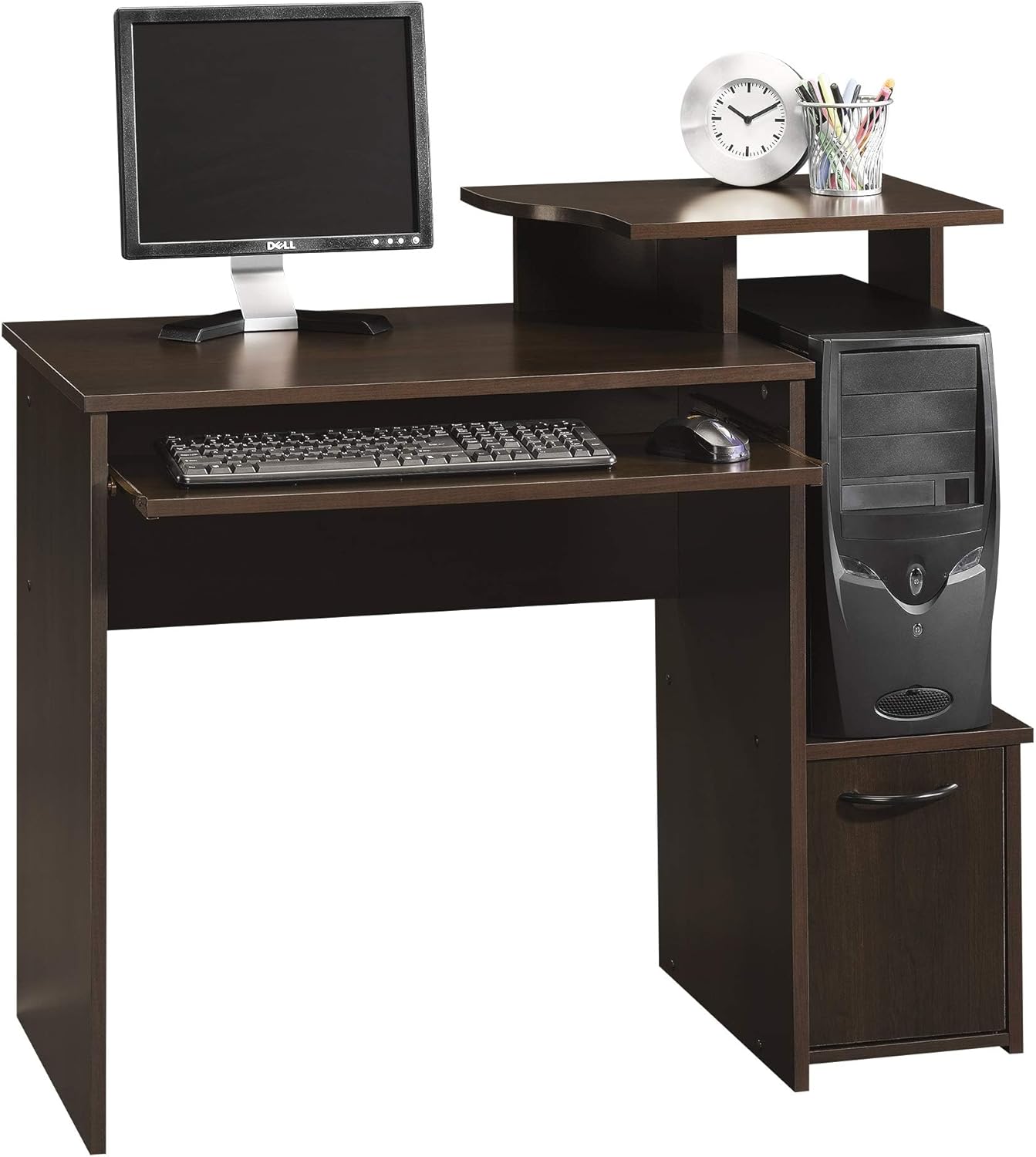
Figure 1.1: The Sauder Beginnings Collection Computer Desk, showcasing its compact design and integrated features.
2. זיכערקייַט אינפֿאָרמאַציע
זיך האַלטן צו די זיכערהייט גיידליינז איז קריטיש צו פאַרמייַדן שאָדן און שאָדן צום פּראָדוקט.
- שטענדיק פאָלגן די פֿאַרזאַמלונג אינסטרוקציעס קערפֿול. אומרעכט פֿאַרזאַמלונג קען פֿירן צו אומסטאַביליטעט און פּאָטענציעלע געפֿאַרן.
- Use appropriate tools as specified in the assembly guide. Do not use power tools unless explicitly instructed, as this may overtighten fasteners and damage components.
- Ensure the desk is properly anchored to the floor if recommended by the assembly instructions, especially in households with children or pets, to prevent tipping.
- נישט איבערשטייגן די רעקאמענדירטע מאקסימום וואָג פון 330 פונט for the working surface. Overloading can cause structural failure.
- Keep small parts and assembly hardware out of reach of children to prevent choking hazards.
- Assemble the desk on a soft, clean surface (e.g., carpet or a blanket) to prevent scratching the finish.
- Periodically check all fasteners to ensure they remain tight. Retighten as necessary.
3. אויפשטעלן און צוזאמענשטעלן
This section outlines the steps required to assemble your computer desk. It is recommended that צוויי מענטשן perform the assembly.
3.1. אויספּאַקן און אינווענטאַר
- קערפאַלי אַנפּאַק אַלע קאַמפּאָונאַנץ פון די פּאַקקאַגינג.
- Verify all parts are present against the included parts list. If any parts are missing or damaged, contact Sauder customer support immediately.
- Organize hardware by type to simplify the assembly process.
3.2. אַסעמבלי סטעפּס
Follow the step-by-step instructions provided in the manufacturer's assembly manual included with your product. General steps typically include:
- Attaching the side panels to the main desktop.
- Installing the elevated monitor/printer shelf.
- Assembling and installing the slide-out keyboard/mouse shelf.
- Constructing and integrating the CPU tower compartment and lower storage cabinet with its door.
- Securing all connections and ensuring the desk is stable.

Figure 3.1: An assembled Sauder Beginnings Collection Computer Desk, ready for use.
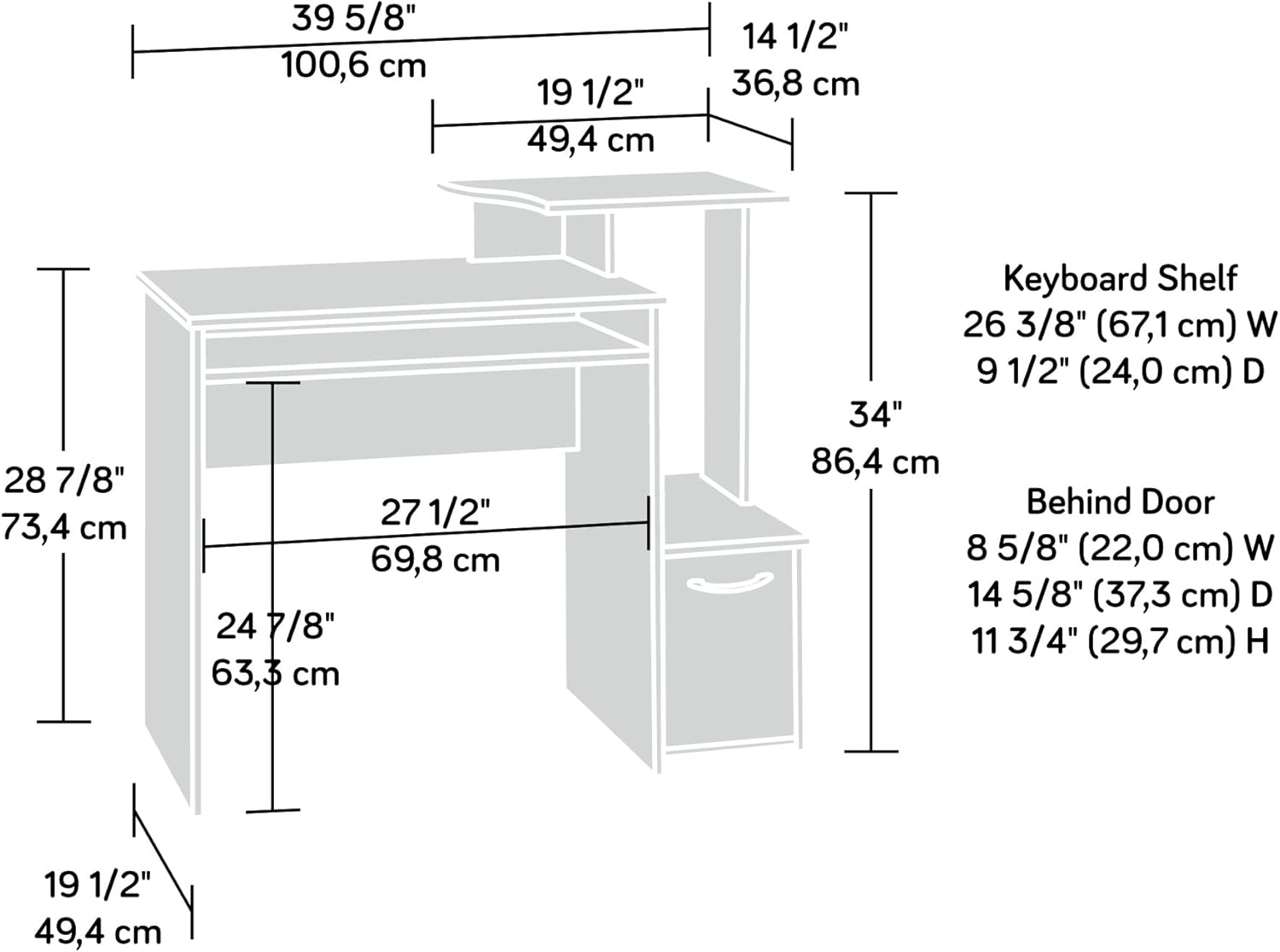
Figure 3.2: Dimensional diagram of the desk, useful for planning your space and understanding component sizes.

Figure 3.3: Detail of the slide-out keyboard and mouse shelf.
4. אַפּערייטינג ינסטרוקטיאָנס
Your Sauder Beginnings Collection Computer Desk is designed for efficient and comfortable use. Here's how to best utilize its features:
4.1. אויסניצן פון ארבעטס-פלאץ
- Main Desktop Surface: Use this area for your primary monitor, writing, or other tasks. Ensure the monitor is placed centrally for ergonomic viewing.
- Elevated Monitor/Printer Shelf: This shelf is ideal for raising your monitor to an ergonomic height or for placing a small printer or other peripherals.
- Slide-Out Keyboard/Mouse Shelf: Pull out this shelf for comfortable typing and mouse operation. When not in use, it can be pushed in to save space.
- Vertical CPU Tower Compartment: This dedicated space is designed to house your computer's CPU tower, keeping it off the floor and neatly integrated into the desk structure.
- Lower Storage Cabinet: The cabinet behind the lower door provides enclosed storage for books, binders, office supplies, or other items you wish to keep out of sight.
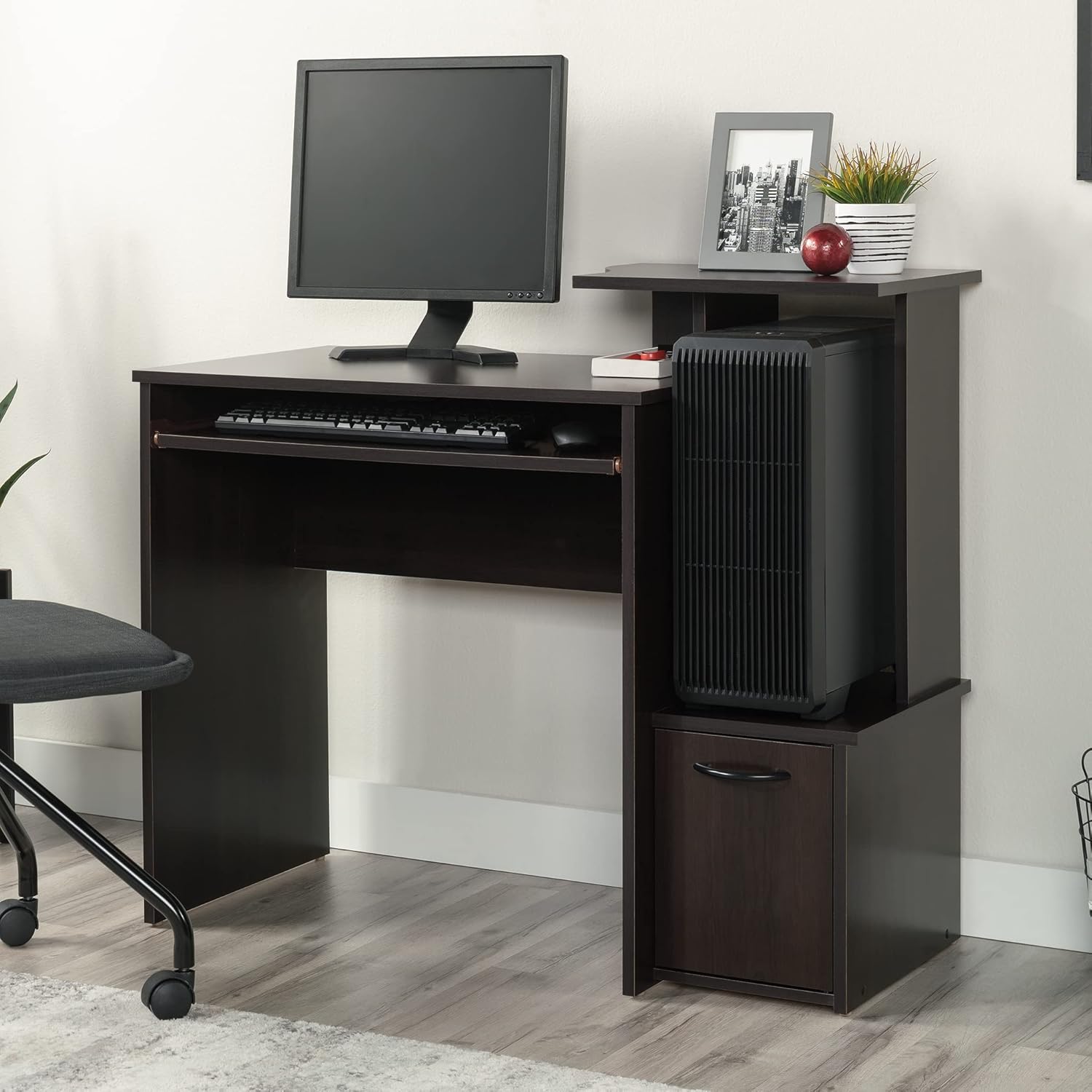
Figure 4.1: The desk with a CPU tower in its designated compartment, illustrating efficient space usage.

Figure 4.2: The lower storage cabinet with its door open, demonstrating its capacity for books and other items.
5. וישאַלט
Proper care and maintenance will extend the life and appearance of your Sauder Beginnings Collection Computer Desk.
- רייניקונג: ווישן סערפאַסיז מיט אַ ווייך, דamp cloth. Avoid using harsh chemicals, abrasive cleaners, or polishes that may damage the Cinnamon Cherry finish.
- ספּילז: ווישט גלייך אפ יעדע פארגיסונג צו פארמיידן שאדן אדער פלעקן פון פייכטקייט.
- היץ און נעץ: Avoid placing hot items directly on the surface. Use coasters or protective pads. Keep the desk away from direct sunlight and excessive humidity to prevent warping or fading.
- פאַסטענערס: Periodically check all screws, bolts, and other fasteners to ensure they are tight. Loose fasteners can compromise the desk's stability.
- מאָווינג די דעסק: When moving the desk, always lift it rather than dragging it to prevent damage to the legs and joints. If possible, empty the desk of all contents before moving.

Figure 5.1: Detail of the Cinnamon Cherry finish, highlighting its texture and color.
6. טראָובלעשאָאָטינג
This section addresses common issues you might encounter with your computer desk.
| פּראָבלעם | מעגלעך סיבה | לייזונג |
|---|---|---|
| דער טיש איז וואקלדיק אדער נישט סטאביל. | לויזע פֿאַרשטאַרקערס; אומגלייכער שטאָק; אומרעכטע פֿאַרזאַמלונג. | Check and tighten all screws and bolts. Ensure the desk is on a level surface; use shims if necessary. Review פֿאַרזאַמלונג אינסטרוקציעס צו באַשטעטיקן אַז אַלע טריט זענען ריכטיק נאכגעגאנגען. |
| די קלאַוויאַטור טאַץ רוקט זיך נישט גלאַט. | Dust or debris in glides; misaligned glides; damaged glides. | Clean the glides with a dry cloth. Check for proper alignment and ensure no obstructions. If damaged, contact customer support for replacement parts. |
| Door on lower cabinet does not close properly. | Misaligned hinges; obstruction; warped door. | Adjust the hinges as per assembly instructions. Check for any items obstructing the door's path. If the door is warped, contact customer support. |
| אויבערפלאַך קראַצן אָדער קליינע שעדיקן. | אימפּאַקט פון אָביעקטן; אַברייסיוו רייניקונג. | For minor scratches, a furniture repair marker matching the Cinnamon Cherry finish may be used. Prevent future damage by using protective pads. |
7. ספּעסאַפאַקיישאַנז
Detailed specifications for the Sauder Beginnings Collection Computer Desk, Model 408726.
| שטריך | דעטאַל |
|---|---|
| סאָרט | Sauder |
| מאָדעל נומער | 408726 |
| מאָדעל נאָמען | Beginnings |
| דימענסיעס (L X W X H) | 39.61" x 19.45" x 34.02" (100.6 ס״מ x 49.4 ס״מ x 86.4 ס״מ) |
| קאָליר | Cinnamon Cherry Finish |
| סטייל | טראַנסיטיאָנאַל |
| באַזע מאַטעריאַל | האלץ |
| שפּיץ מאַטעריאַל טיפּ | ענדזשאַנירד האָלץ |
| פּונקט וואָג | 52 פונט |
| מאַקסימום וואָג רעקאָממענדאַטיאָן | 330 Pounds (working surface) |
| פארלאנגט אַסעמבלי | יא |
| רעקאָממענדעד נומער פון מענטשן פֿאַר אַסעמבלי | 2 |
| ספּעציעלע פֿעיִקייטן | Elevated monitor/printer shelf, Slide-out keyboard/mouse shelf, Dedicated CPU tower space, Lower storage cabinet. |
8. וואָראַנטי & שטיצן
8.1. וואָראַנטי אינפֿאָרמאַציע
Your Sauder Beginnings Collection Computer Desk is backed by a 5-יאָר לימיטעד וואָראַנטי. This warranty covers defects in materials and workmanship under normal residential use. For specific details regarding coverage and exclusions, please refer to the warranty documentation included with your product or visit the official Sauder webפּלאַץ.
Additionally, the manufacturer provides a 1-יאָר פּאַרץ וואָראַנטי און א 2-year manufacturing warranty (Mfg Warranty Type).
8.2. קונה שטיצן
For assistance with assembly, missing parts, or any other inquiries, please contact Sauder customer support:
- אָנליין שטיצן: Visit the official Sauder website for FAQs, assembly videos, and live chat support.
- פאַרבייַט טיילן: Sauder offers quick shipping for replacement parts.
- Domestic Call Center: A dedicated call center is available to assist you.
איר קענט געפֿינען מער אינפֿאָרמאַציע און שטיצע רעסורסן אויף דער Sauder Brand Store on Amazon.