
1. הקדמה
This manual provides essential information for the proper installation, operation, and maintenance of your Xerox Phaser 3635 MFP Black High Capacity Toner Cartridge (Model: 108R00795). This genuine Xerox product is designed to deliver optimal performance and consistent print quality with your Xerox Phaser 3635 MFP printer.
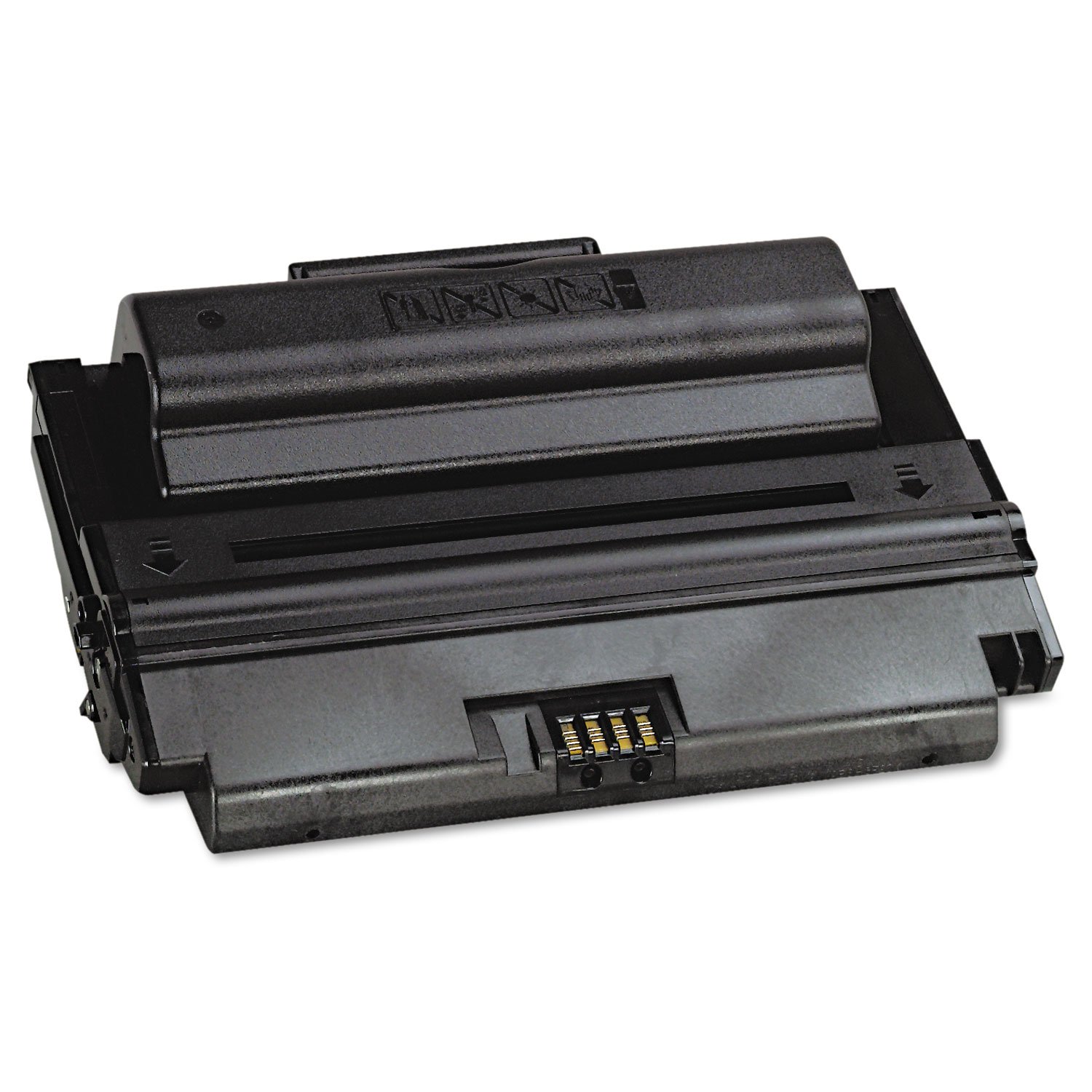
Image 1.1: Xerox Phaser 3635 MFP Black High Capacity Toner Cartridge (108R00795) and its packaging.
2. זיכערקייַט אינפֿאָרמאַציע
Please read and follow these safety guidelines to ensure safe handling and use of the toner cartridge:
- האַלטן אויס פון דערגרייכן פון קינדער: טאָנער פּודער קען זיין שעדלעך אויב מען נעמט עס אריין.
- Avoid inhalation: Do not open the toner cartridge or attempt to refill it. Inhaling toner dust can cause respiratory irritation.
- ויסמיידן קאָנטאַקט מיט הויט און אויגן: If toner comes into contact with skin, wash thoroughly with soap and water. If it gets into eyes, flush immediately with plenty of water and seek medical attention if irritation persists.
- Do not incinerate: Toner powder is flammable. Do not dispose of cartridges in fire.
- קראָם רעכט: Keep unused cartridges in their original packaging in a cool, dry place away from direct sunlight and extreme temperatures.
3. פּעקל אינהאַלט
אייער פּעקל זאָל אַנטהאַלטן די פאלגענדע זאַך:
- 1 x Xerox Phaser 3635 MFP Black High Capacity Toner Cartridge (Model: 108R00795)

Image 3.1: Packaging for the Xerox 108R00795 Toner Cartridge.
4. סעטאַפּ און ייַנמאָנטירונג
Follow these steps to install the toner cartridge into your Xerox Phaser 3635 MFP printer. For detailed printer-specific instructions, always refer to your printer's user manual.
- אויסלעשן דרוקער: Ensure your Xerox Phaser 3635 MFP printer is powered off and unplugged before beginning installation.
- עפענע צוטריט טיר: Locate and open the toner cartridge access door on your printer.
- אַראָפּנעמען אַלטע קאַרטרידזש (אויב אָנווענדלעך): Carefully remove the used toner cartridge by pulling it straight out. Place it in a protective bag for recycling.
- אויספּאַקן די נייע קאַרטרידזש: Remove the new Xerox 108R00795 toner cartridge from its packaging.
- לייכט שאָקלען: שאָקלט די קאַרטרידזש האָריזאָנטאַל עטלעכע מאָל צו פאַרשפּרייטן דעם טאָנער גלייך אינעווייניק.
- אַראָפּנעמען פּראַטעקטיוו סילינגז: Carefully remove any protective tapes, seals, or covers from the cartridge as indicated in your printer's manual. Do not touch the imaging drum or electrical contacts.
- אַרײַנשטעלן קאַרטרידזש: Align the new toner cartridge with the guides inside the printer and slide it in until it clicks firmly into place.
- פֿאַרמאַכן צוטריט טיר: Close the toner cartridge access door.
- אײַנשאַלטן דעם דרוקער: Plug in and power on your printer. The printer should automatically detect the new cartridge.

Image 4.1: A user interacting with a Xerox printer, demonstrating the straightforward process.
5. אַפּערייטינג ינסטרוקטיאָנס
Once the Xerox 108R00795 toner cartridge is correctly installed, your printer is ready for use. The printer's internal system will recognize the genuine Xerox cartridge and prepare for printing.
- דרוק: Proceed with your normal printing tasks from your computer or directly from the printer's control panel.
- מאָניטאָרינג טאָנער לעוועלס: You can monitor the estimated toner levels through your printer's display or via the printer software on your computer. The printer will typically alert you when toner levels are low.
- Page Yield: This high-capacity cartridge is rated for approximately 10,000 pages. Actual page yield may vary significantly based on content printed, print settings, and other factors.

Image 5.1: Reviewing a printed document, showcasing the quality output.
6. וישאַלט
The Xerox 108R00795 toner cartridge requires minimal maintenance. Adhering to these guidelines will help ensure consistent performance:
- סטאָרידזש: Store spare cartridges in their sealed original packaging in a cool, dry environment. Avoid exposing them to direct sunlight or extreme temperatures.
- פאַרבייַט: טוישט אויס די טאָנער קאַרטרידזש ווען דער דרוקער ווײַזט אָן אַז זי איז ליידיק אָדער ווען די דרוק קוואַליטעט ווערט באַדײַטנד ערגער.
- רייניקונג: Do not attempt to clean the toner cartridge itself. If toner spills, use a dry cloth to wipe it up. Do not use water, as toner is designed to be water-resistant and can spread.
- ריסייקלינג: Xerox encourages responsible recycling of used toner cartridges. Please refer to Xerox's official website for recycling programs in your region.
7. טראָובלעשאָאָטינג
If you encounter issues with your Xerox 108R00795 toner cartridge, consider the following common solutions:
- דרוקער דערקענט נישט קאַרטרידזש:
- Ensure the cartridge is fully seated in its slot. Remove and re-insert it firmly.
- Check for any remaining protective seals or packaging material that might be blocking contacts.
- Verify that you are using a genuine Xerox 108R00795 cartridge, as non-genuine cartridges may cause compatibility issues.
- שלעכטע דרוק קוואַליטעט (פאַרבלאַסט, שטרייפּיק, אָדער נישט קאָנסיסטענט דרוקן):
- Gently rock the cartridge horizontally a few times to redistribute any settled toner.
- Check your printer's settings to ensure they are appropriate for your print job (e.g., paper type, print density).
- If the cartridge is nearing its estimated page yield, it may be running low on toner and require replacement.
- Ensure the printer's internal components (e.g., drum unit, fuser) are clean and functioning correctly, as issues with these can affect print quality.
- נידעריק בלאַט פּראָדוקציע:
- The stated page yield of 10,000 pages is an estimate based on ISO/IEC standards (5% coverage). Actual yield varies significantly based on the density of printed pages, graphics, and frequency of printing.
- Ensure you are using genuine Xerox cartridges, as non-genuine alternatives may offer reduced page yields.
If these steps do not resolve the issue, please consult your printer's comprehensive user manual or contact Xerox customer support.
8. ספּעסאַפאַקיישאַנז
| שטריך | באַשרייַבונג |
|---|---|
| מאָדעל נומער | 108ר00795 |
| פּראָדוקט טיפּ | Black High Capacity Toner Cartridge |
| קאָמפּאַטיבלע פּרינטער | Xerox Phaser 3635 MFP |
| בלאַט פּראָדוקציע (אומגעפער) | 10,000 pages (based on ISO/IEC 19752) |
| קאָליר | שוואַרץ |
| פּראָדוקט דימענשאַנז | 4.8 X 13.5 X 8.9 אינטשעס (12.2 X 34.3 X 22.6 סענטימעטער) |
| פּונקט וואָג | 3.45 פונט (1.56 קג) |
| פאַבריקאַנט | XEROX |
| שפּראַך | ענגליש |
9. וואָראַנטי און שטיצן
As a consumable item, toner cartridges typically have a limited warranty that covers manufacturing defects. For specific warranty details regarding your Xerox 108R00795 toner cartridge, please refer to the official Xerox warranty policy for consumables, usually available on the Xerox website or included with your printer documentation.
Using genuine Xerox supplies ensures compatibility and optimal performance, and is often a requirement to maintain your printer's warranty. Xerox Genuine Supplies and Xerox equipment are designed to work together seamlessly.
For technical support, warranty claims, or further assistance, please contact Xerox customer service through their official webוועבזייטל אדער די קאָנטאַקט אינפאָרמאַציע וואָס איז צוגעשטעלט געוואָרן מיט אייער דרוקער.
Xerox Official Webפּלאַץ: www.xerox.com