
הקדמה
א דאנק פארן קויפןasing the Optimus F-1230 12-Inch Oscillating 3-Speed Table Fan. This manual provides essential information for the safe and efficient operation, maintenance, and care of your new fan. Please read these instructions thoroughly before use and retain them for future reference.

Figure 1: Optimus F-1230 12-Inch Oscillating 3-Speed Table Fan, White.
וויכטיק סאַפעטי אינסטרוקציעס
- לייענען אַלע ינסטראַקשאַנז איידער איר נוצן דעם פאָכער.
- דו זאלסט נישט אַרבעטן קיין פאָכער מיט אַ דאַמידזשד שנור אָדער צאַפּן. אַוועקוואַרפן פאָכער אָדער צוריקקומען צו אַן אָטערייזד סערוויס מעכירעס פֿאַר דורכקוק און / אָדער פאַרריכטן.
- דו זאלסט נישט לויפן שנור אונטער טעפּעך. דו זאלסט נישט דעקן די שנור מיט וואַרפן רוגס, ראַנערז אָדער ענלעך קאַווערינגז. צולייגן שנור אַוועק פון פאַרקער געגנט און ווו עס וועט נישט זיין טריפּט איבער.
- Always unplug the fan when moving it, cleaning, or when not in use.
- Do not insert fingers or any foreign objects into the grille openings.
- Do not use this fan near windows, in wet areas, or where it may come into contact with water.
- זיכער מאַכן אַז דער ווענטילאַטאָר איז געשטעלט אויף אַ סטאַבילן, גלאַטן ייבערפלאַך צו פאַרמייַדן זיך איבערקערן.
פּעקל אינהאַלט
Upon opening the package, ensure all components are present and undamaged. The Optimus F-1230 fan typically includes the following parts:
- Fan Motor Unit with Base and Control Panel
- פראָנט גריל
- דערציען גריל
- פאַן בלאַדע
- גריל ריטיינינג נוט
- בלייד ריטיינינג קאַפּ

Figure 2: Components of the Optimus F-1230 Table Fan.
אַסעמבלי אינסטרוקציעס
The Optimus F-1230 fan is designed for no-tool assembly. Follow these steps to set up your fan:
- Attach Rear Grille: Align the rear grille with the motor housing, ensuring the alignment pins on the motor housing fit into the corresponding holes on the rear grille. Secure it with the grille retaining nut by turning clockwise.
- Install Fan Blade: Slide the fan blade onto the motor shaft, making sure the notch on the blade aligns with the pin on the shaft. Secure it with the blade retaining cap by turning counter-clockwise.
- Attach Front Grille: Place the front grille over the rear grille, aligning the clips. Snap the front grille into place, ensuring it is securely fastened around the entire circumference.
- שטעלן די פאָכער: Place the assembled fan on a stable, flat surface.
אַפּערייטינג ינסטראַקשאַנז
Once assembled, your Optimus F-1230 fan is ready for use. Ensure the fan is plugged into a standard 120V AC electrical outlet.
מאַכט און ספּיד סעטטינגס
The fan features a 4-position push button switch located on the base for controlling power and speed:
- Press the appropriate button to select one of the 3 גיכקייַט סעטטינגס (Low, Medium, High).
- Press the 'OFF' button to turn the fan off.
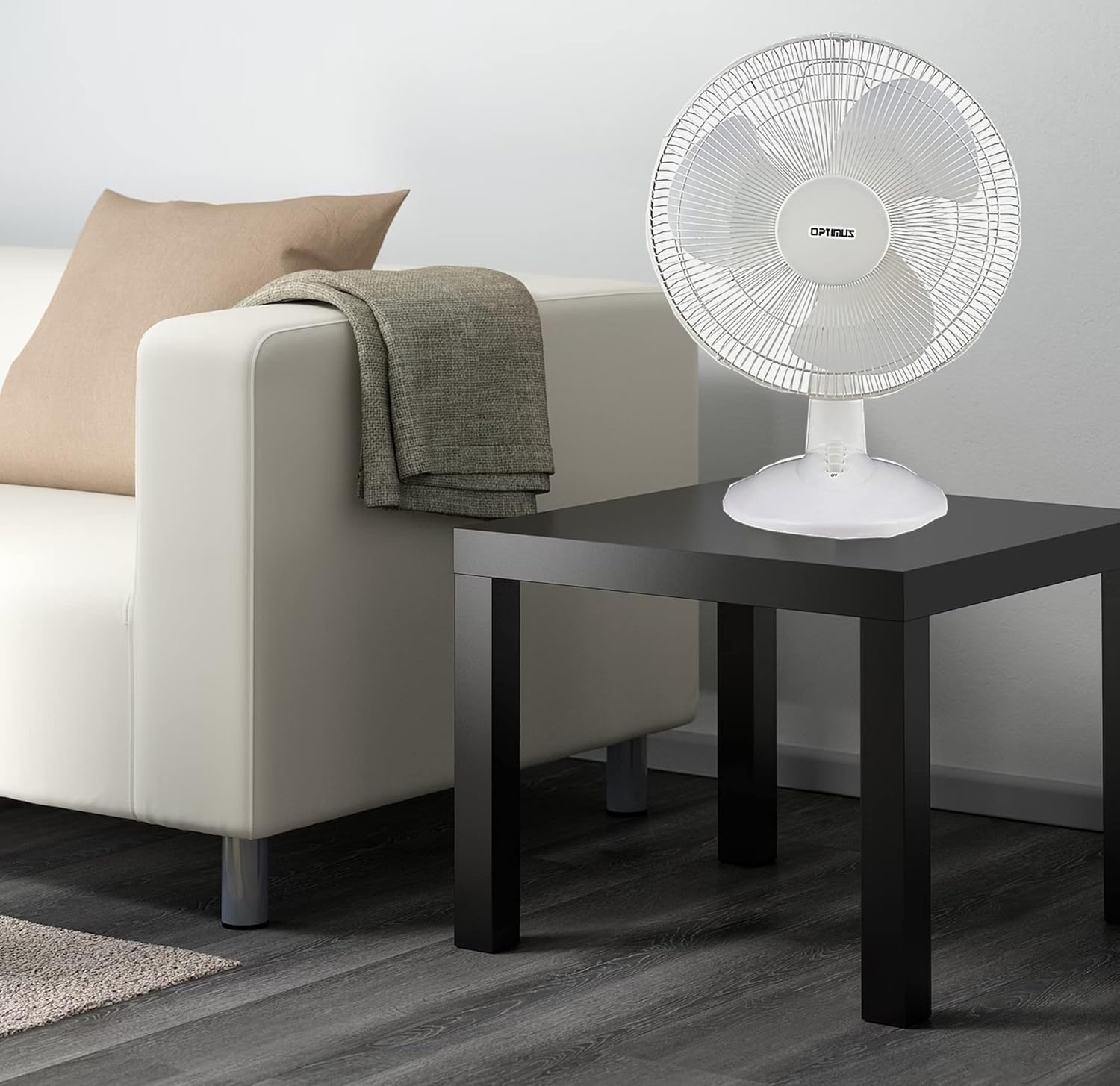
Figure 3: 4-Position Push Button Switch for speed control.
אָססיאַליישאַן פֿונקציע
The fan offers a full room of directional 90-degree oscillation to distribute air across a wider area:
- To start oscillation, push down the oscillation knob located on top of the motor housing.
- To stop oscillation and direct airflow in a fixed position, pull up the oscillation knob.
Adjustable Tilt/Angle Head
The fan head can be adjusted vertically to direct airflow precisely where needed:
- To adjust the tilt, gently push the fan head up or down to the desired angle. The fan head will remain in the selected position.

Figure 4: Adjustable tilt/angle head for vertical airflow adjustment.
וישאַלט און רייניקונג
Regular cleaning and maintenance will ensure optimal performance and extend the life of your fan.
רייניקונג
- שטענדיק ארויסנעמען דעם ווענטילאַטאָר פֿון דער עלעקטרישער אַוטלעט איידער איר רייניגט.
- ניצן אַ ווייך, דamp א שטאָף צו ווישן די אויסערלעכע ייבערפלאַכן פון דעם ווענטילאַטאָר. ניצט נישט קיין שרײַבנדיקע רייניגער אָדער סאָלווענטן.
- To clean the fan blades, you may need to carefully remove the front grille. Refer to the assembly instructions in reverse order for safe removal and reattachment.
- זיכער מאַכן אַז אַלע טיילן זענען גאָר טרוקן איידער איר שטעקט צוריק אריין דעם ווענטילאַטאָר.
סטאָרידזש
ווען נישט אין באַנוץ פֿאַר לענגערע פּעריאָדן, זאָל מען האַלטן דעם ווענטילאַטאָר אין אַ קיל, טרוקן אָרט, בעסער אין זיין אָריגינעלער פּאַקאַדזשינג, צו באַשיצן אים פֿון שטויב און שאָדן.
טראָובלעשאָאָטינג
If your fan is not operating correctly, consult the following common issues and solutions:
- פאָכער טוט נישט קער אויף:
- זיכער מאַכן אַז די מאַכט שנור איז זיכער אַרייַנגעשטעקט אין אַ אַרבעטנדיק עלעקטריש ווענטיל.
- Check if the outlet is receiving power by plugging in another appliance.
- Verify that the speed control button is pressed to an 'ON' setting (1, 2, or 3).
- פאן איז טומלדיק:
- זיכער מאַכן אַז דער ווענטילאַטאָר איז געשטעלט אויף אַ סטאַבילן, גלייכן ייבערפלאַך.
- Check for any loose parts or obstructions within the fan grilles or around the blades.
- Clean the fan blades and grilles to remove any dust buildup that might cause imbalance.
- Fan does not oscillate:
- Ensure the oscillation knob on top of the motor housing is pushed down.
אויב די פראבלעם בלייבט נאך פרובירן די לייזונגען, ביטע קאנטאקטירט קאסטומער סופארט.
ספּעסאַפאַקיישאַנז
| סאָרט | Optimus |
| מאָדעל נומער | F-1230 |
| עלעקטריק פאַן פּלאַן | טיש פאַן |
| קאָליר | ווייַס |
| מאַכט מקור | קאָרדעד עלעקטריק |
| נומער פון ספּידז | 3 |
| ספּעציעלע שטריך | אַסאַלייטינג |
| מאַונטינג טיפּ | טאַבלעטאָפּ בארג |
| קאָנטראָללער טיפּ | קנעפּל קאָנטראָל |
| וואָסtage | 50 וואטס |
| Voltage | 120 וואלטס |
| פּונקט וואָג | 4.95 פונט |
| מאַטעריאַל טיפּ | פּלאַסטיק |
| דרינענדיק / דרויסנדיק באַניץ | דרינענדיק |
וואָראַנטי און קונה שטיצן
וואָראַנטי אינפֿאָרמאַציע
This Optimus F-1230 fan comes with a 1 יאָר פּאַרץ און אַרבעט warranty. Please retain your proof of purchase for any warranty claims.
קונה שטיצן
For technical assistance, troubleshooting not covered in this manual, or warranty service, please contact Optimus Enterprises. The manufacturer's contact information is: SEATTLE, WA, 98109 US.
You may also visit the official Optimus webפּלאַץ פֿאַר נאָך שטיצן רעסורסן.