
הקדמה
Thank you for choosing the iConcepts M01517 Mobile 5-Port USB 2.0 Hub. This device is designed to expand the USB connectivity of your computer, allowing you to connect up to five USB 2.0 devices simultaneously. Its compact and mobile design makes it ideal for both desktop and portable use. Please read this manual carefully to ensure proper setup and operation.
פּעקל אינהאַלט
ביטע באַשטעטיקן אַז אַלע זאכן זענען פאַראַן אין דיין פּעקל:
- iConcepts M01517 Mobile 5-Port USB 2.0 Hub unit
- וסב קשר קאַבלע
סעטאַפּ
Follow these steps to set up your USB hub:
- Connect the Hub to Your Computer: Take the provided USB connection cable. Plug one end into the designated input port on the iConcepts M01517 hub. Plug the other end into an available USB port on your computer.
- אויטאָמאַטישע דרייווער אינסטאַלאַציע: Your operating system (Windows, macOS, Linux) should automatically detect the new hardware and install the necessary drivers. This process typically takes a few moments. No manual driver installation is usually required.
- Connect Your USB Devices: Once the hub is recognized by your computer, you can connect up to five USB devices (such as flash drives, keyboards, mice, printers, etc.) into the available ports on the iConcepts M01517 hub.
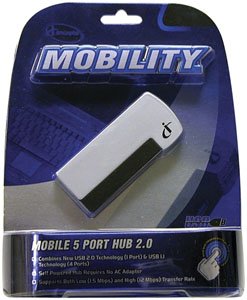
Image of the iConcepts M01517 Mobile 5-Port USB 2.0 Hub, showing its compact design and multiple USB ports ready for connection.
אַפּערייטינג
The iConcepts M01517 hub operates as a standard USB 2.0 hub, providing additional ports for your devices.
- דיווייס דערקענונג: When a device is plugged into the hub, your computer will recognize it as if it were plugged directly into the computer's USB port.
- דאַטאַ אַריבערפירן: The hub supports USB 2.0 data transfer speeds, which are suitable for most peripherals and data storage devices.
- מאַכט צושטעלן: This mobile hub is typically bus-powered, meaning it draws power directly from the computer's USB port. For high-power consumption devices, ensure your computer's USB port can supply sufficient power.
וישאַלט
To ensure the longevity and optimal performance of your iConcepts M01517 USB hub, follow these maintenance guidelines:
- רייניקונג: Use a soft, dry cloth to clean the exterior of the hub. Avoid using liquid cleaners or solvents, as they may damage the device.
- סטאָרידזש: ווען נישט אין באַנוץ, האַלט די כאַב אין אַ קיל, טרוקן אָרט אַוועק פון דירעקט זונשייַן און עקסטרעמע טעמפּעראַטורן.
- האַנדלינג: Avoid dropping the hub or subjecting it to strong impacts. Do not attempt to disassemble the unit.
טראָובלעשאָאָטינג
If you encounter issues with your iConcepts M01517 USB hub, refer to the following common problems and solutions:
- פּראָבלעם: Connected device is not recognized.
לייזונג:- זיכער מאַכן אַז דער כאַב איז זיכער פארבונדן צו אייער קאָמפּיוטער'ס USB פּאָרט.
- פרובירט צו קאנעקטן דעם דעווייס צו אן אנדערן פארט אויפן האב.
- Try connecting the device directly to your computer's USB port to verify the device itself is functioning.
- ריסטאַרט דיין קאָמפּיוטער.
- פּראָבלעם: לאנגזאמע דאטן איבערפירן גיכקייטן.
לייזונג:- Ensure both the hub and the connected device support USB 2.0 for optimal speeds.
- Avoid connecting too many high-bandwidth devices simultaneously to the hub.
- פּראָבלעם: Hub or connected devices are not receiving power.
לייזונג:- Verify the hub's connection to the computer's USB port is firm.
- Try connecting the hub to a different USB port on your computer, as some ports may provide more power.
- If connecting high-power devices, consider using a self-powered hub (if available for this model) or connecting high-power devices directly to the computer.
ספּעסאַפאַקיישאַנז
| סאָרט | iConcepts |
| מאָדעל | M01517 |
| ייַזנוואַרג צובינד | וסב |
| גאַנץ וסב פּאָרץ | 5 |
| נומער פון פּאָרץ | 5 |
| פּונקט וואָג | 5 פונט |
| ערשטער דאַטע בנימצא | 7 פעברואר 2007 |
וואָראַנטי און שטיצן
Specific warranty details and direct support contact information are not provided in this manual. For warranty claims, technical support, or further assistance, please refer to the official iConcepts webזייטל אדער קאָנטאַקט אייער הענדלער. האַלט אייער קויף קוויטל ווי אַ באַווייַז פון קויפן.