
1. הקדמה
This manual provides instructions for the proper use and care of your LeapFrog LeapPad Educational Book: Disney Princess Stories. This interactive book and cartridge set is designed to enhance pre-reading skills through engaging stories and activities featuring beloved Disney Princesses.
וויכטיקע קאָמפּאַטאַביליטי נאָטיץ: This product is specifically designed for use with the Original LeapPad Learning System, די LeapPad Plus Writing Learning System, און די Quantum LeapPad Learning System. עס איז ניט קאַמפּאַטאַבאַל with the LeapPad Explorer Tablet or newer LeapPad tablet models.
2. פּראָדוקט איבערview
The Disney Princess Stories educational book and cartridge set offers an interactive learning experience. It includes:
- One interactive storybook featuring Snow White, Cinderella, and Ariel.
- One game cartridge containing 14 games, stories, and activities.
This product aims to teach and reinforce the following skills:
- Story comprehension
- Character development
- Vocabulary expansion
- Understanding dialogue
- Letter recognition
- פאָניקס
- Repetition and rhyme
- מאַטטשינג
- Music appreciation
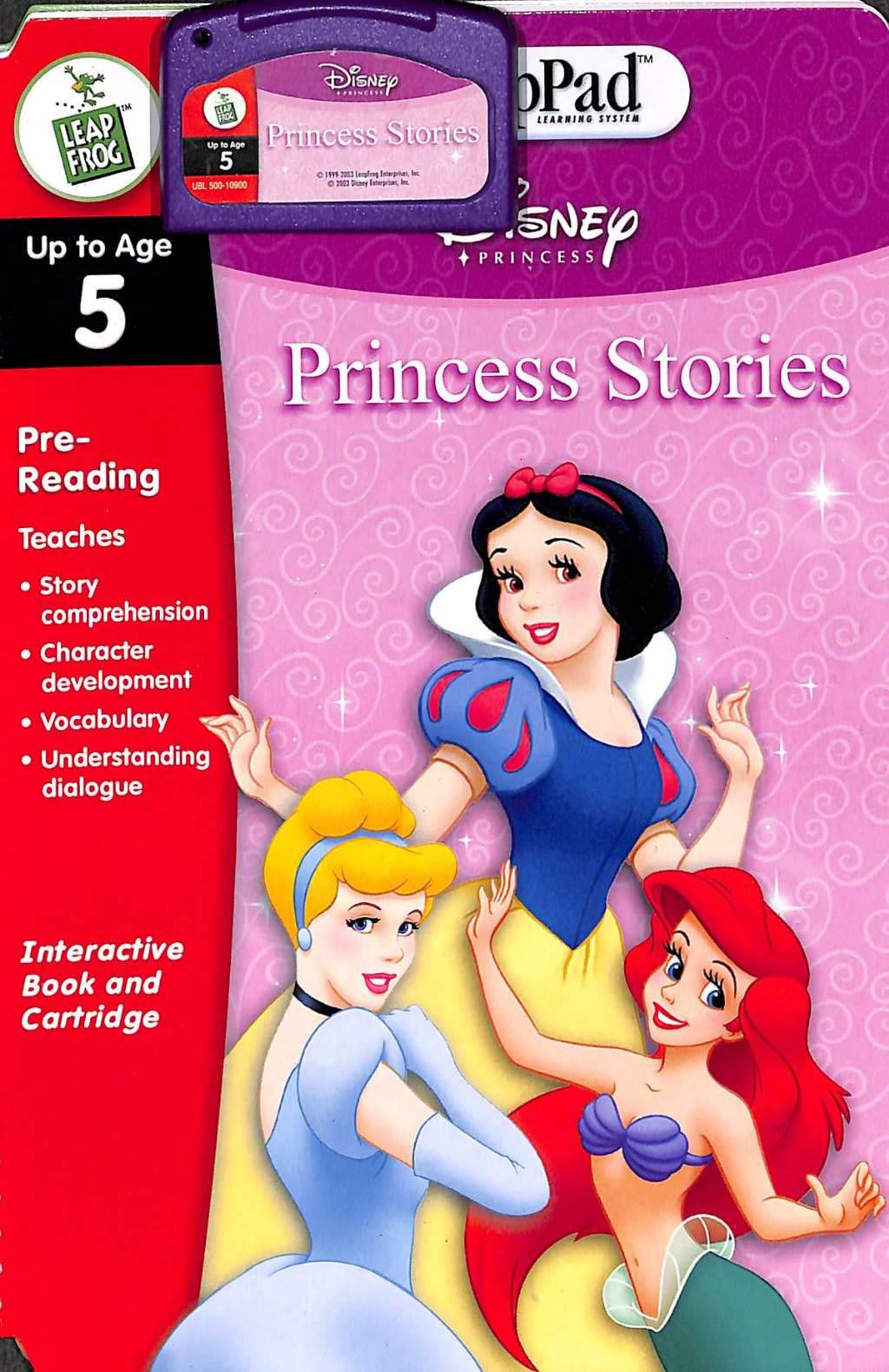
This image displays the LeapFrog LeapPad Educational Book featuring Disney Princess Stories, alongside its corresponding game cartridge. The book cover typically shows Snow White, Cinderella, and Ariel, ready for interactive learning.
3. סעטאַפּ אינסטרוקציעס
To begin using your Disney Princess Stories book with a compatible LeapPad learning system, follow these steps:
- Prepare Your LeapPad System: Ensure your LeapPad learning system (Original LeapPad, LeapPad Plus Writing, or Quantum LeapPad) is powered on and has fresh batteries installed if it is a portable model.
- אַרײַנשטעלן די קאַרטרידזש: Locate the cartridge slot on your LeapPad system. Carefully insert the Disney Princess Stories game cartridge into the slot until it clicks securely into place. Do not force the cartridge.
- Place the Book: Open the Disney Princess Stories book to the first page. Align the book with the LeapPad system's book tray, ensuring it lies flat and the binding is correctly positioned.
- אַקטאַווייט: Once the book and cartridge are in place, the LeapPad system should recognize the content. Use the Magic Pen to touch the 'Go' or 'Start' area on the first page of the book to begin the interactive experience.
4. אַפּערייטינג ינסטרוקטיאָנס
Interacting with the Disney Princess Stories book is simple and intuitive:
- Using the Magic Pen: The Magic Pen is your primary tool for interaction. Touch any word, picture, or designated activity area on the book's pages with the tip of the Magic Pen. The LeapPad system will respond with audio, music, or activate a game.
- Navigating Stories: Follow the prompts from the LeapPad system. To turn a page, simply turn the physical page of the book. The system will automatically detect the new page.
- Playing Games and Activities: The book contains various interactive games and activities. When prompted, use the Magic Pen to select answers, complete tasks, or explore different options on the page.
- אַדזשאַסטינג באַנד: Use the volume controls on your LeapPad system to adjust the audio level to a comfortable setting.
5. וישאַלט
Proper care will ensure the longevity of your Disney Princess Stories educational book and cartridge:
- רייניקונג: Wipe the book and cartridge with a soft, dry cloth. Do not use liquid cleaners, solvents, or abrasive materials, as these can damage the product.
- סטאָרידזש: Store the book and cartridge in a cool, dry place away from direct sunlight and extreme temperatures. Avoid placing heavy objects on the book to prevent damage to its pages or electronic components.
- האַנדלינג: Handle the book and cartridge gently. Avoid bending the book pages or inserting the cartridge incorrectly, as this can cause damage to the product or the LeapPad system.
- Cartridge Contacts: Keep the metal contacts on the cartridge clean and free from dust or debris. If necessary, gently wipe them with a dry, lint-free cloth.
6. טראָובלעשאָאָטינג
If you encounter issues while using your Disney Princess Stories book, refer to the following common solutions:
- No Response from Book/Cartridge:
- Ensure the cartridge is fully and correctly inserted into the LeapPad system.
- Verify that the book is lying flat and properly aligned on the LeapPad system's book tray.
- Check that the LeapPad system is powered on and has sufficient battery life.
- Confirm that the Magic Pen is making proper contact with the page.
- Audio Issues (No Sound or Distorted Sound):
- Check the volume settings on your LeapPad system.
- Ensure the Magic Pen is touching the correct area on the page.
- If using headphones, ensure they are properly connected.
- Incorrect Responses or Activities:
- Ensure you are using the correct Magic Pen for your LeapPad system.
- Verify that the book is open to the correct page and aligned properly.
- If the issue persists, try removing and reinserting the cartridge.
- קאַמפּאַטאַבילאַטי ישוז:
- Remember, this product is only compatible with the Original LeapPad, LeapPad Plus Writing, and Quantum LeapPad Learning Systems. It will not function with newer LeapPad tablet models.
7. ספּעסאַפאַקיישאַנז
| פּראָדוקט נאָמען | LeapFrog LeapPad Educational Book: Disney Princess Stories |
| מאָדעל נומער | 80-30111E |
| UPC | 708431301115 |
| Brand (Content) | דיסניי |
| פאַבריקאַנט | לעאַפּפראָג |
| פּונקט וואָג | 5.6 אונסעס |
| נומער דימענשאַנז | 11.6 X 7.7 X 0.8 אינטשעס |
| מינימום עלטער | 24 חדשים (2 יאָר) |
| בילדונגקרייז אָביעקטיוו | לייענען סקילז |
| פאָרם פאַקטאָר | ספר |
| קאַמפּאַטאַבילאַטי | Original LeapPad, LeapPad Plus Writing Learning System, Quantum LeapPad Learning System (Not compatible with LeapPad Explorer Tablet) |
8. וואָראַנטי & שטיצן
For information regarding product warranty or technical support, please refer to the documentation included with your LeapPad learning system or visit the official LeapFrog website. Specific warranty details for this educational book and cartridge may vary by region and purchase date.
For further assistance, you may contact LeapFrog customer service directly through their official support channels.


